Modern cameras are powerful, yet noisy images still happen at higher ISO. To fix them properly, you first need to know what are the best noise reduction software for photography.
I shoot a lot in bad light. Evening streets, cafés, and indoor portraits are all beautiful and all noisy. Grain creeps into shadows, skin turns blotchy, and color starts breaking apart. After years of testing editors, I learned something important: the camera is only half of image quality. The rest is your denoiser, and finding the best photo noise reduction software makes a bigger difference than upgrading a lens.
Below is my honest ranking of the tools I actually tried and compared carefully. I’m not listing random programs. These are the ones photographers consistently use in real workflows, from RAW editing to print preparation.
You’ll see prices, strengths, weaknesses, and who each tool is really for.
Your AI-Powered Photo Editor for MacOS and Windows
Key Takeaways
-
Luminar offers the most balanced all-in-one editing and denoising workflow.
-
Topaz is best for heavily noisy and underexposed photos.
-
DxO PureRAW preserves the highest level of fine detail in RAW files.
-
Lightroom is ideal for batch editing and catalog workflows.
-
ON1I works well for fast, high-volume editing and event photography.
-
Modern AI denoisers reconstruct detail instead of simply blurring grain.
1. Luminar: The Most Balanced Modern Solution
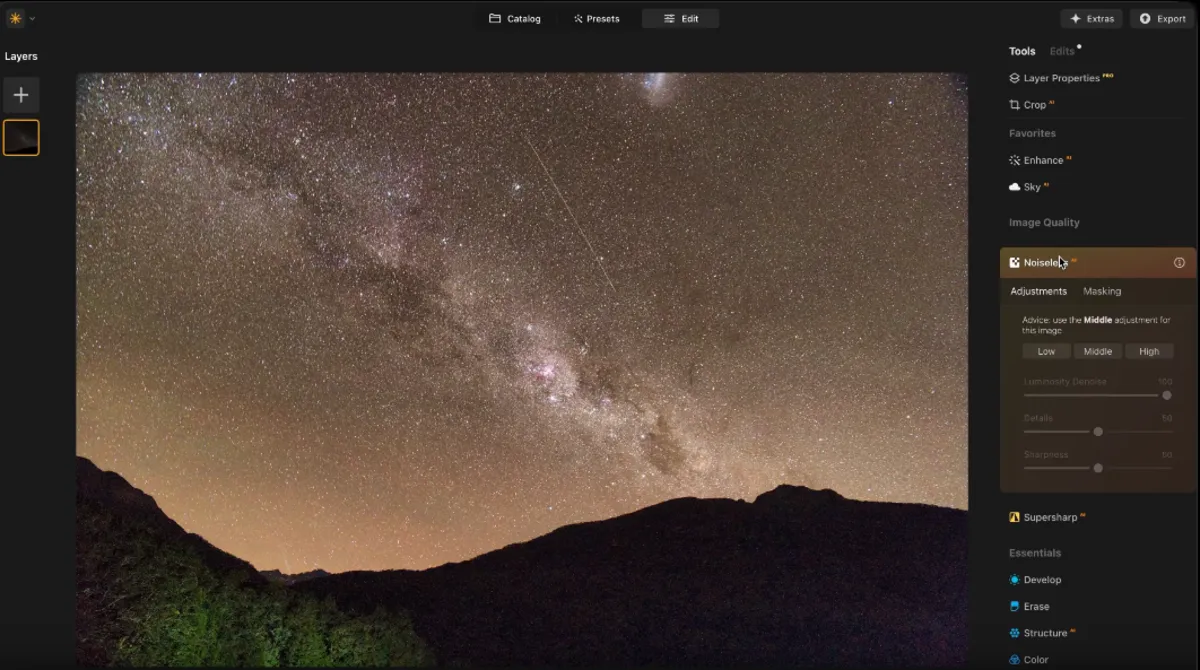 What makes it #1 for me is simple: it’s not only a denoiser. It’s a full editor that removes noise without forcing you into Photoshop afterward.
NoiselessAI in Luminar uses AI to study how the photo is built before it starts cleaning it. Instead of softening the whole image, it treats skin, hair, edges, and fine textures differently. During testing, the biggest difference I noticed was that preserved micro-detail pores stayed natural and not waxy.
In one comparison, processing a RAW file took about 45 seconds while keeping detail intact rather than spreading pixels like classic noise filters.
Key Functions
-
AI noise removal (Low/Medium/High presets)
-
separate luminance and color noise control
-
face detection to protect skin texture
-
RAW file processing
-
batch editing
-
masking
-
full photo editor (relight, sky replacement, sharpening)
It also includes AI editing tools like Sky AI and Enhance AI that automatically improve exposure and color.
Price
-
perpetual license typically about $79–$129 (varies by plan)
Pros
-
beginner-friendly
-
protects fine details
-
replaces several programs at once
-
fast workflow (no plugin switching)
Cons
-
might be heavy on the GPU
-
not the absolute strongest astrophotography denoiser
This is the only software on this list I can open, fix noise, correct light, and export without touching another editor. That’s why I personally keep returning to it whenever I just want results quickly.
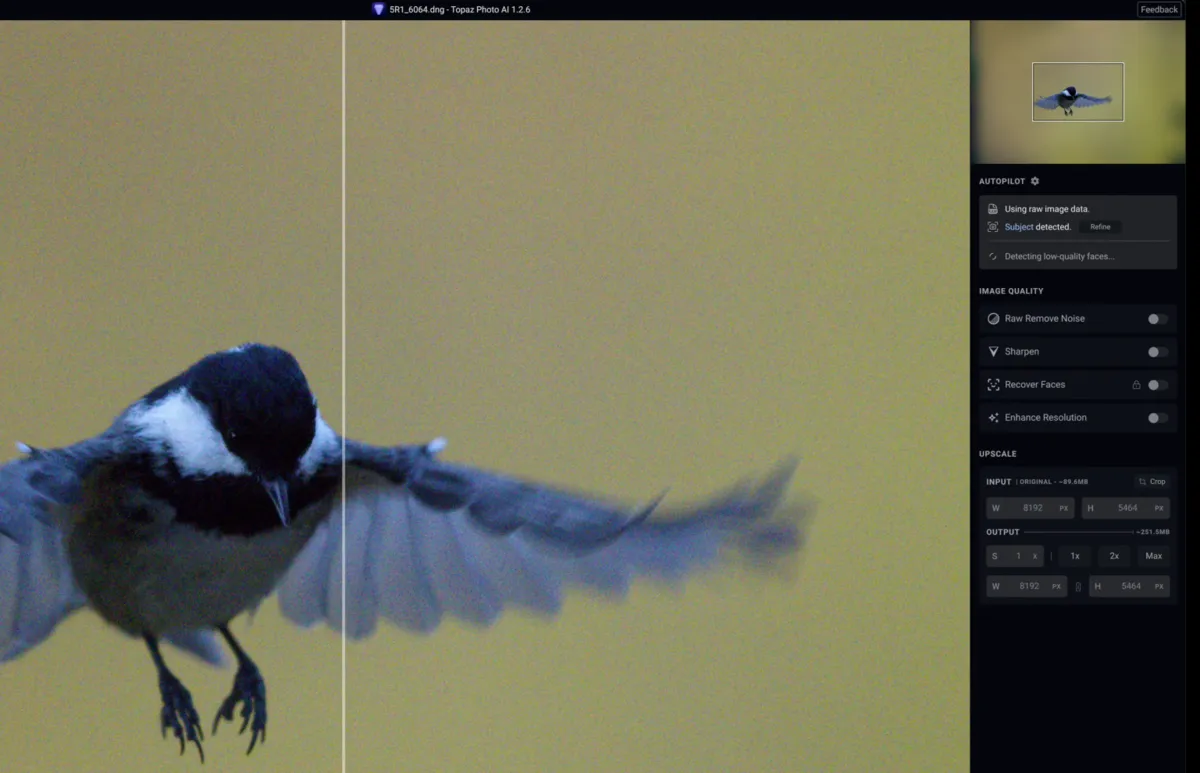
2. Topaz Photo: The Specialist Cleaner
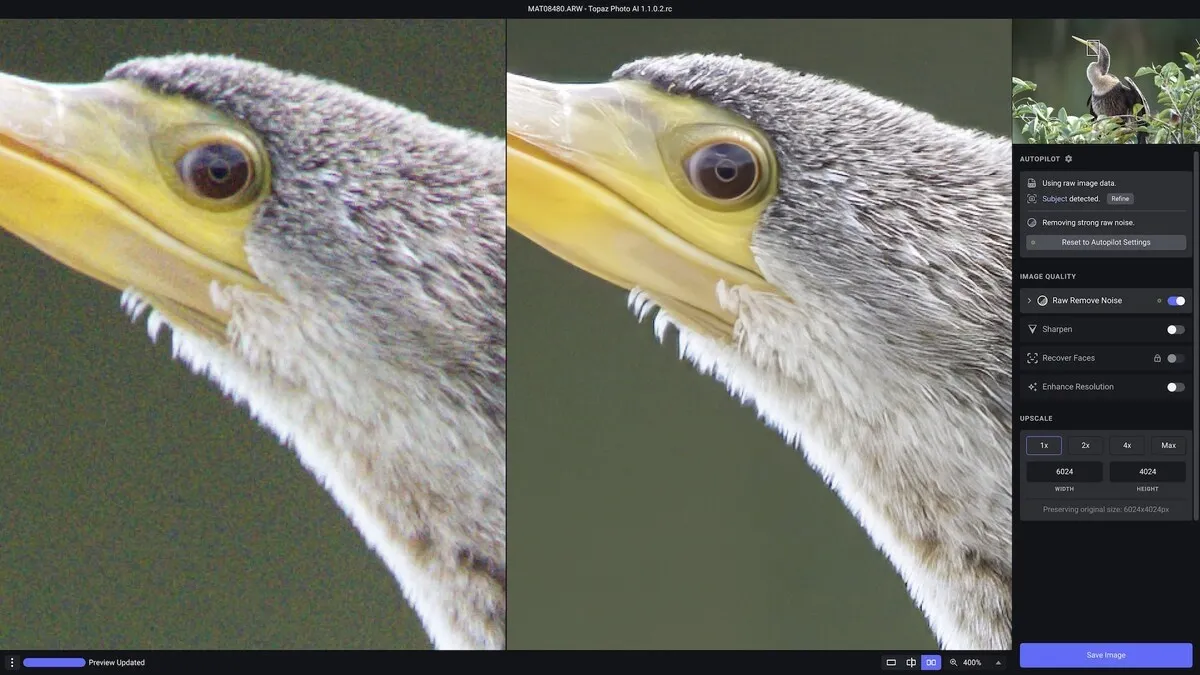 Topaz is the opposite philosophy. It doesn’t try to be a full editor; it tries to be the cleanest denoiser possible. The idea behind Topaz Denoise: Effectiveness and Key Advantages become obvious once you actually process a noisy file.
Topaz uses machine learning trained on millions of images. Instead of smoothing grain, it reconstructs detail. In difficult ISO 6400 photos, it often restores edges and sharpness rather than softening them.
Key Functions
-
RAW noise removal
-
motion blur recovery
-
detail reconstruction AI
-
sharpening integration
-
Lightroom/Photoshop plugin
Price
-
subscription from $17/month if paid annually, or from $39/month paid monthly
Pros
-
extremely powerful for high ISO
-
saves underexposed photos
-
excellent for wildlife and sports
Cons
-
slower preview rendering
-
sometimes over-sharpens
-
requires another editor afterward
In real comparisons, Topaz ranked very close to the top tools and often produced natural results on faces. I use it when a photo is almost ruined. If Luminar fixes 90% of photos, Topaz fixes the emergency 10%.
Elevate Your Photography with Our Advanced Software
3. DxO PureRAW: The Detail Preservation king
 This is the software professionals whisper about. DxO doesn’t edit photos; it preprocesses RAW files before editing. Its DeepPRIME algorithm performs demosaicing and denoising simultaneously, which is very different from traditional smoothing. The result is extremely clean shadows and natural color.
In real-world tests, it frequently produced the most natural-looking results and was often faster than competitors.
Key Functions
-
DeepPRIME AI noise reduction
-
lens correction database
-
optical sharpening
-
batch RAW preprocessing
Price
-
about $129–$149 one-time purchase
Pros
-
best detail retention
-
superb for high-resolution cameras
-
perfect for landscape photographers
Cons
-
not a full editor
-
no JPEG editing
-
requires Lightroom/Photoshop afterward
This is not beginner software. But if you shoot weddings or landscapes professionally, this tool alone can upgrade your portfolio quality.
4. Adobe Lightroom: The Integrated Workflow Leader
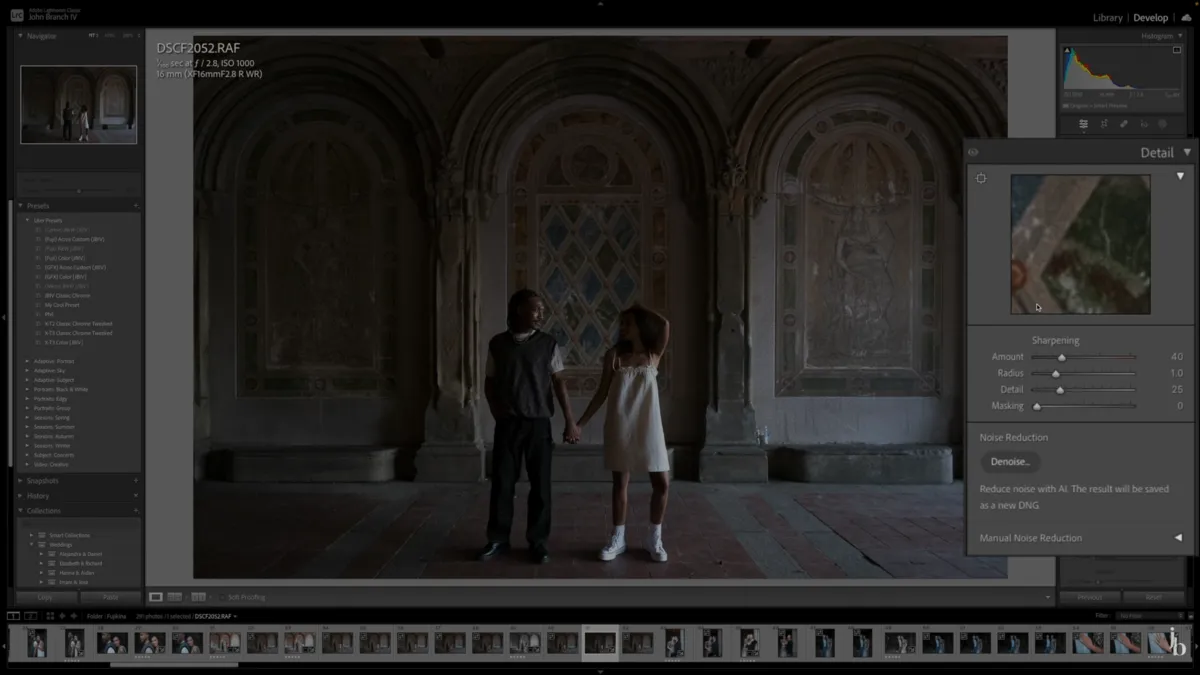 Many people forget Lightroom now has AI denoise, and it’s surprisingly strong. The new AI Denoise process uses neural networks to process RAW images. It creates a separate DNG file with an improved signal-to-noise ratio. Lightroom also offers masking, color grading, cataloging, and batch workflow in one place.
Key Functions
-
AI RAW denoise
-
masking tools
-
presets
-
catalog management
-
batch editing
Price
-
plan starts from about $11.99/month
Pros
-
all-in-one workflow
-
non-destructive editing
-
excellent color handling
Cons
-
slower export
-
weaker on extreme noise
Tests comparing multiple programs show Lightroom performs well but usually ranks slightly below specialized denoisers. For many photographers, though, convenience wins. One program, no plugins, no exports.
5. ON1 Photo Raw: The Speed Champion
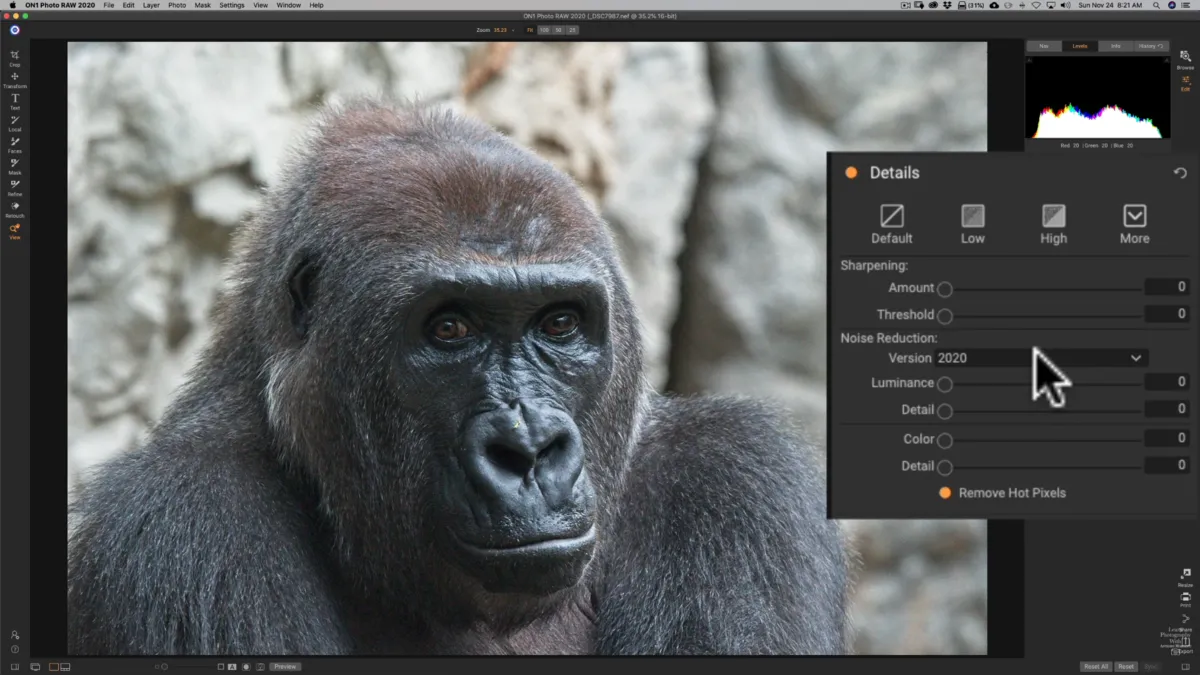 ON1 NoNoise AI surprised me. It’s very fast. In one test, exporting a JPEG after denoising took only about three seconds. That’s dramatically faster than most competitors.
Key Functions
-
AI noise reduction
-
tack-sharp AI sharpening
-
plugin support
-
batch editing
Price
-
a licence for about $59.99 or a subscription from $95.99/year
Pros
-
fastest processing
-
simple interface
-
affordable
Cons
-
occasional artifacts
-
weaker skin rendering
ON1 works great for event photographers who must process hundreds of images quickly.
How To Pick The Right Noise Reduction Software
 Here’s my practical rule:
-
small noise → Lightroom
-
everyday photos → Luminar
-
extreme ISO → Topaz
-
professional RAW workflow → DxO
-
high-volume event batches → ON1
Noise reduction matters because grain isn’t just aesthetic; it destroys color and dynamic range. And modern AI tools are dramatically better than old filters. Instead of simply softening the picture, modern tools rebuild real detail. They study patterns in the image and tell grain apart from actual texture. After years of editing, one thing became clear: there isn’t a single perfect winner.
Your Smart AI-Powered Tool for Noise Reduction
But there is a best choice for each photographer. If you want the easiest workflow and strongest overall balance, Luminar. If you want maximum recovery from terrible shots, Topaz. If you want technical perfection, DxO.
Personally, I keep Luminar installed permanently, and the rest are treated like rescue tools. And that combination, rather than any one tool, is what really gives you the best noise removal software experience in real-world photography.
Closing Thoughts
Taking a photo isn’t the final step anymore. In low light, the real image often appears only after editing. Good denoisers don’t just hide grain, they bring back detail and natural color. The goal isn’t a single perfect program, but the right tool for the right photo. When the software matches the shot, images you once rejected suddenly become worth keeping.