Burst photography is a go-to choice for a range of photography styles. Sports photographers use burst mode to capture the perfect moment a ball is kicked, a boxer lands a punch, or a tennis player connects with a swing. Street photographers use it to make sure they get the timing just right in their compositions too, and as a street photographer myself, I’ve often relied
on it while out shooting. It gives photographers the ability to ensure moments aren’t missed, capturing the exact moment they were hoping for.
It also presents a rather unique workflow. From setting up the shot, to selecting the best frame, and then editing, you’ll be approaching your work slightly differently. So in this article, I’m going to give you the best tips to make sure you get the most out of burst mode, covering how to shoot properly, how to cull your images, and how to edit them in Luminar.
So let’s get started!
Your AI-Powered Photo Editor for MacOS and Windows
How to Shoot Burst Properly

With burst mode selected on your camera, you may now feel the urge to go on a spree and hold your shutter button down, completely unhinged, firing off shots at will. But you’re going to have to slow down. If you don’t pick your moments, your camera will actually force a break while it catches up writing images to the memory card.
I’ve had it before where there’s been so much action happening in front of me that I’ve had to wait a brief moment before I can continue shooting. Now imagine that perfect moment you were waiting for happens right then. Knowing photography, it absolutely will.
Instead, what pros get really good at is a lesser talked about skill: anticipation. Being ready for when that moment happens, and then committing to it.
If I’ve got a perfect alley lined with neon lights, but I need a person to walk through the middle, my camera is already at eye level and ready. If it’s down by my side, I’ve already missed the shot. I’m anticipating that moment will happen at any second, and when it does, I hold the shutter and let burst mode do its thing.
It will include frames of the subject walking into and out of the shot, which I don’t want, but it will also include that one frame where everything lines up perfectly. So I can be confident I’ve got the shot, and that the time spent waiting was worth it.
The focus mode you select is also important. For burst shooting, you’ll want to use continuous autofocus, often labelled as AF-C. This will track your subject as it moves through the frame and give you a much higher chance of getting sharp results.
So if you want to take great burst photos, make sure you have AF-C selected, anticipate the moment, and use short bursts to avoid your camera slowing you down.
Culling

This is the one downside to burst shooting. Culling is the process of removing unwanted photos from your shoot, and with burst mode, you’re going to have a lot more to deal with.
As I mentioned with the alley example, you’ll have several frames with the subject entering and leaving the scene.
Those are the easy ones to delete. The tricky part comes when you have several images that look almost identical, with only subtle differences. How do you choose then?
Start by looking for the technically strongest image. That means sharp features, the best expression, and the strongest composition. This should narrow things down to just a couple of options. From there, you’ll need to make a decision, and this is where the dreaded choice paralysis kicks in.
Here’s where I introduce my cure: the walkaway. I use this at multiple stages in my workflow, including right at the end to make sure I’m happy with an edit. If you’re struggling to choose, step away and do something else for a while. When you come back, you’ll be looking with fresh eyes, and most of the time the best image becomes obvious straight away.
If that doesn’t work, you’ve got two more options. One is to ask someone you trust for their opinion, ideally another photographer with a trained eye. The other is to stop overthinking it. What feels like a big difference to you may barely be noticeable to anyone else. So at that point, just pick one. “Eeny, meeny, miny, moe” is a perfectly valid strategy.
Exclusive Tools of Endless Possibilities in One Editor
Editing in Luminar
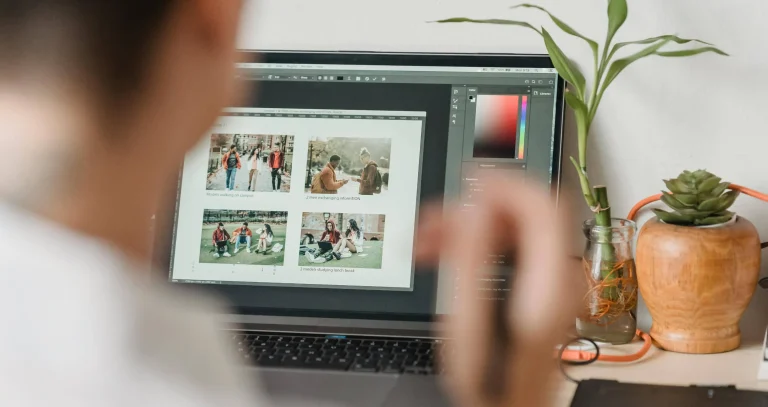
Once you’ve finally made your decision, it’s time to open your image in Luminar and go through your usual editing process to bring out the best in your shot.

This is where I introduce a hidden stage four of burst photography: wondering how that edit would look on the other shot you liked. You may have thought the culling and decision-making was over, but unfortunately not.
It’s time to make an album to keep everything contained. Head to the Catalogue and create a new album with whatever appropriately themed name you can come up with.
Place your chosen image in there, which you hoped to be the final one alongside those other tormenting choices that you just couldn’t quite let go of.

Thankfully, Luminar makes the next step simple. Copy your edits (Ctrl+C on Windows, Cmd+C on Mac) and paste them onto the other images in your album.

From here, you get to go through the culling process all over again.
Having similar images to work with does have its advantages though. You can experiment with different looks, try out colour variations, and explore different moods to see how much impact each version has. Though I won’t pretend this helps with choice paralysis.
So refer back to the earlier tips. Step away, ask someone such as a fellow photographer, or just close your eyes, jab your finger at the screen and hope for the best.
Elevate Your Photography with Our Advanced Software
The Bottom Line

Burst photography is an action photographer’s best friend, helping them capture the exact moment they were aiming for. Wildlife, weddings, and many other styles make great use of it, and if your subject involves movement, it’s something you should absolutely consider using.
Just remember not to hold down the shutter endlessly, as your camera will need time to catch up writing images, and you risk missing the moment entirely. Once you’re back home, embrace the culling process. It’s not always easy, but do your best to choose the image that stands out most to you.
Then finish things off in Luminar, making use of albums and copying and pasting edits to compare your options and find the strongest final image.
Enjoy!