Unlock the full potential of your photos: creative editing ideas will transform ordinary shots into captivating visual stories.
A perfectly sharp photo with spot-on exposure risks getting lost instantly in someone else’s feed. Technical perfection serves only as a starting point, yielding a correct but utterly faceless result. The thirst to create a true masterpiece cannot be quenched by sterile craftsmanship alone, which is why creators consciously set out in search of their own visual style. A recognizable color palette, distinctive contrast, and unconventional use of shadows become an invisible signature, transforming a mundane image into a memorable creative statement.
Don’t feel like reading the whole breakdown right now? Here’s a tighter, more practical summary of what actually changed.
Elevate Your Photography with Our Advanced Software
Key Takeaways
- Technical perfection isn’t a style. The text argues that sharpness and correct exposure are only a starting point, while a signature comes from a consistent palette, contrast, and shadow treatment.
- Build the base before adding effects, focusing on light, microcontrast, and color temperature. Luminar’s “Color Enhancement” is presented as a way to control saturation without aggressive stylization.
- Consistency is the real “glue”. Repeating one approach to white balance or local brightness across different images is described as what turns separate shots into a cohesive portfolio.
- Creative filters should be adjustable, not final. The guide suggests choosing film or black-and-white looks via presets, then dialing intensity and refining shadows and local brightness using the layer system.
- Color correction is where style becomes visible. Examples include cooling forest shadows while warming sunlit highlights for depth, removing red/green casts in portraits with Channel Mixer, and using warm streetlights against blue twilight for a cinematic city look.
- Layers and masks enable controlled “big moves”. Luminar Neo’s masking system is described as fast to manage, with AI helping replace skies, remove objects, and fill gaps contextually without manual brush work.
- Surreal edits are presented as structured experiments. The text lists extreme hue shifts, scale distortion, multiple exposure, targeted blur, and neon graphics as repeatable methods that can become a recognizable signature.
Innovative Techniques for Photo Enhancement
Developing a distinctive style begins with avoiding the immediate use of extravagant filters in favor of flexible control over the image’s foundation. Precise adjustments to light, microcontrast, and color temperature in Luminar radically transform the mood of the original image. The “Color Enhancement” tool helps control the saturation of hues, eliminating the need for aggressive stylization.

These steps reveal the photograph in completely different ways, reflecting the creator’s individual vision. One photographer lightens the shadows as much as possible to achieve a clean, even image. Another specialist deliberately leaves dense black areas, preserving the scene’s depth. A third focuses exclusively on the main subject: the “Dodge & Burn” tool selectively brightens required details and pushes the distracting background into darkness.

Cool ways to edit photos are created by incorporating recurring visual elements. These are by no means random decorative overlays. A consistent use of cool white balance or a consistent approach to adjusting local brightness effectively ties a collection of disparate images together into a cohesive portfolio.
Exploring Unique Filters and Effects
Once the exposure and contrast are set, Luminar’s creative photo filters help bring out the intended concept. The algorithms built into the editor automatically analyze the image, suggesting context-appropriate processing options. You can choose one of these or browse the preset library to find the right solution yourself.

With just a few clicks, you can give the image a film photography effect or convert it to black and white.
After applying the changes, you can adjust their intensity by simply sliding the slider. You can also adjust shadow depth, balance saturation, and precisely adjust the brightness of specific areas using the layer system.
Achieve Retro Chic with the Cross Processing Effect
Creative Approaches to Color Correction
A photographer’s distinctive style is built through precise work with color accents. The base profile sets only the overall tone, so selective adjustments come into play next. In landscape photography, the “Color Balance” tool helps separate the different planes.

Adding cool blue tones to the deep shadows of the forest and enhancing the orange hues on the sunlit treetops instantly creates visual depth.
Portrait photography requires a completely different approach to color correction. The main goal here is to preserve the model’s natural skin tone while carefully removing distracting color casts. The “Channel Mixer” function in photo editing software evens out the face by eliminating red or green casts caused by the surrounding environment.

The easiest way to focus the viewer’s attention on the model is to lower the saturation of overly bright areas.
Color contrast works exceptionally well for cityscapes. Highlighting the warm glow of streetlights against a blue twilight backdrop gives the composition depth and a cinematic feel. Another option is to apply the principle of complementary colors to create striking compositions even before post-processing in Luminar. In product photography, however, the color of the subject must be accurately represented, so it’s best to focus on working with light rather than altering the visual tone.
Using Layers and Masks for Artistic Results
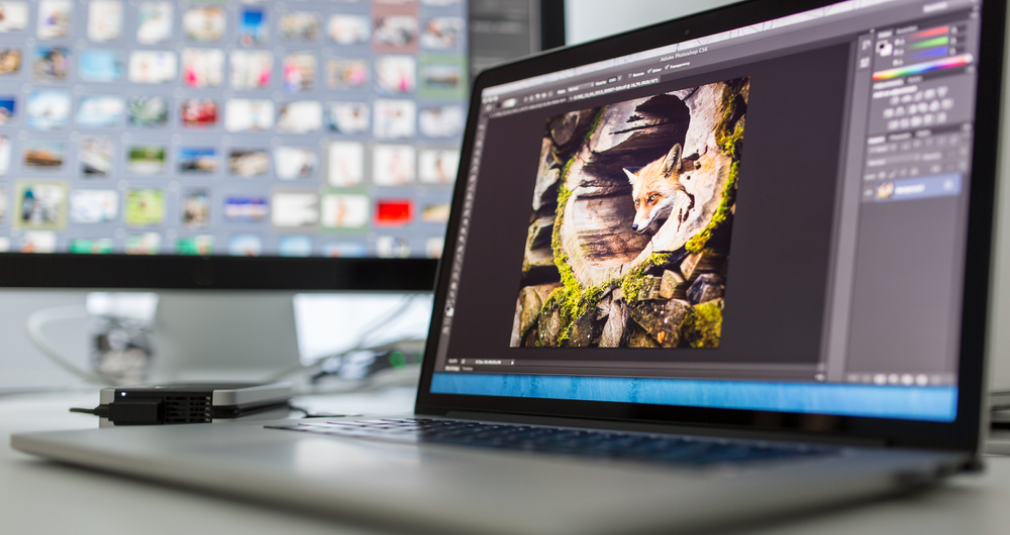
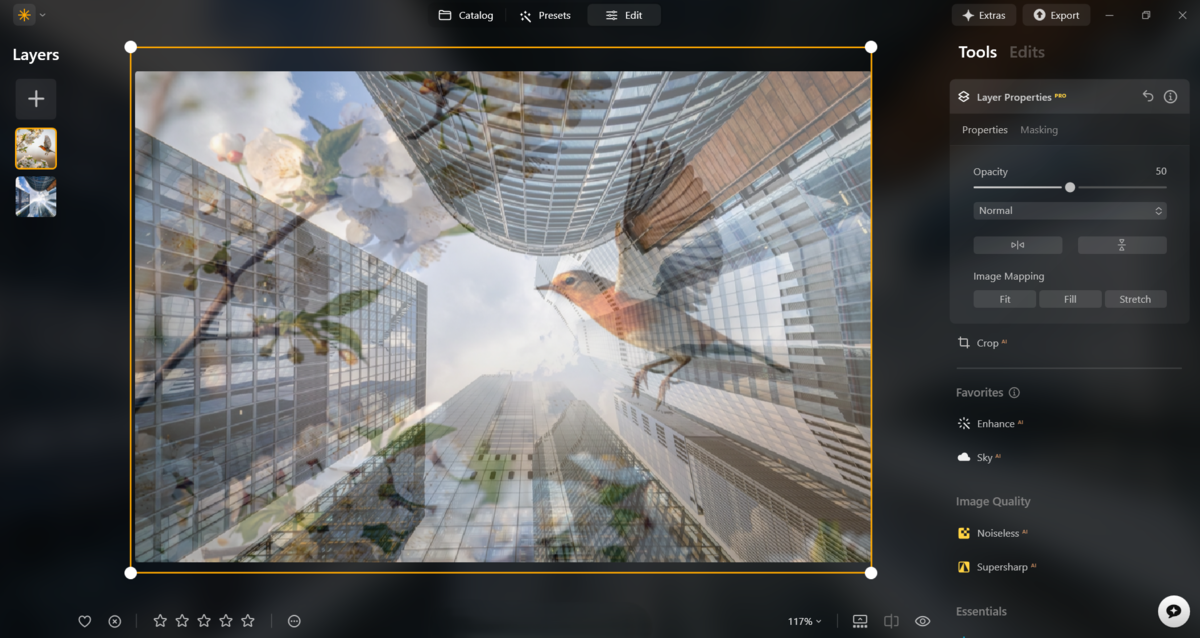
Luminar Neo features a system of masks and layers designed to make it easy to work with specific parts of an image. It creates an environment where source files and all applied changes are integrated into a single structure, yet can exist independently of one another. With just a few clicks, users can hide or show a specific layer, change its display order, or increase its transparency to create a visually noticeable overlay.
The built-in artificial intelligence greatly optimizes layer editing. Replace a cloudy sky with a golden sunset, and the algorithms will automatically adjust the objects in the frame to the new lighting. Smart selection helps remove objects without the hassle of using a brush or magic wand. When needed, the resulting space can be filled in based on the context.
Transforming Portraits with Artistic Edits
An expressive portrait is created through a combination of appropriate lighting, proper composition, and targeted correction of defects. Luminar, a professional photo retouching software, combines all the features you need for comprehensive portrait editing. Even if the original photo quality leaves something to be desired, AI-powered algorithms will help you achieve a stunning image in just a few minutes.
For example, the “Portrait Bokeh AI” tool neatly separates the subject from the background.

Background details recede into the background without drawing attention to themselves. This is one of the most effective tools for controlling visual storytelling available during post-processing. To remove minor imperfections on the model’s face, use the “Skin AI” module.

Shifting the focus to the face will highlight all blemishes and redness, so removing them is a required step toward a beautiful portrait photo.
Combining Textures and Overlays Creatively
Adding textures or subtle visual distortions can help provide the visual richness of your photo. Light dust, vintage scratches, soft bokeh, and delicate paper textures from the Skylum Marketplace can naturally complement your photo.

Adjust the intensity of the effect to avoid visual artifacts along the edges of objects.
Tips for Creating Surreal and Abstract Images
Creating surreal images involves breaking all the basic rules of composition, shifting the focus to unusually long shadows or distorted proportions of the subjects. Thanks to their strong contrast, these photos grab more attention, which can become your signature style or a great way to practice when learning to use a new camera. The range of features available in Luminar Neo lets you experiment with style without worrying about routine tasks.
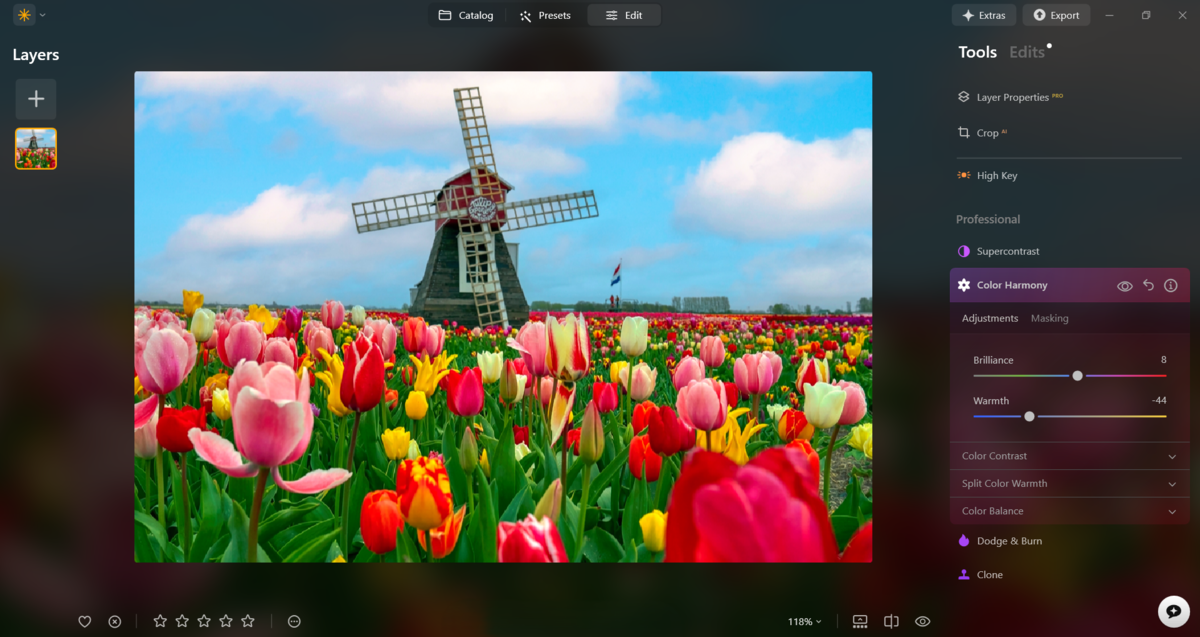
- Extreme color shift. Inverting the base hues via the “Color Harmony” panel transforms an ordinary daytime sky into a crimson canvas. Change the mood and lighting of the scene with just a few clicks by selecting the right template in the “Sky templates” section.
- Scale distortion. Disproportionately enlarging individual details or characters disrupts the logic of space, causing the viewer to doubt the reality of what is happening. This is the simplest way to integrate abstract ideas into your scenes.
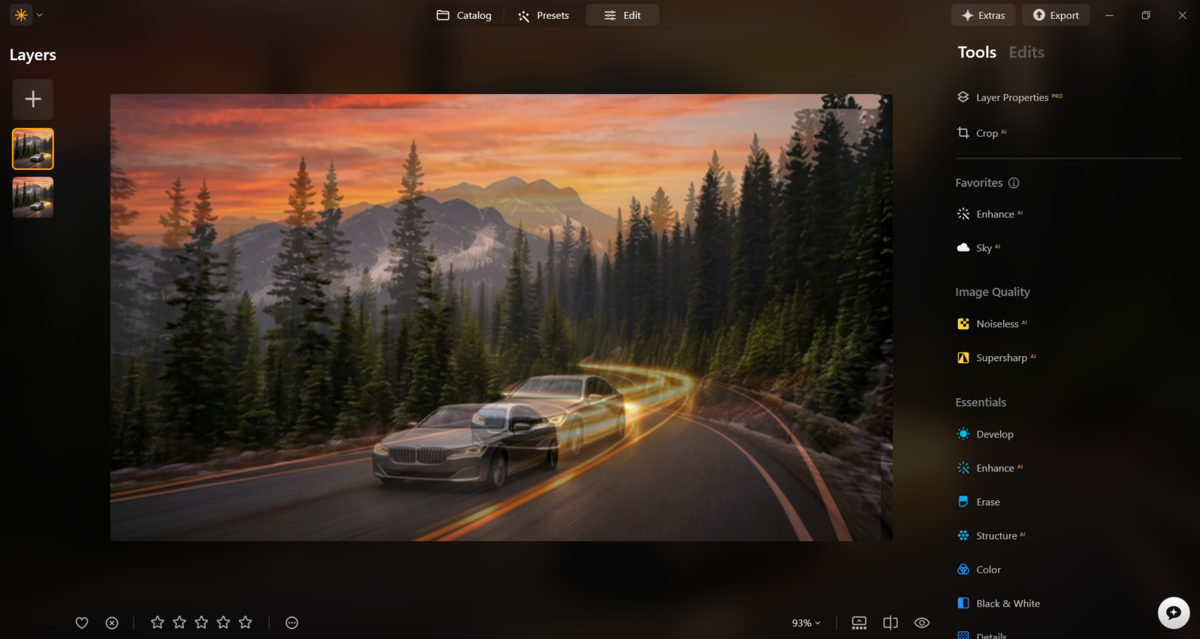
- Multiple exposure. Layering several contrasting source images on top of each other creates complex, multidimensional illusions without clear boundaries. They capture attention, compelling viewers to search for familiar scenes amidst a jumble of spots.
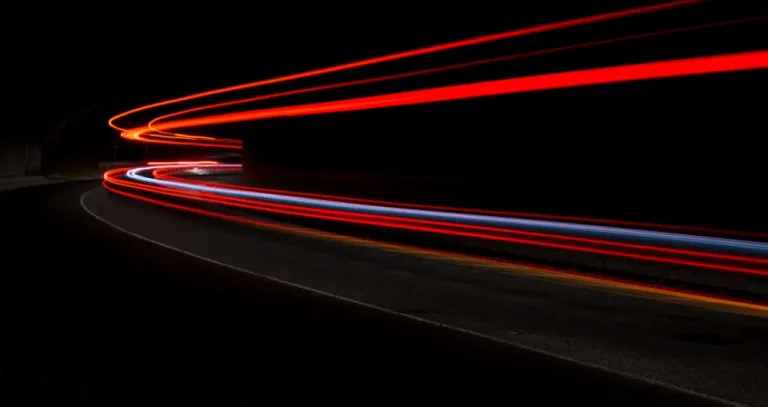
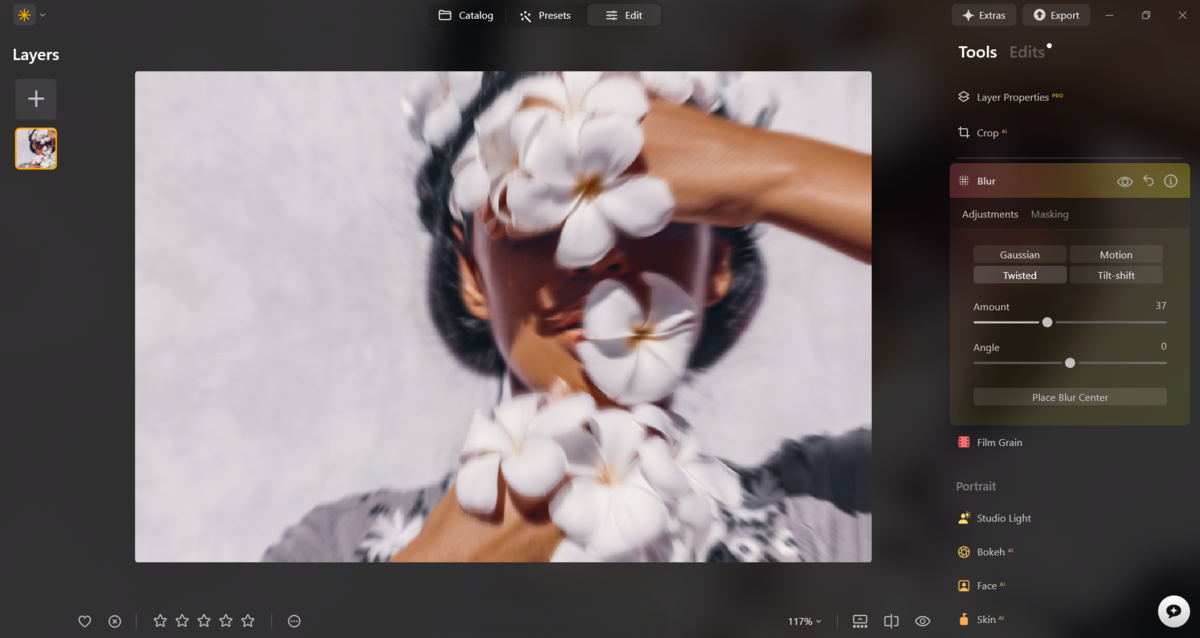
- Intentional blurring of contours. Targeted use of the “Blur” tool transforms static objects into dynamic trails, leaving only the abstract energy of light in the image. Long-exposure photos are difficult to create, but they are sure to elicit a “wow” effect.
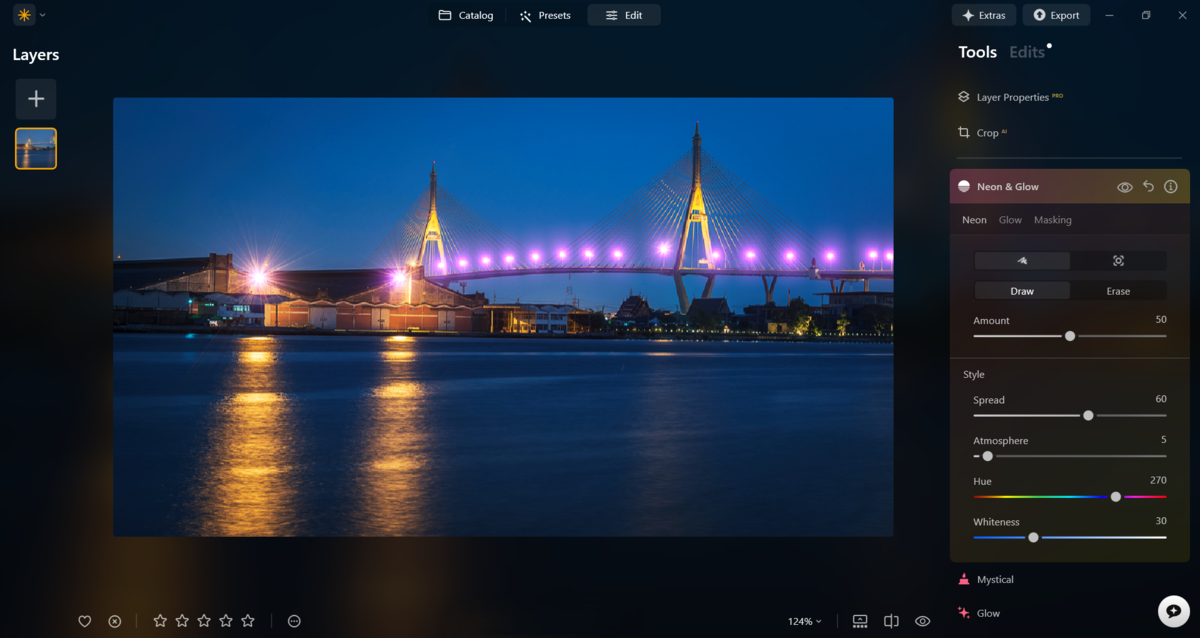
- Incorporating graphics. Adding alien, glowing lines and strict geometric shapes via the “Neon & Glow” module transforms a boring urban landscape into cyberpunk or futuristic abstraction. Stylized photos resonate more quickly, especially if they explore a less conventional idea.


Take a look at examples of creative photo editing by Barbara Rosenthal or Liz Deschenes before you start working on abstract scenes. Using simple visual techniques, they create images that leave a lasting impression.
Your AI-Powered Photo Editor for MacOS and Windows
Tools and Apps to Elevate Your Photo Editing Skills

The best option for inexperienced users is an advanced photo editor with built-in artificial intelligence. Smart algorithms handle routine adjustments, instantly correcting the base exposure. Generative features create realistic objects or radically change the background with a simple text prompt, greatly lowering the learning curve.
After becoming familiar with Luminar’s basic capabilities, decide whether you will work within a single ecosystem or prefer to use several tools separately. In the first case, it makes sense to gradually expand the functionality of Skylum’s editor by installing auxiliary modules. If you plan to rely on third-party apps, pay attention to specialized tools.
The choice of a specific solution depends on the desired visual style. For example, Rebelle specializes in simulating a watercolor effect. By adjusting a few settings, users can transform their photos into true digital paintings. The Tezza photo editor is useful for influencers who want their social media profiles to look high-end and professional. Its features include templates for Stories, batch editing tools, and even custom presets.
Bringing Unique Ideas to Life to Create Stunning Photos
Finding a unique visual style requires a willingness to step outside the box constantly. By putting cool photo editing ideas into practice, a photographer gradually learns to recognize the hidden potential in every source image. Powerful algorithms offer complete freedom to radically alter the composition of a shot. The basic rule is to harmoniously reveal the original concept without unnecessary visual noise. Over time, this series of regular, bold experiments is guaranteed to shape your 100% recognizable signature style.