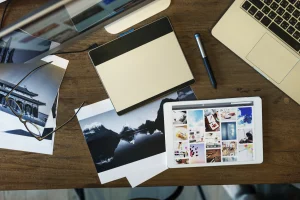
The best camera for content creators is one that fits their content, budget, and workflow. Here are four strong options for 2026.
A good camera for content creators should be easy to carry, offer reliable autofocus, produce good-quality photos and video, and make it simple to monitor yourself while recording. Features such as a fully articulating screen, microphone input, USB-C connectivity, and strong video capabilities can be particularly useful for vloggers and social media creators.
So, what is the best camera for content creators in 2026? The answer depends on your budget and the type of content you make. This guide compares several strong options and explains what to look for before you buy.
Don’t feel like reading the whole breakdown? We’ve pulled together a quick summary below.
Best Cameras for Content Creators at a Glance
| Camera | Best for | Sensor | Maximum video resolution | In-body stabilization |
| Sony ZV-E10 II | Vlogging and social video | 26MP APS-C | 4K/60p | No |
| Canon EOS R50 V | Video-focused beginners | 24.2MP APS-C | 4K/60p | No |
| Nikon Z50 II | Hybrid photo and video | 20.9MP APS-C | 4K/60p | No |
| Fujifilm X-S20 | Travel and hybrid creation | 26.1MP APS-C | 6.2K/30p | Yes |
Recording modes may involve cropping, time limits, or additional storage requirements. Check the specifications of the exact recording format you plan to use.
What Should Content Creators Look for in a Camera?

Before comparing specific models, it’s worth understanding which features actually matter for social media content.
Autofocus
When you’re filming yourself, you can’t always check focus manually. Reliable subject and eye detection can keep you sharp while you move around the frame.
This is especially useful for talking-head videos, tutorials, product demonstrations, and vlogs.
A Vari-Angle Screen
A screen that flips or rotates toward you makes self-recording much easier. You can check your framing while filming instead of guessing where you are in the composition.
It’s also useful for shooting from unusual angles or creating vertical content.
Video Resolution and Frame Rates
4K has become a common choice for creators because it provides detailed footage and gives you some flexibility when cropping or reframing.
Higher frame rates can also be useful for slow-motion footage, although you don’t necessarily need them for everyday social media videos.
Audio
Good video with poor audio is still difficult to watch.
Look for a camera with a microphone input if you plan to use an external microphone. A headphone output can also be valuable for monitoring audio while recording.
Size and Weight
A camera that stays at home because it’s too heavy isn’t particularly useful for a travel creator.
Think about the complete setup, including the lens, microphone, mini tripod, spare batteries, and other accessories.
Exclusive Tools of Endless Possibilities in One AI Editor
1. Sony ZV-E10 II: Best for Vlogging and Social Video

Best for: YouTube, TikTok, Instagram Reels, travel vlogging, and talking-head videos.
The Sony ZV-E10 II is a strong choice if video is your primary reason for buying a dedicated camera.
Its compact APS-C body is designed around content creation, while the interchangeable E-mount system gives you access to a large selection of lenses.
The camera records 4K video and supports 10-bit recording modes, which can provide more flexibility for color grading than basic 8-bit footage. It also supports USB-C power and has a vari-angle monitor, making it practical for travel and self-recording.
| Pros | Cons |
| Strong autofocus and subject tracking | No in-body image stabilization |
| 4K/60p and 10-bit recording | Electronic stabilization crops the frame |
| Large selection of E-mount lenses | No electronic viewfinder |
| Vari-angle screen | Less convenient for photography than a traditional hybrid camera |
| Microphone and headphone connections |
2. Canon EOS R50 V: Best Video-Focused Budget Option

Best for: Short-form video, YouTube, product content, and creators who frequently record themselves.
Canon’s EOS R50 V takes a distinctly creator-oriented approach.
It uses a 24-megapixel APS-C sensor and offers 4K footage oversampled from 6K, 10-bit recording options, vertical video support, an external microphone input, and a headphone terminal.
The camera is particularly interesting if you primarily create video and want a relatively compact interchangeable-lens system.
| Pros | Cons |
| Full-width 4K/30p oversampled from 6K | 4K/60p uses a cropped frame |
| 10-bit Canon Log 3 recording | No in-body image stabilization |
| Microphone and headphone terminals | More limited APS-C lens selection than Sony |
| Vertical video and creator-focused controls | No electronic viewfinder |
| Reliable subject-detection autofocus |
3. Nikon Z50 II: Best for a Photo-and-Video Mix

Best for: Travel photography, portraits, lifestyle content, and hybrid creators.
If you don’t want a camera designed exclusively around video, the Nikon Z50 II is worth a look.
It combines a 20.9-megapixel APS-C sensor with subject detection and 4K UHD video up to 60p. That makes it suitable for creators who alternate between photographs and video rather than producing video exclusively.
The Nikon Z system also gives you access to a growing selection of interchangeable lenses.
| Pros | Cons |
| Strong balance of photography and video features | No in-body image stabilization |
| Electronic viewfinder | 4K/60p applies a crop |
| Subject-detection autofocus | Smaller native APS-C lens range than Sony |
| Vari-angle screen | Lower sensor resolution than the other cameras in this guide |
| Familiar photography-oriented controls |
Elevate Your Photography with Our Advanced Software
4. Fujifilm X-S20: Best for Travel Content

Best for: Travel creators, photographers who also make video, and lifestyle content.
The Fujifilm X-S20 is a particularly flexible option for creators who want a camera for both photography and video.
It features a 26.1-megapixel APS-C sensor, a 3-inch vari-angle touchscreen, 6K video at 30p, 4K at 60p, and in-body image stabilization. It weighs about 491 g with the battery and memory card.
The combination of stabilization, compact dimensions, and strong video specifications makes it well suited to travel content where you’ll be switching between photographs and video throughout the day.
| Pros | Cons |
| In-body image stabilization | More expensive than entry-level creator cameras |
| 6.2K/30p and 4K/60p recording | More complex menus and settings for beginners |
| Strong photo and video capabilities | Heavier than the Sony and Canon options |
| Vari-angle touchscreen | Autofocus may be less consistent than Sony’s in difficult situations |
| Good battery performance |
Don’t Forget About Your Lens
Buying a camera body is only part of the decision.
The lens can have a major effect on how your content looks. A wide-angle lens can be useful for talking-head videos and travel vlogs because it gives you more room in the frame. A standard zoom can be more versatile when you’re moving between different types of content.
If you’re filming yourself, also consider how close the camera will be to you. A lens that’s too tight can make indoor self-recording difficult.
For beginners, one versatile kit lens may be a better starting point than immediately buying several specialized lenses.
Camera or Smartphone: Which Is Better for Social Media?

A dedicated camera isn’t automatically better for every creator.
A smartphone can be more convenient because it combines shooting, editing, storage, and publishing in one device. Computational photography can also produce strong results with minimal effort.
A dedicated interchangeable-lens camera becomes more attractive when you need:
- More control over depth of field.
- Different focal lengths.
- Better physical controls.
- More flexibility in low-light situations.
- Higher-quality audio options.
- Greater control over video recording.
- RAW photography and a more flexible editing workflow.
If your content is primarily spontaneous Stories and short videos, a smartphone may be all you need. If photography, long-form video, travel, or more controlled production is important, a dedicated camera can give you more room to grow.
Editing Photos for Social Media
Good content doesn’t end when you press the shutter.
After shooting, you may need to crop images for different platforms, correct exposure, adjust color, remove distractions, or prepare several versions of the same photograph.
Luminar supports RAW editing, layers, masking, color adjustments, and AI-powered tools, making it possible to keep photography and post-processing in the same workflow.

For example, GenErase can help remove unwanted elements such as people, signs, or other distractions from a photograph.

This can be particularly useful for travel and street content where you can’t always control what’s happening in the background.
If you’re preparing product or portrait content, Background Removal AI can separate a subject from its background and give you more flexibility when creating compositions.

Your AI-Powered Photo Editor for MacOS and Windows
How to Choose the Best Camera for Your Content

Instead of asking which camera is universally the best, start with your own workflow.
| Your main content | What to prioritize |
| Travel vlogs | Small body, stabilization, reliable autofocus |
| Talking-head videos | Vari-angle screen, autofocus, microphone input |
| Instagram Reels and TikTok | Vertical video support, compact size, fast workflow |
| YouTube | 4K video, audio options, battery life, lens choice |
| Travel photography | Image quality, lightweight lenses, portability |
| Portrait content | Autofocus, lens selection, image quality |
| Product photography | Resolution, lens options, lighting compatibility |
| Photo and video | Balanced hybrid features |
Also consider the complete cost. A camera body may look affordable until you add a lens, microphone, memory card, batteries, tripod, and lighting.
Common Mistakes When Buying a Creator Camera
Choosing by Megapixels Alone
A higher megapixel count doesn’t automatically make a camera better for social media. Autofocus, lens quality, stabilization, ergonomics, and video features can matter much more.
Buying More Camera Than You Need
A high-end full-frame body may be impressive, but it can be unnecessary if you’re primarily making short social videos.
Forgetting About Audio
Great-looking video with distracting audio can be difficult to watch. Budget for a microphone if talking is a significant part of your content.
Ignoring Portability
The best camera is one you’re comfortable carrying and actually use. A smaller setup can be a major advantage for travel creators.
Buying Too Many Lenses
Start with one versatile lens. Add specialized lenses only when you understand what your current lens cannot do.
Conclusion
The best camera for content creators isn’t necessarily the most expensive model or the one with the highest resolution. It is the camera that fits your content, your workflow, and the amount of equipment you’re willing to carry.
For video-first creators, the Sony ZV-E10 II and Canon EOS R50 V are compelling compact options. The Nikon Z50 II is a strong choice for creators who want a balance of photography and video, while the Fujifilm X-S20 offers a particularly versatile travel-oriented setup.
Before buying, think beyond the camera body. Consider the lens, microphone, lighting, tripod, storage, and editing workflow that you’ll actually use.
And remember: equipment can expand your options, but it doesn’t replace a good idea, thoughtful composition, interesting light, or a story worth sharing.
FAQ
There is no single best camera for everyone. The Sony ZV-E10 II and Canon EOS R50 V are strong choices for video-focused creators, while the Nikon Z50 II and Fujifilm X-S20 are better suited to creators who want a balance of photography and video.
Content creators use a wide range of cameras, from smartphones and compact cameras to APS-C and full-frame mirrorless models. The right choice depends on the type of content, budget, portability requirements, and preferred workflow.
Not necessarily. A smartphone is often more convenient for quick social content, while a dedicated camera provides more control over lenses, depth of field, photography settings, and video production.
No, but it can be useful. Recording in 4K gives you more detail and flexibility for cropping or reframing before exporting your final video for a social platform.
Both matter, but the lens can have a significant effect on framing, perspective, depth of field, and low-light performance. A good camera with a lens suited to your content is usually more useful than an expensive camera paired with an unsuitable lens.