Explore examples of form in photography and practical ways to reveal volume with light, shadows, camera position, and careful photo editing.
While much is said in photography about light, color, and composition, perhaps one more universally captivating aspect appears to be overlooked: the element of form.
Picture form is a magic ingredient that turns a photo from a straightforward snapshot into a story and dialogue between the viewer and the visual space. This article will look into this element of photography in depth to explore more about the power of form and how you can use it.
Let’s get ready to see everything different around us with forms and begin our journey!
Don’t feel like reading the whole breakdown? We’ve pulled together a quick summary below.
Key Takeaways
- Form describes volume; shape describes an outline. A silhouette emphasizes shape, while shading can reveal the rounded or angular structure inside it.
- Directional light helps show surfaces turning toward and away from the light source. Soft light can reveal form just as effectively as harder light.
- Camera position matters. Showing a building’s corner or a mug’s opening provides information that a straight-on view may conceal.
- Depth of field and scene depth are different from form. Background blur can isolate a subject, but it does not automatically make that subject look three-dimensional.
- Editing works best when it preserves believable light. Use tonal adjustments and local corrections to refine existing volume without flattening shadows or exaggerating edges.
What Does Form Mean in Photography
 Form in photography means representing three-dimensional objects and their spatial relationships in a two-dimensional space. This can be achieved by developing the appearance of volume and depth with light, shadow, and perspective so that viewers can distinguish the shape and contours of subjects clearly.
Imagine looking at a simple drawing of a ball. It appears flat, doesn’t it? Now, consider a photograph of the same ball. Despite being on a flat piece of paper or a screen, the ball seems round, tangible, and full of depth. That’s the magic of form in photography!
It is an art of perspective, study of light, and mastery of shadows. It extends beyond the seeing of an image to experiencing it. Likewise, it takes a picture closer to reality by making it more relatable and interesting to viewers. As we delve deeper into this topic, we’ll explore various form photography elements to look at the power of form and take your skills to a new level.
Your AI-Powered Photo Editor for MacOS and Windows
Form vs Shape: Key Differences
When we hear “shape” and “form” definitions in photography, we might think they’re the same thing. But they are actually different. Shape in photos is flat and two-dimensional—it only has height and width. For example, think of a square circle. They’re just flat shapes that you can draw on a piece of paper.
Form adds another dimension to it—depth. It’s the 3D aspect of the objects in your photos. So, instead of just a circle (shape), you see a ball (form). Instead of a square (shape), you see a cube (form). This depth in form is created by light and shadows in a photo. It makes objects look like they’re not just flat shapes, but real and solid things you could touch or hold in your hand. So, in simple terms, shape is 2D, and form makes it look 3D in your photos.
Examples of Form in Photography
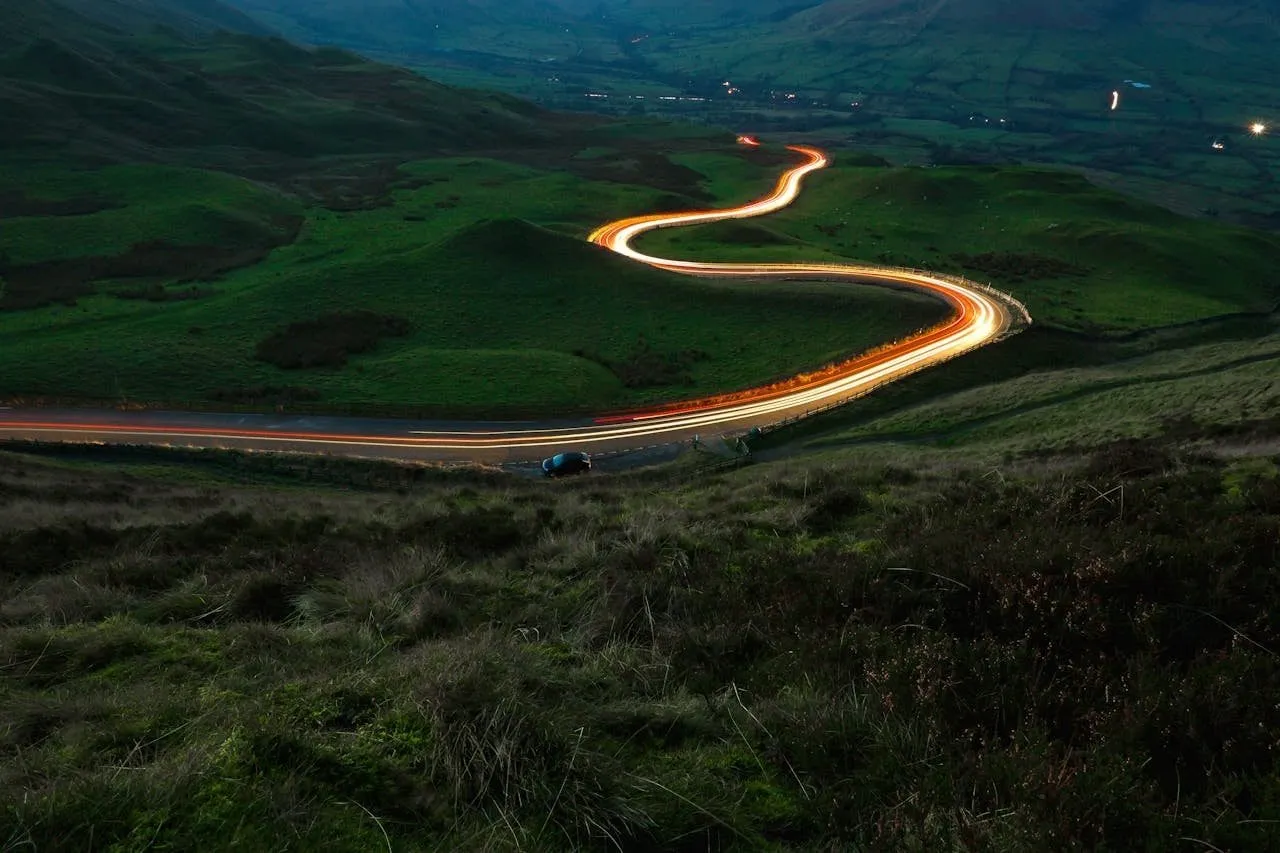
Form in photography is all around us, and we just need to know where to look. Consider the picture of a serpentine road that, after a while, vanishes towards the horizon. While the road visually appears to narrow and the surroundings appear and feel reduced, depth in space is achieved and can change a flat road into a trip toward the distance. This is an example of the form.
Or think of the apple image: When it is just a line-drawn drawing, there is little that can be done with the drawing except to think of a flat shape. Add some light to one side of it, and instantly, the shadows and hilts of the apple appear. Those things provide roundness and allow one to think that this is a real, solid apple to pick up. That would also be form.
 Also read: Understanding HDR Tone Mapping
A close-up shot of the face of a person is another example. Light falling in front creates shadows under the nose and chin, while highlights on the cheeks and forehead give the face a three-dimensional appearance.
 The above examples explain how form turns flat images into realistic pictures that are thus more lively and alive.
Understanding the Essential Aspects of Photographic Form
The elements of form in photography involve different aspects of light, shadow, depth, angles, and composition that create the perception of three-dimensionality in a two-dimensional image.
Here are some of the key elements:
1. Color
 Color is a strong ally in bringing out the form of a picture. Color can give an added dimension, even depth, to your subjects. Consider a bright yellow bicycle against a wall of deep plum. The jarring contrast of colors pops the bike right out, making it even more appealing and giving a far more dynamic perception of its form.
Gradations of shade in a monochromatic color further the effect of depth. Visualize the rumpled bedsheets with gradations from light to dark shades of blue. Where the light blue subtly blends into the dark, these create an appearance of folds and creases, adding the feeling of three-dimensional depth and bulk to what would have been a two-dimensional plane of color.
Moreover, with the help of an automatic photo editor like Luminar, you can fine-tune these colors and shades even after the photo has been taken. This opens up endless possibilities for enhancing the depth and form of your images.
So, color isn’t just about aesthetics; it’s an important tool in establishing form and creating engaging, dynamic images.
2. Depth
 Depth is a key element in creating form in photography. It’s what makes a picture look like it has layers, giving the sense that some parts are close to you and others are further away. An important tool to control depth in your photos is the camera aperture.
So, what is camera aperture in photography? The aperture is the opening in your camera lens that lets light in. It’s like the pupil in your eye—the wider it opens, the more light comes in. But it doesn’t just control light. The aperture size also affects how much of your photo is in focus.
Whether by using perspective, arranging objects, or adjusting your camera’s aperture, creating depth in your photos helps bring out the form and makes your pictures feel more like the real, three-dimensional world we live in.
Exclusive Tools of Endless Possibilities in One AI Editor
3. Angles
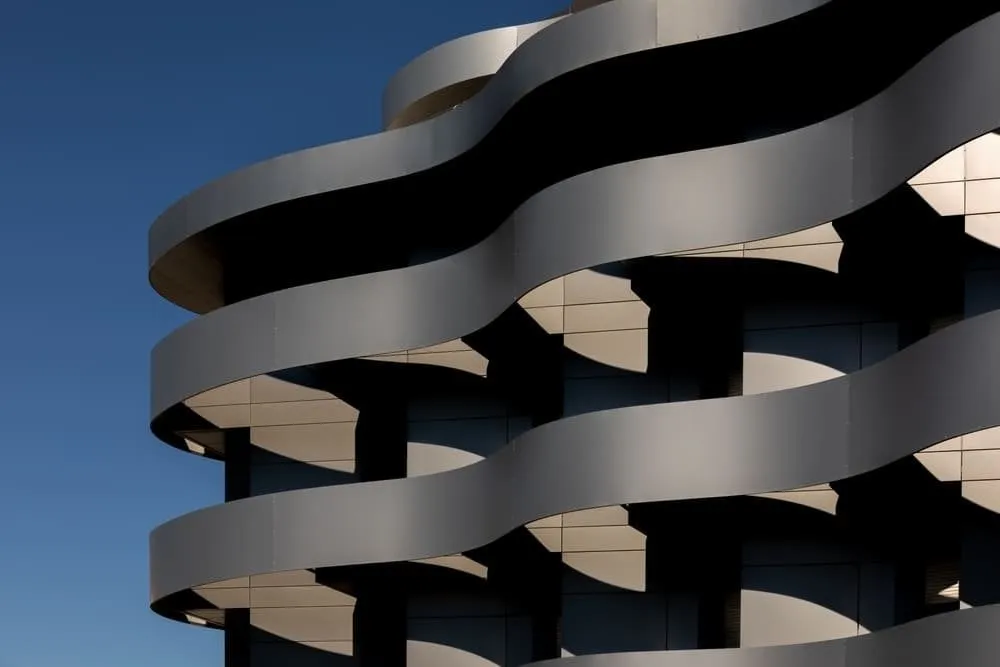 Angles play a big part in showing form in photography. They’re all about where you position your camera in relation to your subject. By changing the angle, you can show different sides of an object and give it a 3D feel.
For example, if you take a photo of a building straight on, it might look flat, like a postcard. But if you move your camera to one side, you can capture the sides of buildings as well as the front. This makes the building look more solid and real, as if you could walk around it. You can also try taking photos from above or below your subject for a different perspective.
So remember, the angle you choose can make a big difference in showing the form of your subject.
4. Light
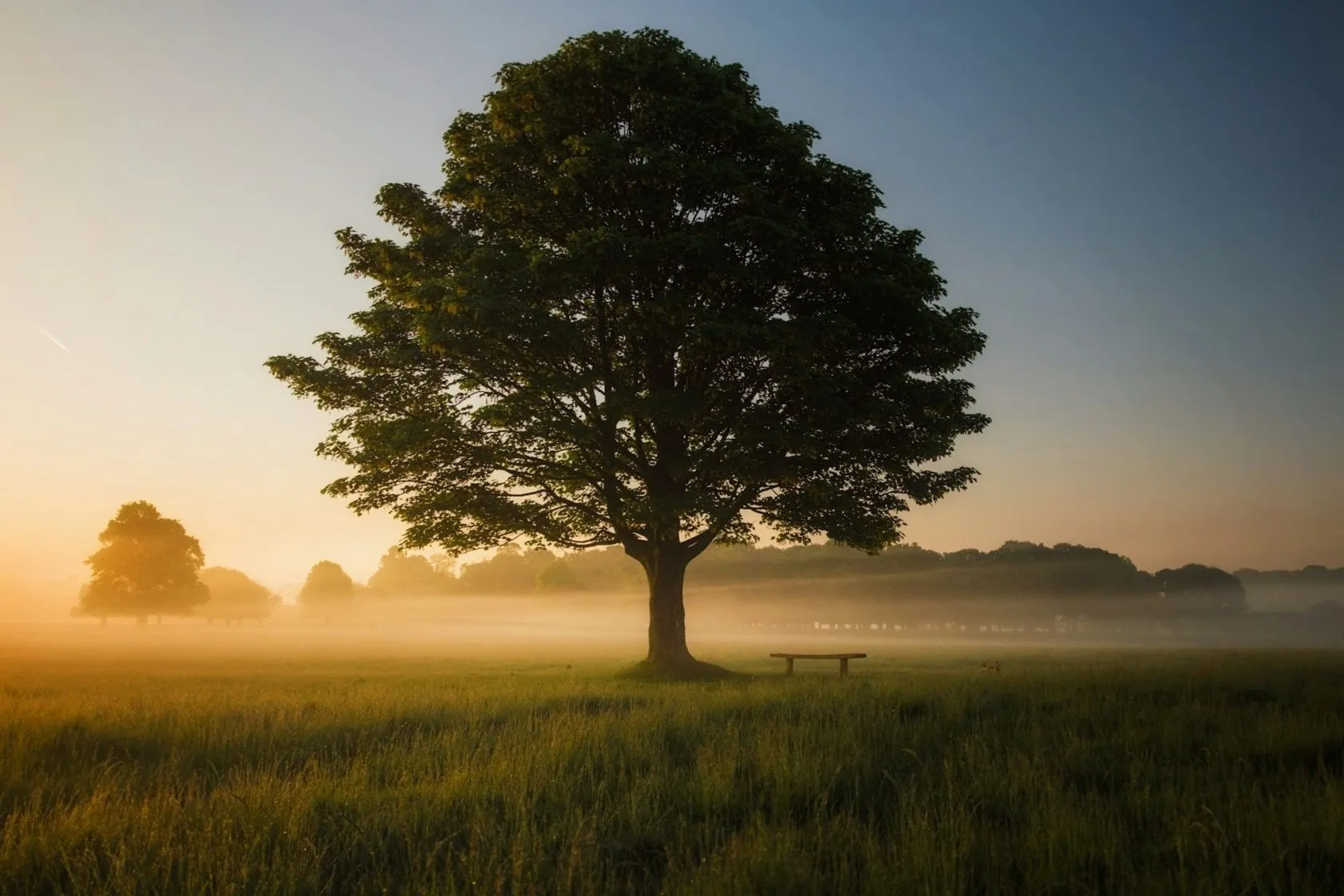 The use of light in photography primarily emphasizes the form. It can transform a flat image into an exciting representation full of depth and volume.
Now, let’s take a tree that is in complete sun. In the case of sunlight being directly on and evenly illuminating all parts of a tree, the appearance is pretty flat, something close to a two-dimensional painting. The full form of the tree may not be visible in this particular case of even light.
With a change in lighting, everything is completely different. Just visualize how light coming from one side would create the shaded and well-lit areas on the tree. These shadows and highlights together create a three-dimensional space that is deeper and gives an impression of a real substantial object rather than just a simple depiction.
Notice the play of light and dark on the various parts of the tree that give this added sense of depth. Darker areas recede while lighter ones come forward, in a push-and-pull effect, serving to define the form of the tree. It is much like an artist sculpting with clay, molding light and shadow into the form of your subject.
For that reason, using light and shadow judiciously is not an option but an essential ingredient of photography that brings out the form in photos effectively and makes the subject of photographs more lively and dynamic.
5. Composition

Composition is like setting up a scene for your photo. It’s about where you put things in your picture.
For instance, if you’re taking a photo of your pet, you could put them off to one side instead of right in the middle. This gives your image a bit more depth and makes your pet seem more lifelike. If there’s a distracting object near your pet, then with Luminar, you can erase items from your photo that may distract from your main subject.
Another way is to include something in the background, maybe a park or a house. But you make sure it’s a bit blurry so your pet stands out. This makes it look like there’s some distance between your pet and the background, which also adds depth.
The Photo Perspective Correction Tool You've Been Waiting For
Practical Tips for Enhancing Form
Luminar can help refine the tonal relationships that make a subject look solid. Its exposure, color, and local editing controls are useful when the capture already contains readable structure but needs more balanced highlights, shadows, or background separation.
Start with exposure and white balance. Then check whether bright surfaces retain detail and whether shaded surfaces remain readable. Raising all shadows substantially can reduce the distinction between the light-facing and shaded sides, so stop when the necessary detail is visible.

For selective work, Dodge & Burn lets you lighten or darken chosen areas. Make restrained adjustments that follow the existing light direction: gently brighten an illuminated curve or deepen a distracting bright patch within a shadow. Repeated small changes are easier to evaluate than a dramatic adjustment across the whole subject.

Use photo color editing tools when competing colors distract from the subject or when its tones merge with the background. Keep changes consistent with the image’s purpose, particularly for portraits or products where accurate color matters.
Finally, review the framing. Luminar’s photo cropping tools can help remove unnecessary space or distractions, but leave enough context to show important contours and contact shadows. Apply sharpening conservatively; it can improve edge definition, but it cannot recover missed focus or replace missing shading.
Conclusion

In photography, the element of form acts like yeast: the one ingredient that makes the photo rise from a mere snapshot to a visually engaging narrative. The interplay of light, shadow, depth, and composition offers an exciting dimensionality that invites the viewer into the frame. It gives a new birth to seeing and relating to the subject by inviting us into the richness and depth of the scene.
So, pick up your camera, experiment with your surroundings, and discover the endless possibilities that the element of form can bring to your photographic artistry!
Frequently Asked Questions
Form is the perceived three-dimensional volume of a subject within a flat image. Shading, perspective, contours, and reflections help communicate its structure.
Shape describes a two-dimensional outline or area. Form describes volume. A silhouette may show a circular shape, while a shaded ball reveals a spherical form.
Directional light from an angle is a useful starting point because it creates differences between surfaces facing toward and away from the light. Both soft and hard light can work; choose the direction and quality that suit the subject.
Background blur can separate a subject from its surroundings, but it does not automatically describe the subject’s volume. Lighting, viewpoint, and visible structure remain important.
Yes. Careful tonal adjustments and local lightening or darkening can refine existing shading. Editing is less effective when the original viewpoint conceals the structure or the capture lacks the needed detail.