Learn how to clean a camera sensor safely, remove dust spots, and recognize when professional servicing is the better option. This step-by-step guide covers effective cleaning methods, essential precautions, and common mistakes to avoid.
Dark or blurry spots appearing in the same place across multiple photos often indicate dust on the camera’s image sensor assembly. In many cases, the safest solution is simple: confirm the problem, run the camera’s built-in cleaning cycle, and use a manual bulb blower only as directed in the camera manual.
More stubborn marks may require professional servicing. Wet sensor cleaning is not a universal next step because manufacturer instructions differ by model, and incorrect contact can damage the filter surface, shutter, or stabilization mechanism. This guide explains what you can safely try, what to avoid, and when to stop.
Key Takeaways
- First confirm that the marks come from the sensor rather than the lens, viewfinder, or image-editing workflow.
- Start with the camera’s automatic sensor-cleaning function if the model provides one.
- Consult the exact camera manual before exposing the sensor or locking up a DSLR mirror.
- A clean manual bulb blower is the safest commonly recommended tool for removing loose dust.
- Never use your mouth, a household vacuum, a blower brush, canned air, or a spray-type blower inside the camera.
- Do not touch or wet-clean the sensor unless the manufacturer permits it and you have the correct sensor-size swabs and solution.
- If marks remain, or if you see oil, streaks, sticky debris, sand, or possible damage, use an authorized service center.
Camera Sensor Cleaning: The Safest Order
| Stage | Method | Use it when | Risk level |
| 1 | Confirm with a test photo | Spots recur in the same image locations | Very low |
| 2 | Built-in sensor cleaning | Your camera offers the function | Very low |
| 3 | Manual bulb blower | Loose dust remains and the manual permits it | Low when done correctly |
| 4 | Model-approved wet cleaning | The manual permits contact cleaning and you are confident | Higher |
| 5 | Authorized service | Debris remains, contact cleaning is prohibited, or damage is possible | Lowest risk to the camera |
What Is Camera Sensor Dust?
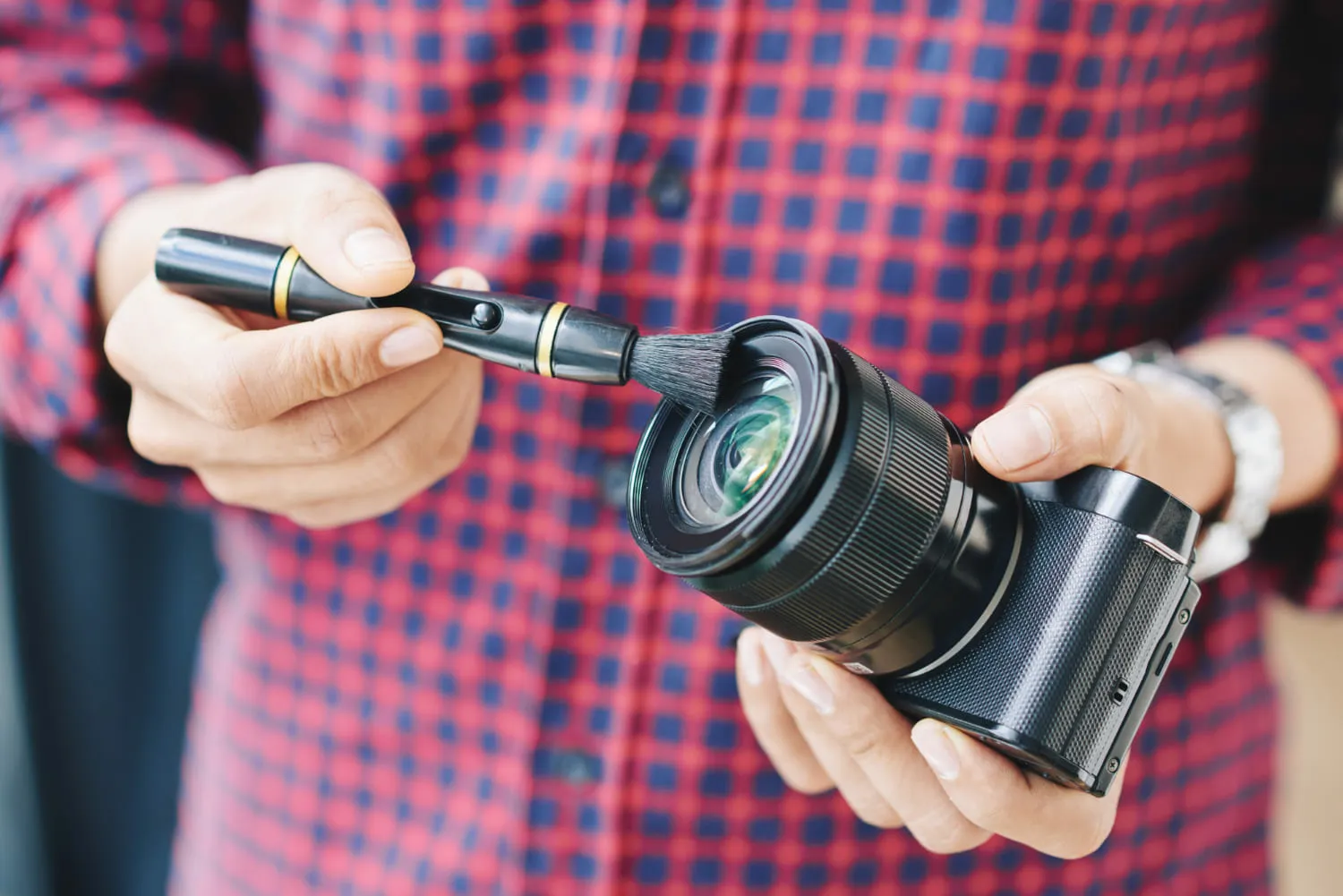 Dust, lint, pollen, and other small particles can enter an interchangeable-lens camera while the lens or body cap is removed. Some particles eventually settle on the protective filter surface in front of the imaging sensor. Photographers commonly call this “dust on the sensor,” even though the exposed surface may technically be a cover glass or filter stack rather than the photosensitive silicon itself.
Sensor dust usually appears as soft, dark spots that remain in the same position from one photograph to another. It is most visible when you photograph a bright, plain area at a narrow aperture such as f/16 or f/22. At a wide aperture, the same particle may become faint enough to miss.
Not every visible speck means the sensor is dirty:
- Dust seen only through an optical viewfinder may be on the focusing screen or mirror and usually will not appear in the image.
- A mark that moves when you change lenses may be on a lens element rather than the sensor.
- A sharp, colored, or consistently bright pixel may indicate a pixel issue rather than dust.
- A vague patch that changes with lighting may be flare, condensation, or a dirty lens.
Exclusive Tools of Endless Possibilities in One Editor
How to Test a Camera Sensor for Dust
 You do not need to open the camera to check for dust. Make a controlled test photograph first.
Step 1: Choose a Plain Subject
Use an evenly lit white wall, blank sheet of paper, or clear area of sky. Do not point the camera at the sun. A wall or paper is easier to control and avoids cloud texture.
Step 2: Use a Narrow Aperture
Set Aperture Priority or Manual mode and choose approximately f/16 to f/22. A narrow aperture makes dust shadows easier to see. Use the camera’s low native ISO to keep noise from obscuring the test.
Step 3: Defocus the Image
Switch the lens to manual focus and deliberately defocus the plain surface. The aim is to hide texture in the subject while preserving any marks associated with the sensor.
Step 4: Fill the Frame and Expose Brightly
Fill the frame with the plain surface. Adjust exposure so it appears bright without clipping the entire image. If the shutter speed becomes slow, move the camera gently during the exposure to blur any remaining wall or paper texture.
Step 5: Inspect the File
View the image at 100% magnification. Temporarily increasing contrast or clarity can make faint spots easier to identify. Sensor dust will normally remain fixed in the same image coordinates across repeated test frames.
Before You Clean the Camera Sensor
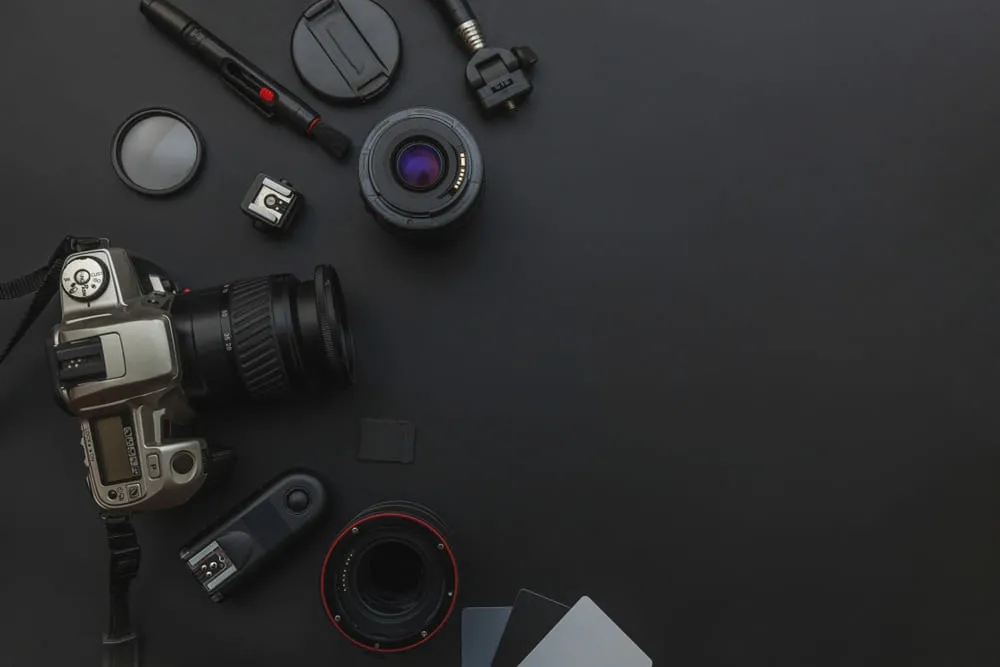
Camera designs differ. A DSLR may require a mirror-lock cleaning mode; a mirrorless camera may have a movable sensor due to in-body image stabilization; some models close the shutter when powered off, while others leave the sensor exposed. Do not assume instructions for one camera apply to another.
Before camera sensor cleaning:
- Find the sensor-cleaning section in the exact model’s official manual.
- Charge the battery fully or use the manufacturer-approved power method.
- Work indoors on a stable surface in a clean, still environment.
- Wash and dry your hands.
- Clean loose dirt from the camera exterior and lens mount area without blowing debris inside.
- Prepare a clean manual bulb blower and the body cap.
- Remove jewelry, scarves, loose sleeves, and anything that could contact the camera.
If the camera was recently moved from a cold environment into warm, humid air, allow it to acclimate fully before removing the lens. Opening a camera while condensation is possible can create a more serious problem than ordinary dust.
Tools You Can and Cannot Use
| Use only when appropriate | Do not use inside the camera |
| Clean manual bulb blower made for cameras | Your breath |
| Manufacturer-approved sensor swab and fluid, only if permitted | Canned or compressed air |
| Sensor loupe for inspection, without contact | Spray-type blower |
| Fully charged battery | Blower brush with bristles |
| Exact camera manual | Household vacuum |
| Clean body cap | Cotton buds, tissues, microfiber cloths, or lens pens on the sensor |
| Authorized camera service | Unspecified alcohol, lens cleaner, or household cleaning fluid |
Do not use a blower to “clean” a sensor swab. Air can contaminate it, and a swab intended for single use should remain sealed until needed.
Elevate Your Photography with Our Advanced Software
Step 1: Run the Built-In Sensor Cleaning Function
Many cameras use vibration to dislodge loose particles from the filter surface. The command may be called Clean Image Sensor, Sensor Cleaning, Cleaning Mode, or something similar.
- Attach a lens or body cap unless the manual says otherwise.
- Place the camera in the orientation specified by the manufacturer.
- Run the cleaning command from the setup menu.
- Do not remove the battery, disconnect power, or operate the camera until the cycle finishes.
- Take another dust-test image.
Some cameras also clean automatically at startup or shutdown. Running the cycle repeatedly may not remove sticky debris and, on some models, may be temporarily limited to protect internal components.
Step 2: Remove Loose Dust With a Manual Blower
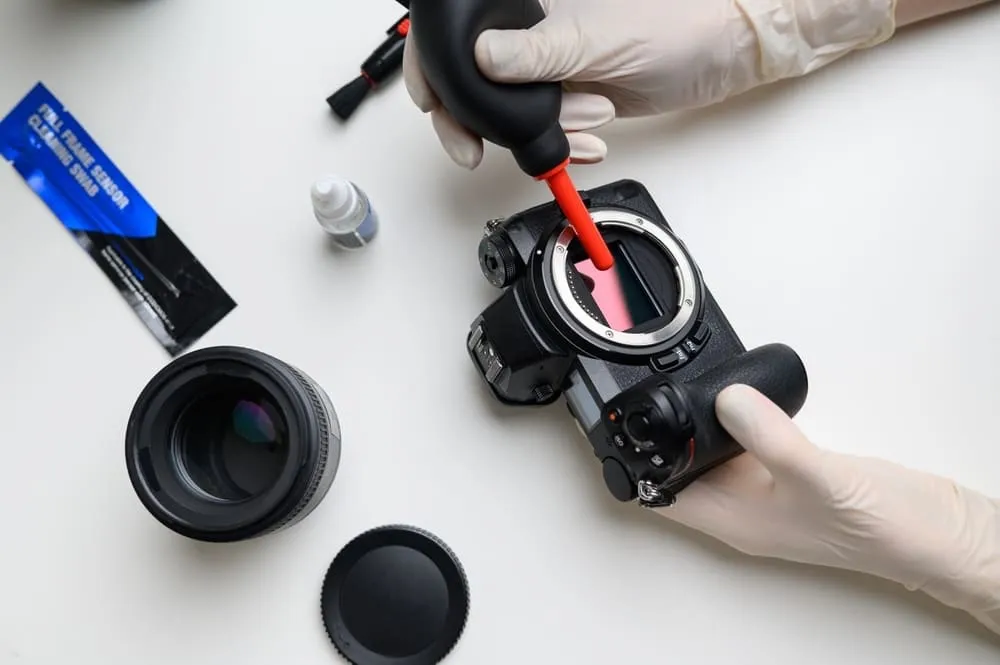 Dry cleaning is your first line of defense for a quick and easy way to clean your camera sensor without liquids. Here’s how to effectively use a blower for this method:
If the built-in cleaning cycle does not remove the spots, the next low-contact option is a manual bulb blower. Proceed only when the exact camera manual describes or permits this method.
For a DSLR
Do not simply hold the mirror up manually. Follow the manual’s Lock Mirror Up for Cleaning or equivalent procedure. This function may be unavailable unless the battery is sufficiently charged. If power fails and the mirror or shutter closes while a tool is inside, the camera can be damaged.
For a Mirrorless Camera
Follow the model-specific cleaning sequence. Depending on the camera, the manufacturer may instruct you to run a cleaning mode, turn the camera off, leave it on, close or open the shutter, or take special care with the stabilization mechanism. “Remove the lens and start cleaning” is not a safe universal instruction.
How to Use the Blower
- Activate the manufacturer’s required cleaning mode or power state.
- Remove the lens with the mount angled slightly downward.
- Hold the camera so loosened particles can fall out.
- Keep the blower tip outside the lens mount and away from the sensor, shutter, mirror, and stabilization assembly.
- Give several gentle puffs toward the sensor area.
- Replace the lens or body cap promptly.
- Exit cleaning mode exactly as described in the manual.
- Repeat the dust test.
Do not insert the blower nozzle deep into the camera. Do not allow it to touch any internal component.
Should You Wet-Clean a Camera Sensor?
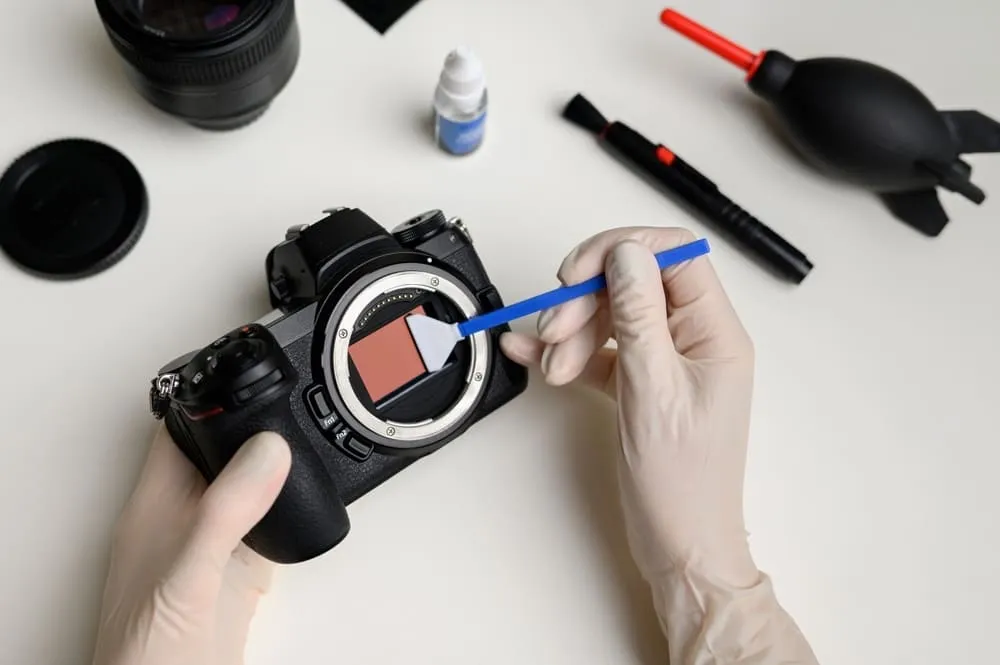 If dry cleaning doesn’t clear up all the dust, wet cleaning is a thorough method to tackle more stubborn dirt:
Wet cleaning uses a sensor-size swab and a compatible cleaning solution to remove bonded dust, oil, or streaks. It can work, but it involves direct contact and therefore carries more risk than automatic cleaning or a blower.
Manufacturer guidance is not consistent. Some manuals describe only automatic cleaning and a blower, then direct users to authorized service for anything that remains. Other manufacturers or regional service materials may permit additional cleaning. Always follow the instructions for the exact camera model and warranty region.
Choose Professional Service If:
- the manual says not to touch or wipe the sensor;
- the camera has a movable sensor and you do not know how it should be secured;
- you see oil, moisture, sticky particles, sand, scratches, or shutter damage;
- the camera is under warranty and the cleaning policy is unclear;
- you do not have the correct swab size and approved fluid;
- you feel uncertain at any point.
If the Manual Explicitly Permits Wet Cleaning
Follow the manufacturer’s procedure rather than a generic internet tutorial. At minimum:
- use a new, sealed swab sized for the sensor format;
- use only a solution explicitly compatible with the sensor/filter assembly;
- apply only the amount specified by the product and camera instructions;
- never reuse a swab or scrub back and forth;
- never flood the surface or allow fluid to reach the chamber edges;
- stop if the swab catches, the surface moves unexpectedly, or streaking worsens.
The original article’s universal instruction to drag a damp swab across every DSLR or mirrorless sensor has therefore been removed.
How Often Should You Clean a Camera Sensor?
There is no fixed schedule. Clean only when a test image or real photographs show a problem. Frequent unnecessary contact increases risk without improving image quality.
You may need to check more often if you:
- change lenses outdoors frequently;
- photograph at narrow apertures;
- work around sand, dust, smoke, pollen, or fibers;
- use zoom lenses that move large volumes of air;
- shoot commercial work where repeated spots would slow down editing.
Automatic cleaning can run as configured by the camera. Manual cleaning should remain need-based.
How to Prevent Camera Sensor Dust
- Turn the camera off before changing lenses when the manufacturer recommends it.
- Prepare the replacement lens before removing the current one.
- Point the mount downward and complete the change efficiently.
- Avoid lens changes in wind, blowing sand, rain, smoke, or dusty interiors.
- Keep rear lens caps and the body cap clean.
- Do not place an uncapped lens rear-side down.
- Clean the exterior around the mount before opening a visibly dusty camera.
- Store the camera and lenses in a clean, dry bag.
- Never leave the camera body open while deciding which lens to use.
These habits reduce contamination but cannot eliminate it completely. Dust is a normal maintenance issue in interchangeable-lens systems.
Your AI-Powered Photo Editor for MacOS and Windows
Removing Dust Spots From Photos in Luminar
Physical cleaning prevents the same marks from affecting future images, but existing photographs still need retouching. Luminar includes tools for removing unwanted spots and cloning clean pixels over a blemish.
For a small number of photographs, zoom in and remove visible spots individually. For a large series, clean the sensor first, then check whether a consistent correction can be synchronized without damaging real details that happen to occupy the same location.
Editing is a fallback, not a substitute for maintenance. A dust-removal tool cannot protect the camera, and heavy automated cleanup can mistake birds, stars, distant objects, or texture for sensor spots. Inspect important images at full size after processing.
You can also use a RAW photo editor to raise contrast temporarily during the dust test, then return the image to its normal tonal settings.

Common Camera Sensor Cleaning Mistakes
| Mistake | Why it is risky | Safer alternative |
| Blowing with your mouth | Adds saliva and moisture | Use a clean manual bulb blower |
| Using canned air | Can expel propellant or damaging pressure | Use only the blower recommended in the manual |
| Cleaning with a low battery | Mirror or shutter may move unexpectedly | Fully charge the battery first |
| Touching the sensor with a cloth or finger | Can scratch, smear, or damage the assembly | Use no-contact methods or authorized service |
| Reusing a swab | Trapped debris can scratch the surface | Use a new sealed swab for each approved pass |
| Copying instructions for another model | Cleaning modes and moving parts differ | Read the exact camera manual |
| Cleaning every week without testing | Adds unnecessary risk | Clean only when repeatable spots are visible |
| Assuming every dark mark is dust | The cause may be a lens, pixel, or condensation issue | Confirm with a controlled test image |
Final Thoughts
The safest way to clean a camera sensor is to begin with the least invasive method. Confirm the dust, run the built-in cleaning function, and use a manual bulb blower only according to the exact camera manual. If the spots remain, professional cleaning is often cheaper than repairing a damaged sensor, shutter, or stabilization unit.
Once the camera is clean, retouch any older affected photographs in Luminar and adopt faster, cleaner lens-changing habits. The goal is not to keep the chamber permanently spotless; it is to prevent visible contamination while avoiding unnecessary contact with delicate components.
Frequently Asked Questions
You can usually run the camera’s automatic cleaning function and, if the manual permits it, remove loose dust with a manual bulb blower. Contact or wet cleaning should only be attempted when the manufacturer allows it and you understand the risks.
No. Canned air and spray-type blowers may release propellant, liquid droplets, or excessive pressure inside the camera. Use a manual bulb blower designed for camera cleaning if the manual recommends one.
Sensor dust tends to remain in the same image position across different photos and lenses and becomes clearer at narrow apertures. Lens dust rarely creates the same defined recurring spots in normal photographs.
It can be safe with compatible equipment and an approved procedure, but it is not permitted or recommended by every manufacturer for every model. Check the exact manual; when in doubt, use authorized service.
Yes. Luminar can remove visible spots from existing files with dust-removal, erase, or clone-based tools, depending on the current version and toolset. This fixes the photograph but does not clean the camera.