Discover 12 practical photography lighting tips for working with natural light, flash, reflectors, and studio setups. Learn how to control direction, contrast, exposure, and mood for stronger photos.
Good lighting is not always soft, expensive, or perfectly controlled. It is light that supports your subject and creates the mood you want. Once you learn to recognize direction, contrast, color, and intensity, you can make stronger photographs with daylight, a desk lamp, a flash, or a full studio setup.
This guide explains the most useful photography lighting techniques for beginners, including how to work with window light, harsh sun, reflectors, one-light and three-point setups, exposure, and post-processing.
Don’t feel like reading the whole breakdown? We’ve pulled together a quick summary below.\
Key Takeaways
- Light direction determines where highlights and shadows appear and how three-dimensional the subject looks.
- A larger apparent light source creates softer shadow transitions; a smaller one creates harder, more defined shadows.
- Window light, open shade, and overcast daylight are reliable options for beginners.
- Reflectors add light to shadows, while flags and negative fill make shadows deeper.
- Start a studio lighting setup with one light and add fill or back light only when it solves a specific problem.
- Protect important highlights while shooting, especially in bright or backlit scenes.
- Post-processing can refine exposure and color, but it cannot fully restore detail that was never captured.
Photography Lighting Basics at a Glance
| Lighting choice | What it does | Good starting use |
| Front light | Reduces visible shadows and texture | Clean portraits, documentation, products |
| Side light | Adds depth, shape, and texture | Portraits, food, architecture |
| Backlight | Creates silhouettes, rim light, or glow | Portraits, nature, atmospheric scenes |
| Hard light | Produces crisp shadows and strong contrast | Editorial portraits, architecture, drama |
| Soft light | Creates gradual shadows and smoother transitions | Portraits, beauty, products |
| Warm light | Feels inviting or nostalgic | Golden-hour portraits, lifestyle photos |
| Cool light | Feels calm, distant, or cinematic | Blue-hour scenes, urban photography |
1. Read the Light Before Changing It
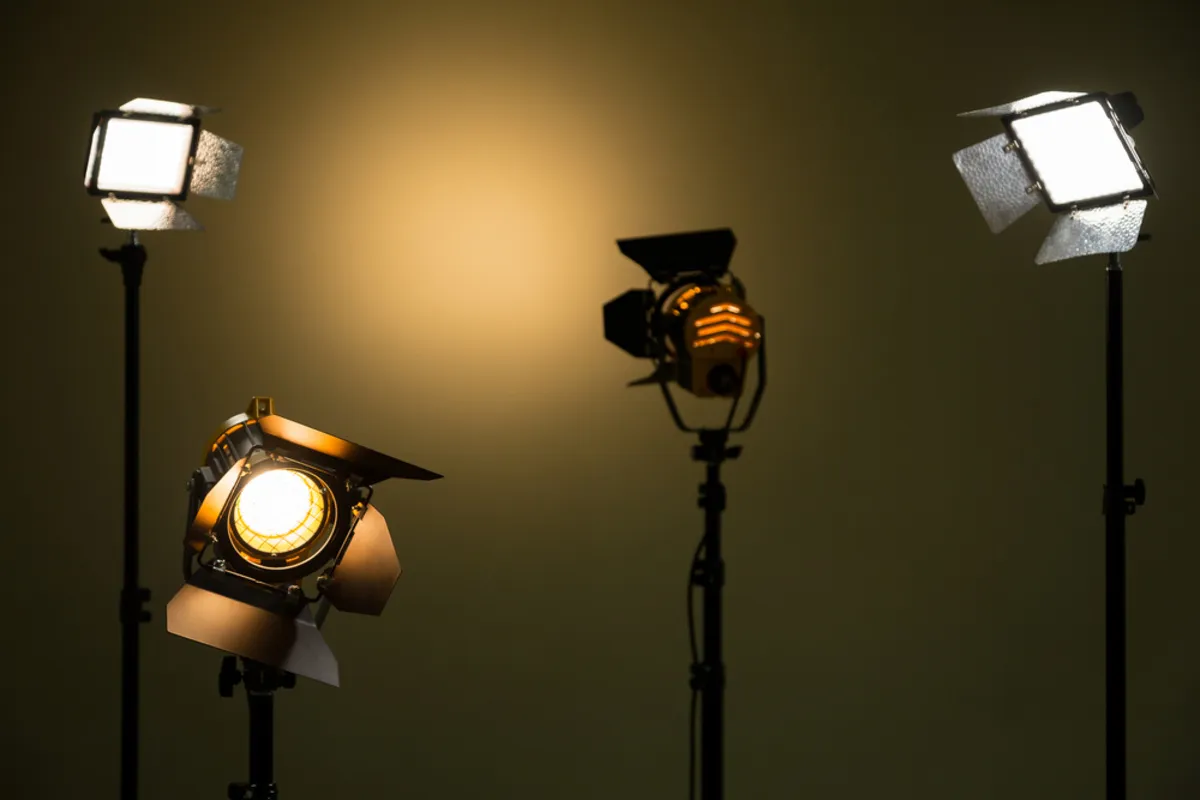
Before reaching for a flash or modifier, look at the light already present. Ask four questions:
- Where is it coming from?
- Are the shadow edges hard or soft?
- Is the color warm, neutral, cool, or mixed?
- Is the contrast within the range your camera can record?
This quick check makes lighting photography more intentional. Instead of labeling light as simply “good” or “bad,” you can decide whether to move the subject, move the camera, modify the source, or embrace the existing conditions.
Exclusive Tools of Endless Possibilities in One Editor
2. Use Light Direction to Shape the Subject
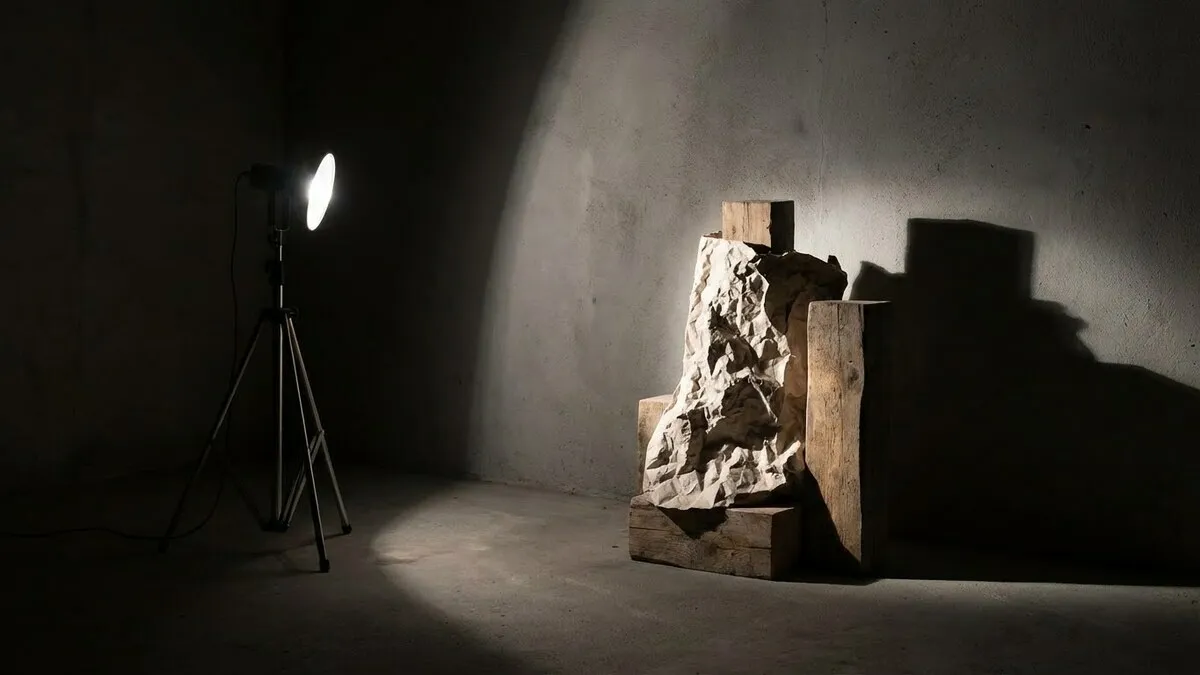
Light direction has an immediate effect on depth and mood:
- Front lighting illuminates the side facing the camera. It is easy to expose but can make faces and objects look flat.
- Side lighting creates a bright side and a shadow side, revealing shape and texture.
- Backlighting places the source behind the subject. It can create a silhouette, translucent glow, flare, or bright rim around the edges.
- Top lighting can feel natural outdoors, but when it is steep, it may create deep shadows under the eyes and nose.
- Underlighting looks unusual and often dramatic because it reverses the shadow pattern viewers expect.
For a simple portrait lighting tip, begin with your subject turned about 45 degrees from a window. Then rotate the face slightly toward or away from the light until the highlights and shadows feel balanced.
3. Control Hard and Soft Light

The quality of light depends mainly on how large the source appears from the subject’s position. A large, nearby source wraps around the subject and creates soft transitions. A small or distant source produces harder shadows.
You can change the result without buying a new light:
- move a softbox or window-lit subject closer to the source for softer light;
- move the source farther away for a relatively harder look;
- place diffusion between the light and subject;
- bounce a small light from a large white wall or ceiling;
- use a grid or flag when you want a more controlled beam.
Hard light is not automatically unflattering, and soft light is not always better. Choose the quality that supports the subject. Hard light can emphasize texture and create an editorial look; soft light often works well for gentle portraits and evenly lit products.
4. Set White Balance for the Light You Have

Color temperature is measured in kelvins, but your camera’s white-balance setting tells it how to interpret that light. Lower-temperature sources such as candles and tungsten bulbs appear warmer, while shade and an overcast sky often appear cooler.
Auto white balance is a useful starting point. Use a fixed preset or Kelvin value when you need consistent color across a sequence, especially for products, interviews, and studio portraits. Shooting RAW gives you more flexibility to correct white balance later.
Mixed lighting requires extra care. Daylight from a window and a warm room lamp can create different colors on opposite sides of a face. You can switch off one source, add matching gels, reposition the subject, or keep the contrast deliberately for creative effect.
5. Expose for the Highlights That Matter
A camera records a limited range between the brightest and darkest reproducible tones. In a high-contrast scene, check the histogram and highlight warnings rather than relying only on the screen preview.
Control exposure through the three camera settings:
- Aperture affects exposure and depth of field.
- Shutter speed affects exposure and motion blur.
- ISO changes the camera’s signal amplification and can increase visible noise at higher values.
There is no universal exposure setting for good lighting. For a still portrait near a window, Aperture Priority with a moderately wide aperture and Auto ISO can be a practical starting point. For flash photography, Manual mode gives more predictable control over ambient light and flash output.
If the contrast is too high, you can add fill, move into open shade, bracket multiple exposures for a static scene, or allow less important shadows to remain dark. If you combine bracketed frames, HDR Merge in Luminar can help preserve detail across a wide tonal range.
6. Bounce, Diffuse, or Subtract Light

Three simple modifier techniques solve many common lighting problems:
Bounce
Aim a flash or lamp toward a large neutral surface so the reflected light becomes the effective source. A white wall or ceiling usually produces softer light than a bare flash. Avoid strongly colored surfaces because they can cast that color onto the subject.
Diffuse
Place a translucent modifier between the source and subject. A softbox, scrim, shoot-through umbrella, or curtain can spread the light, but only use materials that are safe around hot equipment.
Subtract
Place a black flag, foam board, or fabric near the shadow side to absorb reflected light. This technique, called negative fill, increases contrast and gives the subject more shape.
Elevate Your Photography with Our Advanced Software
7. Use Window Light as a One-Light Setup

A window is one of the easiest tools for learning how to get good lighting for pictures. Indirect window light can act like a large soft source, while direct sun through a small window creates stronger contrast and sharper shadows.
Try this simple portrait setup:
- Turn off room lights to avoid mixed color temperatures.
- Place the subject close to the window and slightly behind its edge.
- Turn the subject until the face has the amount of shadow you want.
- Add white card opposite the window if the shadow side is too dark.
- Move the card closer for more fill or farther away for more contrast.
Silver reflectors usually create a stronger, more specular reflection than white ones. Gold reflectors add warmth but can make skin color look unnatural when used too strongly.
8. Improve Outdoor Light Instead of Waiting for Perfect Weather

Natural light photography is controllable to a degree: you can change the time, angle, location, background, and amount of fill.
- At midday: use open shade near the edge of a building, tree line, or doorway. Watch for green casts from foliage and patchy light through leaves.
- On overcast days: use the soft sky as a broad source, but add negative fill if the face lacks definition.
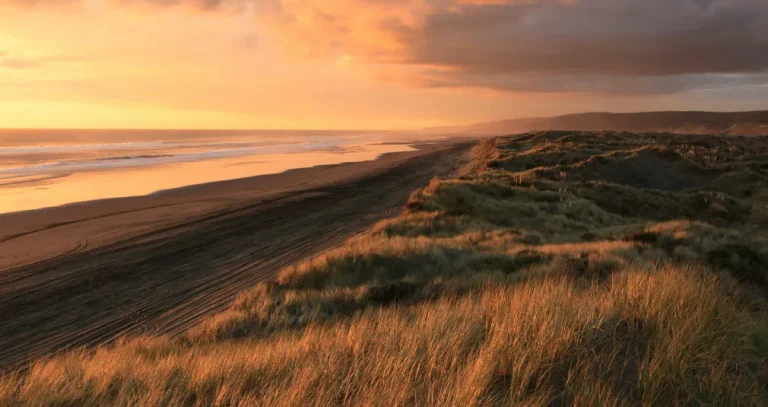
- At golden hour: use side light for texture or backlight for a warm rim around the subject.
- At blue hour: stabilize the camera or raise ISO as the ambient light falls.
- In backlight: expose for the face, add a reflector or flash, or deliberately create a silhouette.
For planning, remember that “golden hour” is not always exactly one hour. Its duration varies with season, latitude, weather, and local terrain.
9. Begin Studio Photography With One Light

A beginner does not need three lights immediately. Start with one adjustable continuous LED or strobe and learn what happens when you change its height, angle, distance, and modifier.
A practical starter setup includes:
- one LED or strobe and a stable stand;
- one medium softbox or umbrella;
- one white reflector or foam board;
- one black board for negative fill;
- a simple background;
- sandbags or another safe way to secure stands.
Continuous light shows the shadow pattern in real time and can be convenient for both stills and video. A strobe can provide more output for freezing movement and using lower ISO values, but it requires flash-compatible settings and triggering.
10. Build a Three-Point Lighting Setup When You Need More Control
Three-point lighting is a flexible structure, not a rule. It uses three roles:
| Light | Purpose | Adjustment to try |
| Key light | Establishes the main direction and exposure | Move it sideways for more shadow and depth |
| Fill light | Controls contrast created by the key | Lower its power for deeper shadows |
| Back or rim light | Separates the subject from the background | Adjust its angle to prevent flare into the lens |
The fill does not have to be another lamp; a reflector can perform the same role. Likewise, ambient window light or a bright background may already provide separation, making a dedicated rim light unnecessary.
When learning how to use photography lights, add one source at a time. Photograph the key light alone, then add fill, and finally add the back light. This makes it clear what each source contributes and helps you spot unwanted double shadows or spill.
11. Match the Lighting Pattern to the Subject
For portraits, small changes in the key light create recognizable patterns:
- Loop lighting: a small nose shadow falls down and to one side; this is a versatile starting point.
- Rembrandt lighting: the cheek on the shadow side retains a small triangle of light.
- Split lighting: one side of the face is illuminated while the other remains mostly in shadow.
- Butterfly lighting: a centered source above the face creates a small shadow below the nose.
- Broad and short lighting: describe whether the side of the face turned toward or away from the camera receives the main light.
Treat these as options rather than formulas. Face shape, glasses, skin texture, pose, mood, and personal preference should guide the final position. Always check catchlights, eye-socket shadows, reflections, and bright skin highlights before continuing the shoot.
Your AI-Powered Photo Editor for MacOS and Windows
12. Refine Lighting in Luminar
Post-processing works best when it builds on a usable exposure. In Luminar, begin with global corrections, then guide attention with local adjustments:
- Set exposure and white balance.
- Refine highlights, shadows, whites, and blacks.
- Use masking to adjust the subject or background separately.
- Correct unwanted color casts.
- Add contrast, detail, noise reduction, or sharpening only where needed.
Light Depth analyzes the scene’s depth so you can adjust illumination in different areas of the image. It can help separate a subject from the background or rebalance foreground and background brightness, but natural results still depend on restrained settings. You can explore the Light Depth tool or try Luminar through the Luminar trial.

Quick Lighting Troubleshooting Guide
| Problem | Likely cause | What to try |
| Face looks flat | Light is too close to the camera axis | Move the key or subject slightly to one side |
| Eye sockets are dark | Source is too high | Lower or angle the light toward the face |
| Shadows are too hard | Source appears too small | Move a larger diffused source closer |
| Skin has mixed colors | Different light-source colors | Turn one source off, use gels, or correct locally |
| Background is distracting | Too much spill or similar brightness | Use a flag, grid, greater distance, or darker exposure |
| Backlit subject is too dark | Meter favored the bright background | Add fill or expose for the subject while protecting highlights |
| Image is noisy | Too little captured light or very high ISO | Add light, open the aperture, slow the shutter, or denoise carefully |
Final Thoughts
The best lighting for photos is the light you understand well enough to use deliberately. Begin with one source, observe its direction and shadow edges, and make one change at a time. A window and a reflector are enough to learn most foundational principles; studio lights simply make those principles more repeatable.
Get the exposure and essential highlights right in camera, then use Luminar to refine balance, color, and attention. With practice, lighting stops feeling unpredictable and becomes another part of your visual language.
Frequently Asked Questions
Soft window light or open shade is an easy starting point because you can see the result before taking the photo. Place the subject at an angle to the light and use white card as fill when the shadows are too deep.
Neither is universally better. Natural light is accessible and can look beautiful, while studio light offers repeatability and precise control. The right choice depends on the subject, location, schedule, and intended mood.
Direction, quality, and color are three essential qualities. Intensity and contrast are also important because they affect exposure and how much tonal detail the camera can record.
Use diffusion, bounce the light from a larger neutral surface, move the subject into open shade, or bring a large light source closer. The larger the source appears to the subject, the softer the shadow transitions become.
Editing can improve exposure balance, white balance, contrast, and local brightness. However, it may not recover clipped highlights, severely underexposed detail, motion blur, or an unflattering shadow pattern. Good capture and careful editing work together.