If you’re comparing Pixelmator vs Photoshop, you’re likely deciding between simplicity and full creative control.
Choosing between Pixelmator Pro and Photoshop is less about which app is “better” and more about what kind of work you do every day. Photoshop is still the heavier, more expansive option, while Pixelmator Pro is built around speed, clarity, and a tighter Apple-first workflow. That is why the Photoshop vs. Pixelmator Pro debate usually comes down to platform, price, and how much complexity you actually need.
Your AI-Powered Photo Editor for MacOS and Windows
Key Takeaways
- Pixelmator Pro now sits inside Apple Creator Studio, costs $49.99 as a one-time Mac purchase, and also comes with Apple Creator Studio at $12.99 per month or $129 per year, while Photoshop is subscription-only.
- Photoshop runs on Windows and macOS, and Adobe also offers Photoshop on the web and mobile, while Pixelmator Pro is limited to Mac and iPad.
- Pixelmator Pro focuses on nondestructive editing, RAW layers, vector tools, intelligent masking, and quick cleanup features like Super Resolution and background removal.
- Photoshop offers deeper file support, Smart Objects, layer masks, timeline video editing, and frame animation tools that make it stronger for advanced production workflows.
- Photoshop’s AI is more generative and broad, while Pixelmator Pro’s AI is more assistive and cleanup-focused.
Comparison of Pixelmator Pro and Adobe Photoshop
When people search for Photoshop vs. Pixelmator, they are often really asking one question: do they need a full creative ecosystem, or a simpler editor that still feels professional? Photoshop is built to do a bit of everything, with desktop, web, and mobile apps, years of features, and deep ties to the Adobe ecosystem. Pixelmator Pro takes a different route, focusing on Apple devices, with Mac and iPad support, seamless Photos app integration, and a workflow that feels much cleaner.
Pricing and Value for Money

On price alone, the two apps live in very different worlds. Photoshop can be bought as a standalone plan for $22.99 per month on the annual billed monthly option, or $263.88 per year prepaid. Adobe also bundles it in the Photography plan for $19.99 per month and in larger Creative Cloud plans.
Pixelmator Pro is cheaper for many solo users because it is available as a $49.99 one-time purchase for Mac, or through Apple Creator Studio at $12.99 per month or $129 per year after the trial. For freelancers and hobbyists, that makes the Pixelmator Pro vs. Photoshop comparison easy on the wallet.
Supported Platforms and System Requirements

This is one of the clearest differences in the whole article. Photoshop supports Windows and macOS, and Adobe’s current desktop requirements cover recent Windows 10 and 11 versions as well as macOS 13, 14, 15, and 26, depending on the version line. Pixelmator Pro is much more focused, with availability on macOS 26 and iPadOS 26, plus iPad hardware requirements such as Apple M1 or later, A16, or iPad mini with A17 Pro.
If you want cross-platform freedom, Photoshop wins. If you live inside Apple hardware, Pixelmator Pro feels natural. The broader ecosystem discussion in the Luminar vs Photoshop comparison also shows how much platform strategy shapes the editing experience.
User Interface and Ease of Use
Pixelmator Pro is clearly the friendlier app for people who do not want to wrestle with a huge interface.

Apple describes on-canvas controls, a fully customizable workspace, and touch gestures like tap, pinch, and swipe on iPad, which makes the app feel accessible even when you are doing advanced work.
Photoshop is still very usable, but it’s built with depth in mind.
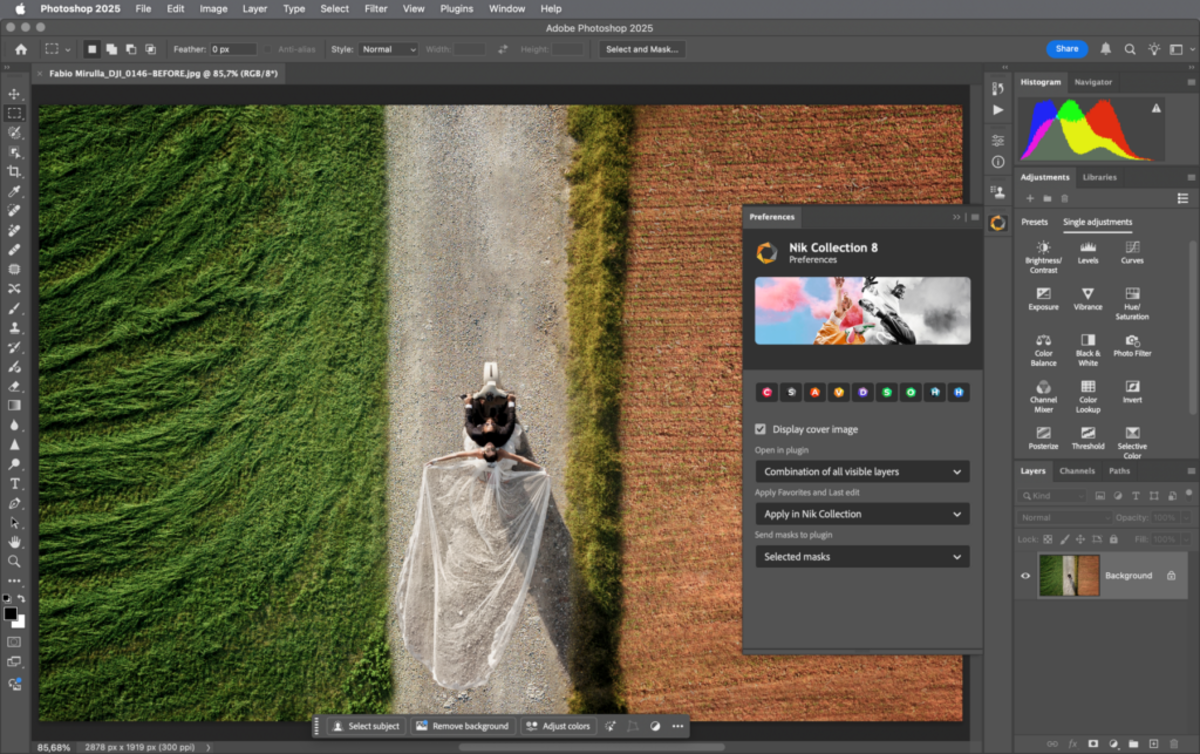
That means more panels, more tools, and more ways to work, which can feel a bit overwhelming at first. It’s not a downside, just a reflection of how powerful the software really is. Pixelmator Pro, on the other hand, often gets praise for its clean and simple layout, making it easier to jump in and start creating without slowing down.
Elevate Your Photography with Our Advanced Software
Available Features and Editing Tools
This is where Photoshop pulls ahead for power users. Adobe’s current feature set includes Smart Objects, Smart Filters, layer masks, selection tools, and file support that includes PSD, PSB, PDF, RAW, AVIF, GIF, and more.

Pixelmator Pro still offers a serious toolkit, including nondestructive editing, over 60 effects, precise color adjustments, intelligent masking, full RAW support, vector tools, and easy video retouching.

So the real Photoshop vs. Pixelmator question is not whether Pixelmator is “basic.” It is not. The real question is whether you need Adobe’s deeper control and wider format support, or Pixelmator Pro’s cleaner set of pro-level essentials.
Software Compatibility and Integration

Compatibility is a strong point for both, but they serve different worlds. Pixelmator Pro supports PSD, SVG, PDF, Adobe Illustrator, and Illustrator EPS files, and it is designed to work smoothly with the Apple ecosystem, including Photos app integration, Universal Control, copy-paste between Mac and iPad, and round-trip compatibility.
Photoshop is still the industry standard, so it makes things easier when you need to share files across teams, agencies, printers, or other Adobe apps. That kind of flexibility comes from its larger ecosystem and built-in collaboration tools. If you mainly work on Apple devices, Pixelmator Pro feels smooth and well-designed. But if your work depends on teamwork and file compatibility, Photoshop is usually the safer and more reliable choice. The Luminar vs Pixelmator Pro is also useful if you are comparing a Mac-first editor against other Apple-friendly tools.
Animation and Video Editing Capabilities

Photoshop is stronger here, and the difference is easy to see in Adobe’s own docs. Photoshop includes a Timeline panel for frame mode and timeline mode, keyframes, and video layers, and Adobe also documents frame-based animations and animated GIF workflows.
Pixelmator Pro can work with video layers and lets you tweak things like masking, cropping, and color. Still, it is not built for full-motion design work. If animation or video is a big part of what you do, Photoshop simply gives you more control. Pixelmator Pro is great for quick edits, but Photoshop handles heavier projects much better.
Exclusive Tools of Endless Possibilities in One Editor
Artificial Intelligence Enhancements and Innovation

Both apps use AI, but they use it differently. Pixelmator Pro focuses on making editing easier with smart automation, from boosting resolution and removing backgrounds to fixing color banding, improving photos, cropping images, and handling fine details like hair or fur with precise masking.
Photoshop goes bigger, with Firefly-powered Generative Fill, Generative Expand, Neural Filters, AI upscaling, and web and mobile support for generative tools. Adobe also says its generative features require an internet connection because they rely on cloud processing. So if you want AI to clean up and simplify, Pixelmator Pro is excellent. If you want AI to generate, transform, and experiment more aggressively, Photoshop has the edge.
Summing It Up
It all comes down to how you actually edit. Pixelmator Pro is ideal if you want something simple, budget-friendly, and designed for Apple devices, as you will notice in almost any Pixelmator review. Photoshop is a better fit if you need more power, flexibility across platforms, and advanced features like animation, video editing, and AI tools. In the end, it is not about which is better, but which one works better for your needs.