Raw or Jpeg, which file format should you shoot in? There are pros and cons to both, but one definitely wins out over the other.
Choosing between RAW and JPEG affects image quality, file size, editing flexibility, burst performance, and the speed of your photography workflow. RAW is usually the better choice when you want maximum control during editing. JPEG is more practical when you need smaller files that are immediately ready to share. Neither format is automatically right for every photographer or every situation.
Don’t feel like reading the whole breakdown? We’ve pulled together a quick summary below.
Key Takeaways
- RAW files preserve more image data and provide greater editing flexibility.
- JPEG files are processed in-camera, compressed, and ready to share.
- RAW files may use uncompressed, lossless-compressed, or lossy-compressed storage.
- Shooting in RAW does not require using manual exposure mode.
- JPEG can still deliver excellent results, including high-quality prints.
- Non-destructive editing depends on the software and workflow, not only on the file format.
- RAW+JPEG is useful when you need immediate images and editable originals.
- Luminar supports RAW processing and common image formats such as JPEG, PNG, and TIFF.
RAW vs JPEG at a Glance
| Feature | RAW | JPEG |
| Camera processing | Minimal; most decisions are left for editing | Contrast, color, sharpening, and noise reduction are applied in-camera |
| Bit depth | Commonly 12-bit or 14-bit sensor data | Usually 8-bit per color channel |
| File size | Larger | Smaller |
| Compression | Uncompressed, lossless, or lossy, depending on the camera | Lossy compression |
| Editing flexibility | High | More limited |
| White balance | Easily adjusted during RAW processing | Applied during capture and harder to change extensively |
| Highlight and shadow recovery | Generally better | More limited |
| Compatibility | Requires compatible RAW software | Supported almost everywhere |
| Sharing | Must usually be processed and exported | Ready to share immediately |
| Burst performance | May fill the camera buffer faster | Usually allows longer bursts |
| Best for | Careful editing, difficult light, paid work, large prints | Quick sharing, efficient workflows, limited storage |
Exclusive Tools of Endless Possibilities in One Editor
What Is a RAW File?
RAW is a general term for files that contain minimally processed data captured by a camera sensor. Different manufacturers use different RAW formats, including CR3, NEF, ARW, RAF, ORF, and RW2.
A RAW file is not necessarily uncompressed. Depending on the camera and selected settings, it may use:
- No compression
- Lossless compression
- Lossy compression
RAW files normally contain more tonal and color information than JPEG files, giving photographers more flexibility when adjusting exposure, white balance, highlights, shadows, and color.
They also include an embedded JPEG preview. This is often what appears on the camera screen immediately after the photograph is taken.
To turn the sensor data into a finished image, you need compatible software with a RAW converter.
Why Can RAW Photos Look Flat?
A RAW file does not have one permanent appearance. It must first be interpreted by a RAW converter.
The camera applies its own picture style, contrast, saturation, and sharpening to the embedded preview. When the file is opened in editing software, the program may use a more neutral starting profile. This can make the image look flatter than the JPEG shown on the camera.
That neutral appearance is not a sign of lower quality. It simply provides a less processed starting point for editing.
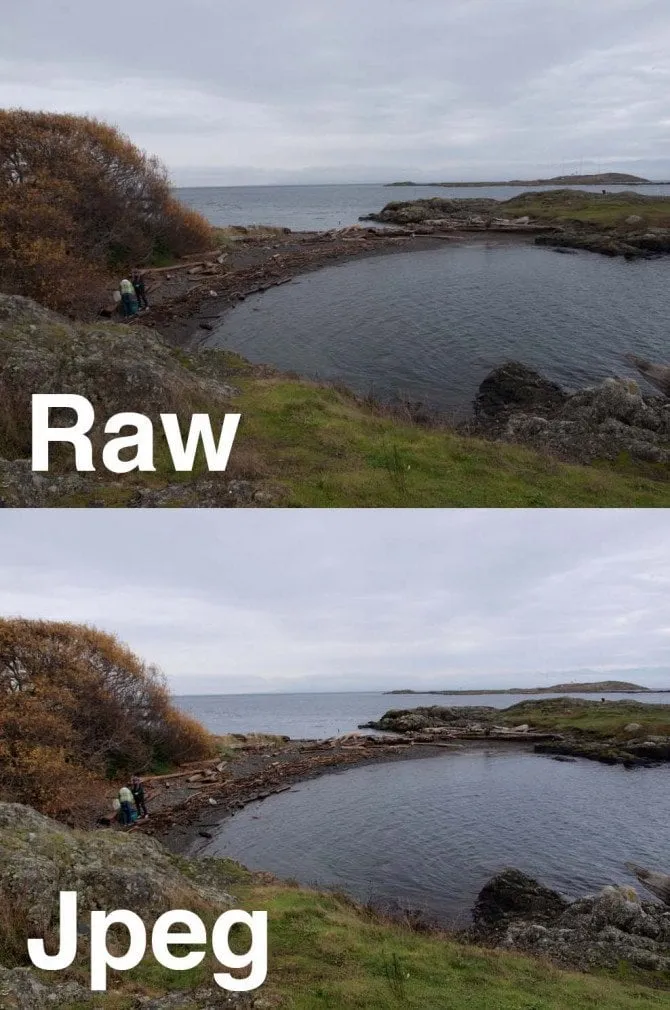
RAW files may initially look flatter than camera-processed JPEGs, but they provide more editing flexibility.
What Is a JPEG File?
JPEG is a widely supported image format that uses lossy compression to reduce file size.
When a camera creates a JPEG, it interprets the sensor data and applies settings such as:
- White balance
- Contrast
- Saturation
- Sharpening
- Noise reduction
- Picture style
- Color space
The camera then converts the image into an 8-bit JPEG and discards data it considers unnecessary. This produces a smaller, polished file that can be viewed, printed, or shared without RAW processing.
A well-exposed JPEG can still provide excellent image quality. Its main limitation is that extensive corrections are more likely to reveal artifacts, banding, clipped tones, or color degradation.
Why Shoot in RAW?
RAW is most useful when image quality and editing flexibility matter more than storage space or immediate delivery.
Greater Exposure Flexibility
RAW files usually provide more room to recover highlight and shadow detail. This is helpful in high-contrast scenes, including landscapes, interiors, weddings, and photographs taken in difficult light.
RAW cannot fully repair severely clipped highlights or extreme underexposure. Correct exposure in-camera remains important.
Easier White Balance Correction
White balance settings are recorded in a RAW file but are not permanently baked into the image. You can change the color temperature and tint during editing with minimal loss of quality.
JPEG white balance can also be adjusted, but major changes are more likely to affect colors and introduce artifacts.
Smoother Tonal Adjustments
The higher bit depth of RAW data provides more tonal values for editing. This can reduce the risk of banding when making strong adjustments to skies, gradients, and shadow areas.
Better Control over Processing
With RAW, you decide how much sharpening, noise reduction, contrast, and saturation to apply. This is particularly useful when the camera’s automatic processing does not match your preferred style.
Multiple Interpretations of One Image
A non-destructive RAW editor stores adjustments separately from the original file. This allows you to create several versions—color, black and white, bright, or moody—without changing the original sensor data.
However, non-destructive editing is a feature of the software and workflow. Many editors can also preserve an original JPEG while storing adjustments separately.
Elevate Your Photography with Our Advanced Software
RAW Advantages and Limitations
| Advantages | Limitations |
| Greater exposure and color flexibility | Larger files |
| Better highlight and shadow recovery | Requires compatible editing software |
| Easier white balance correction | Additional processing before sharing |
| More control over sharpening and noise reduction | Can fill the camera buffer faster |
| Better suited to substantial edits | Proprietary formats may require software updates |
| Higher tonal precision | More storage and backup capacity required |
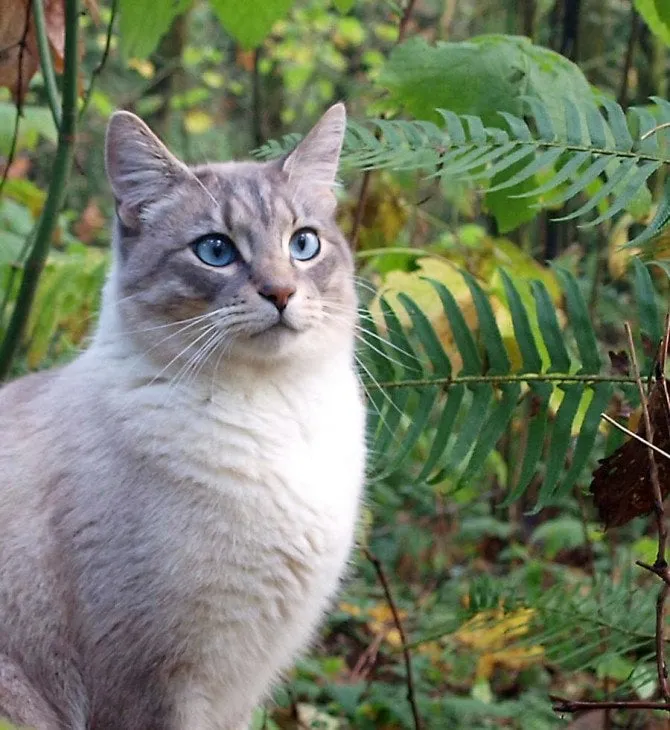
Choose RAW when you expect to perform detailed editing or work in challenging light.
Why Shoot in JPEG?
JPEG is useful when speed, compatibility, and storage efficiency are more important than extensive post-processing.
Images Are Ready Immediately
JPEG files can be transferred to a phone, sent to a client, printed, or posted online without first being processed in a RAW editor.
This makes JPEG practical for:
- Casual photography
- Social media
- Event previews
- News and deadline-driven work
- School and sports photography
- Situations requiring immediate delivery
Smaller File Sizes
JPEG compression allows more photographs to fit on a memory card or storage drive. Smaller files are also faster to transfer, upload, and back up.
Broad Compatibility
Almost every computer, smartphone, browser, printer, and photo application supports JPEG. Proprietary RAW files may not open in older software until a compatibility update becomes available.
Longer Continuous Bursts
Because JPEG files are smaller, many cameras can write them to the memory card faster. This may allow longer bursts before the camera buffer fills.
The difference depends on the camera, card speed, resolution, compression settings, and frame rate. Modern cameras can also capture substantial RAW bursts, so check the specifications of your model.
JPEG Advantages and Limitations
| Advantages | Limitations |
| Smaller file sizes | Less editing flexibility |
| Ready to share or print | Reduced highlight and shadow recovery |
| Broad software compatibility | White balance is more difficult to correct extensively |
| Faster transfer and backup | Strong edits may reveal banding or artifacts |
| Potentially longer bursts | In-camera processing cannot be fully reversed |
| Minimal post-processing required | Repeated JPEG saving can cause generational quality loss |
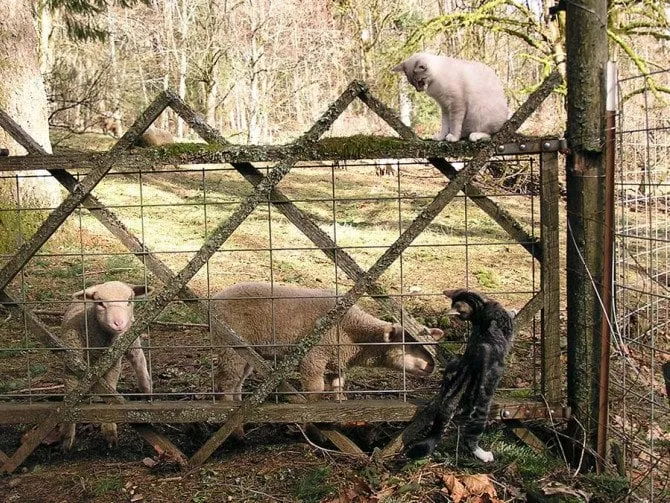
Choose JPEG when you need an efficient workflow and images that are ready to use.
Does Editing a JPEG Always Reduce Its Quality?
Simply opening or viewing a JPEG does not reduce its quality. Editing adjustments do not automatically damage it either.
Quality loss occurs when a JPEG is decoded and repeatedly saved using lossy compression. The effect may be minor after one high-quality export but can become visible after multiple generations of editing and saving.
A safer workflow is to:
- Keep the original JPEG.
- Edit it non-destructively when possible.
- Export a new copy only when the edit is complete.
- Avoid repeatedly opening and resaving the exported JPEG.
RAW Is Not the Same as Manual Mode
Shooting in RAW and choosing an exposure mode are separate decisions.
You can photograph in RAW while using:
- Auto mode
- Program mode
- Aperture Priority
- Shutter Priority
- Manual mode
RAW determines how the image data is recorded. The exposure mode determines how the aperture, shutter speed, and ISO are selected.
Likewise, a photographer can use full manual exposure while recording only JPEG files.
Can JPEG Photos Be Printed?
Yes. A properly exposed, high-resolution JPEG can produce excellent prints.
RAW is useful when an image requires significant exposure or color correction before printing, but the final file sent to a print lab is often an exported JPEG or TIFF rather than the original RAW file.
Print quality depends on:
- Pixel dimensions
- Exposure and focus
- Compression quality
- Color management
- Print size
- Viewing distance
- Printer and paper quality
Shooting in RAW is not mandatory simply because you plan to print the photograph.
When to Use RAW+JPEG
RAW+JPEG mode records both versions of every photograph.
It is helpful when you:
- Need a JPEG for immediate delivery
- Want a RAW file for later editing
- Are learning RAW processing
- Need to compare in-camera processing with your own edits
- Want a quick backup format during an important session
The main disadvantages are increased storage use, slower file transfers, and a more complicated selection process.
How to Edit RAW and JPEG Files in Luminar
Luminar works as a photo editor for RAW and common processed formats. RAW files open with the Develop RAW tool, which provides essential controls for exposure, white balance, highlights, shadows, color, optics, and detail.

A practical RAW workflow is:
- Correct the camera profile and white balance.
- Adjust exposure, highlights, and shadows.
- Apply lens and chromatic aberration corrections.
- Refine contrast and color.
- Reduce noise and apply sharpening.
- Crop and straighten the image.
- Export a JPEG or TIFF for printing or sharing.
Luminar uses non-destructive editing, so adjustments remain separate from the original file. If high-ISO noise is a concern, a dedicated noise-reduction tool can help refine the image before sharpening.
JPEG files can follow a similar workflow, but stronger exposure and color adjustments may reveal their lower bit depth and compression.
Your AI-Powered Photo Editor for MacOS and Windows
Which Format Should You Choose?
Choose RAW when:
- You expect to edit the image carefully.
- The scene has strong contrast.
- White balance may be difficult to set.
- You are photographing a paid assignment.
- You need maximum flexibility for a large print.
- You want full control over the final appearance.
Choose JPEG when:
- You need to share images immediately.
- Storage space is limited.
- Your camera’s processing already produces the desired look.
- You are photographing large bursts.
- You do not plan to make extensive corrections.
- File compatibility is a priority.
RAW is usually the safer choice for difficult or irreplaceable photographs. JPEG is often the more efficient choice when speed matters and the exposure can be finalized in-camera.
Final Verdict
There is no universal winner in the RAW vs JPEG comparison.
RAW provides more editing flexibility and is the better option for challenging light, substantial corrections, and photographs that cannot easily be repeated. JPEG produces smaller, widely compatible files that are ready to share and may support longer continuous bursts.
If you are uncertain, use RAW+JPEG for a few sessions. Compare the camera-processed JPEGs with your own RAW edits, then choose the format that best fits your photography and workflow.
Frequently Asked Questions
RAW contains more editable image data, but it is not automatically a better-looking finished image. A well-exposed JPEG with appropriate in-camera processing may look better immediately, while RAW provides more control over the final result.
No. Cameras may store RAW data without compression, with lossless compression, or with lossy compression. The available options depend on the camera model.
No single format is mandatory for professional work. Many professionals choose RAW for its editing flexibility, while others use JPEG when immediate delivery, long bursts, or an efficient workflow is more important.
No. Converting a JPEG to a file with a RAW extension cannot restore the sensor data discarded during JPEG processing. You can edit the JPEG or convert it to another format, but it will not gain genuine RAW flexibility.
RAW processing and larger file writes may slightly affect camera performance, but screen use, autofocus, wireless connections, stabilization, and temperature usually have a greater effect on battery life. The practical difference varies by camera.