Looking beyond PhotoScape X? Compare seven editors for quick adjustments, RAW processing, retouching, and creative work.
PhotoScape X remains a convenient option for quick photo editing, batch processing, collages, and creative effects. Its combination of a free version and an inexpensive Pro edition makes it appealing to photographers who do not need a highly specialized workflow.
However, photo editing needs vary widely. Some photographers want RAW processing and precise color control, while others need layers, advanced retouching, AI-powered tools, or a simple interface for everyday edits. The right PhotoScape alternative therefore depends on the type of work you do, your operating system, and how much control you want over the editing process.
This guide looks at seven PhotoScape alternatives worth considering in 2026, from free open-source software to full-featured commercial editors.
Don’t feel like reading the whole breakdown? We’ve pulled together a quick summary below.
PhotoScape Alternatives Compared
| Software | Pricing model | Main platforms | Particularly useful for |
| PhotoScape X | Free / Pro | Windows, macOS | Quick edits, batch processing, collages |
| Luminar | Perpetual + optional services | Windows, macOS, mobile | AI-assisted photo editing |
| Photoshop | Subscription | Windows, macOS, web, mobile | Detailed editing and compositing |
| GIMP | Free | Windows, macOS, Linux | Open-source image editing |
| Affinity | Free | Windows, macOS, iPad | Photo, vector, and layout work |
| Capture One | Subscription / perpetual | Windows, macOS, iPad, iPhone | RAW, color, tethering |
| DxO PhotoLab | Perpetual | Windows, macOS | RAW processing and optical corrections |
| PaintShop Pro | One-time purchase | Windows | Traditional photo and graphic editing |
What Is PhotoScape X?

The software is particularly useful for users who want many everyday tools in one relatively straightforward application. Batch resizing, renaming, format conversion, filters, and collage creation can be useful when working with multiple images.
PhotoScape X Pro is currently listed at $39.99 in the Microsoft Store, although prices can vary by platform and region.
One important consideration is that PhotoScape X’s official history page shows its latest listed version, 4.2.1, dates from January 2022. That does not necessarily mean the software is unusable, but it is worth considering when comparing it with actively updated alternatives.
Your AI-Powered Photo Editor for MacOS and Windows
7 Best PhotoScape Alternatives
Rather than ranking these editors from “best” to “worst,” the options below are organized around their different strengths and workflows.
1. Luminar

Price: Luminar currently offers perpetual desktop licensing, with plans starting at $129 at the time of writing. Other plans include cross-device access and additional services. Prices and plan contents can change.
Platforms: Windows, macOS, iOS, Android, ChromeOS, with web access planned for fall 2026.
Advantages: Luminar combines conventional photo-editing controls with AI-powered tools. Depending on the plan, users can work with tools such as GenErase, GenSwap, GenExpand, AI Assistant, Structure AI, Sky AI, and Light Depth. It also supports RAW files, layers, masking, and plugin workflows with applications such as Photoshop and Lightroom.
The interface is designed to make many common adjustments accessible without requiring the user to build a highly complex editing workflow.
Disadvantages: Users who need an extremely extensive ecosystem of third-party plugins, advanced graphic-design features, or highly specialized production workflows may still prefer software designed specifically around those needs.
Best suited to: Photographers who want traditional editing controls combined with AI-assisted adjustments and a relatively approachable workflow.
2. Adobe Photoshop
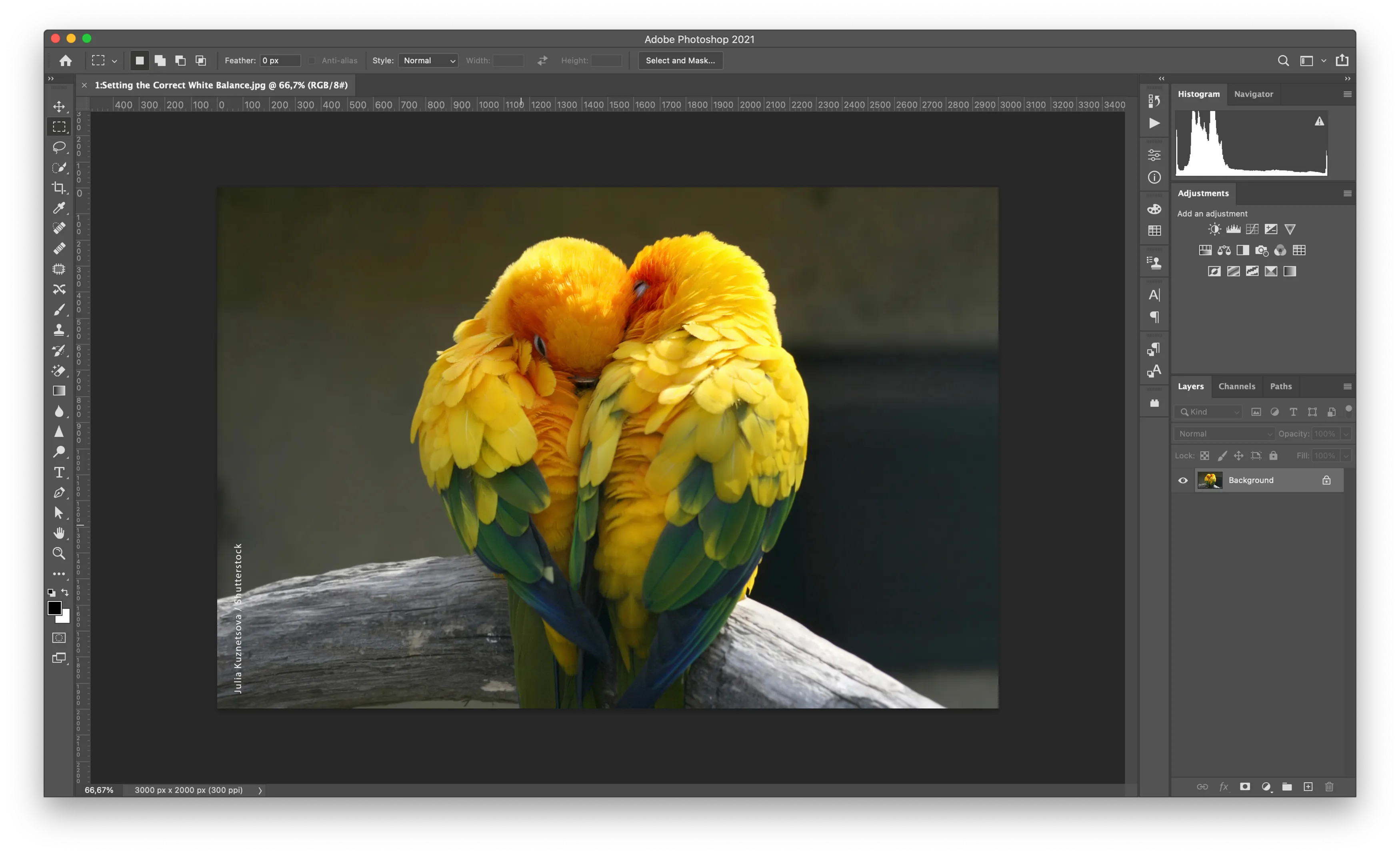 Price: Photoshop is subscription-based. Adobe currently lists the standalone plan at US$22.99/month for an annual plan billed monthly in the US. Regional pricing varies.
Platforms: Windows, macOS, web, and mobile.
Advantages: Photoshop provides a broad set of tools for layers, masks, selections, retouching, compositing, typography, and graphic work. Current versions also include generative AI features such as Generative Fill.
It is particularly useful when a photo needs more than conventional color and exposure adjustments.
Disadvantages: The number of tools and workflow options can make Photoshop more complicated to learn than simpler photo editors. Its subscription model is also an important consideration for users who prefer a one-time purchase.
Best suited to: Photographers, designers, and creators who need detailed control over individual elements of an image.
3. GIMP
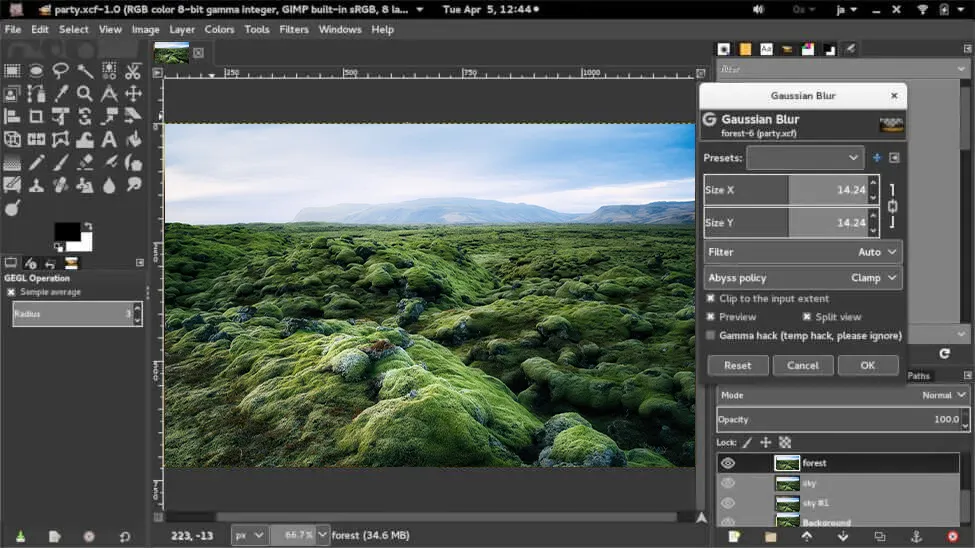 Price: Free and open source.
Platforms: Windows, macOS, and Linux.
Advantages: GIMP provides layers, channels, selections, masks, transformations, brushes, scripting, plugins, and support for many file formats. The current GIMP 3.2 series also includes updated Windows and macOS support.
There is no subscription fee, making it an option for users who want a capable desktop editor without purchasing commercial software.
Disadvantages: Its interface and workflow can take some time to learn, especially for people accustomed to simpler editors. Some workflows also require plugins or additional configuration.
Best suited to: Users who want a free, flexible, open-source image editor and do not mind spending time learning it.
Exclusive Tools of Endless Possibilities in One Editor
4. Affinity
Price: Free.
Platforms: Windows, macOS, and iPad.
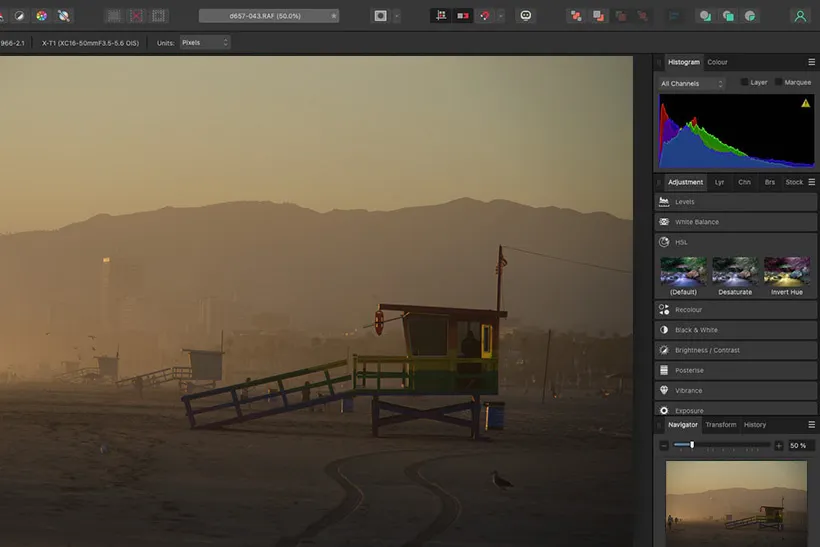
Advantages: Affinity changed significantly in 2025. Canva introduced an all-new Affinity that combines photo editing, vector design, and page layout in one application and made it completely free for everyone.
For photographers, its photo-editing capabilities include tools for basic adjustments, retouching, multilayer compositions, and more advanced image work. The unified application can also be useful for creators who move between photography and graphic design.
Disadvantages: The breadth of the application means that users looking only for quick photo corrections may encounter more functionality than they need. Its workflow is also different from both PhotoScape and traditional single-purpose photo editors.
Best suited to: Users who want a free desktop creative application with photo editing plus vector and layout capabilities.
5. Capture One
Price: Capture One offers subscription plans as well as a perpetual desktop license for its Pro edition. Current pricing depends on the selected plan and region.
Platforms: Windows, macOS, iPad, and iPhone, depending on the plan.
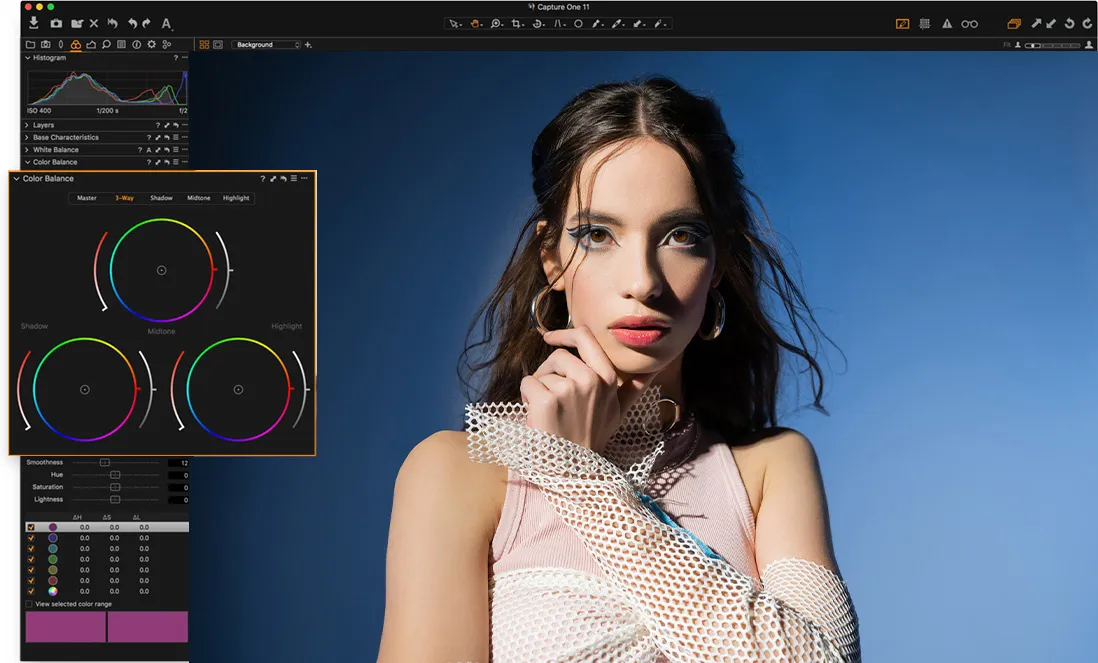
Advantages: Capture One is built around photography workflows, with strong RAW conversion, color profiles, tethered shooting, file management, masking, and advanced editing tools. Its Pro plan currently supports more than 550 cameras.
It can be particularly useful for photographers who need detailed control over color and who frequently work with RAW files or tethered studio sessions.
Disadvantages: Its extensive photography-focused workflow may be more than a casual user needs. Subscription and perpetual-license options also require more consideration than a simple free editor.
Best suited to: Photographers who prioritize RAW processing, color control, tethering, and structured photo workflows.
6. DxO PhotoLab
Price: DxO PhotoLab 10 is currently listed at $249.99 for a perpetual license. A free trial is also available.
Platforms: Windows and macOS.
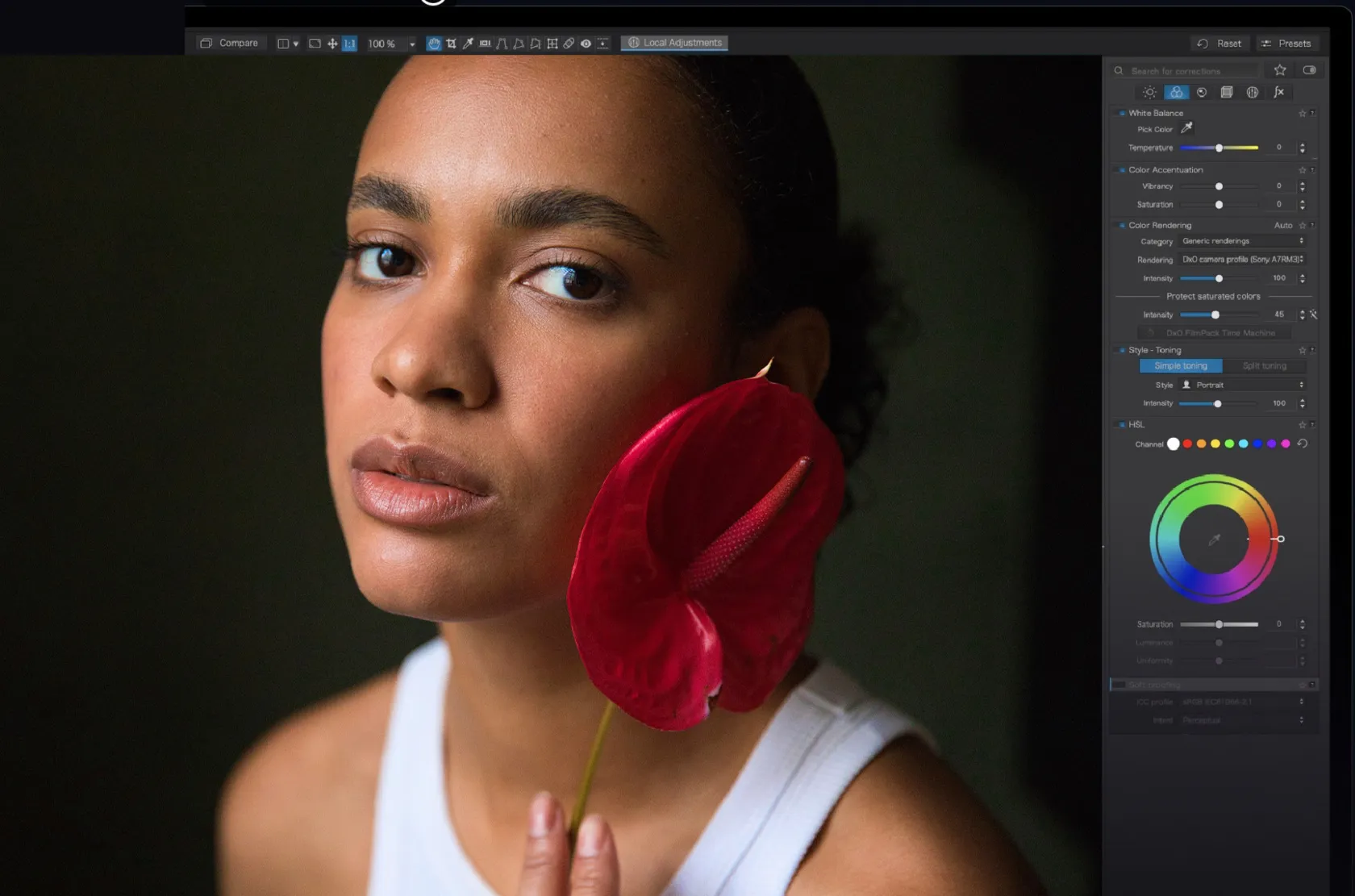
Advantages: DxO PhotoLab focuses heavily on RAW processing, optical corrections, local adjustments, and noise reduction. Its current version includes AI Masks based on U Point technology and DxO’s DeepPRIME processing tools.
The perpetual-license model can also appeal to photographers who prefer owning a particular version rather than maintaining a monthly subscription.
Disadvantages: Its workflow is primarily photography-oriented, so users looking for extensive graphic-design, illustration, or compositing capabilities may need another application.
Best suited to: Photographers who prioritize RAW quality, lens corrections, and noise reduction.
7. PaintShop Pro
Price: PaintShop Pro is sold as a one-time desktop purchase, with current pricing varying by edition and promotions.
Platforms: Windows.
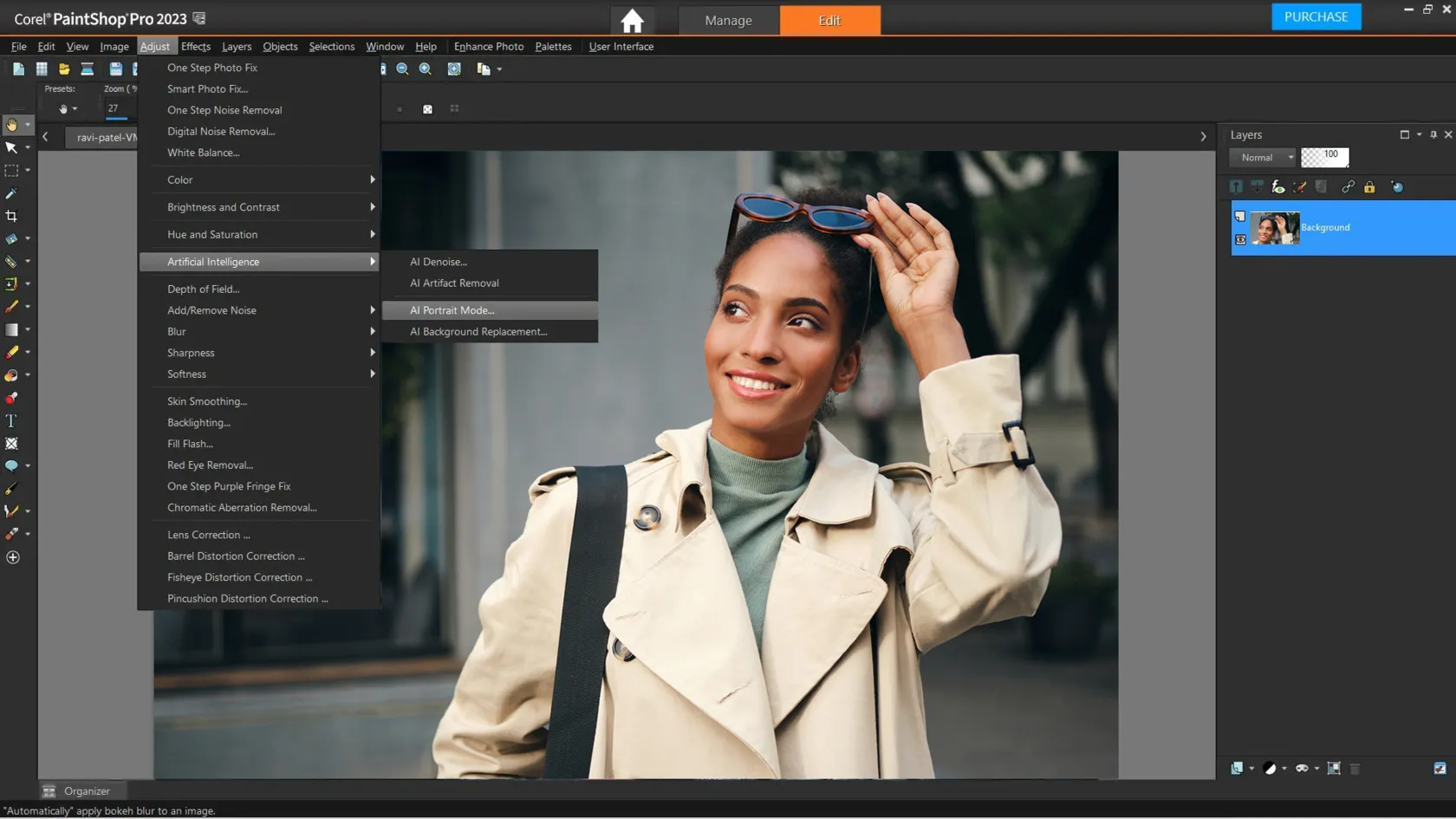
Advantages: PaintShop Pro combines photo correction, layers, selections, retouching, creative effects, and graphic-design features in one application. It can be a useful choice for Windows users who want a traditional desktop editor without a recurring Adobe-style subscription.
Disadvantages: The biggest limitation for many users is platform availability: PaintShop Pro is Windows-focused rather than a cross-platform option. It also has a broad interface that may require some learning for people coming from simpler editors.
Best suited to: Windows users who want a feature-rich desktop photo editor with a one-time purchase model.
Elevate Your Photography with Our Advanced Software
How to Choose a PhotoScape Alternative
Instead of looking for a single editor that is “best” for everyone, start with the workflow you actually need.
If You Want Simple Everyday Editing
Look for an editor with cropping, resizing, color correction, filters, batch processing, and straightforward organization.
PhotoScape X itself covers many of these tasks, while Luminar provides a different approach with more AI-assisted editing.
If You Need Advanced Retouching and Compositing
Layers, masks, selections, and precise object manipulation become more important here. Photoshop, Affinity, and GIMP provide extensive tools for this type of work.
If You Shoot RAW
Pay particular attention to RAW conversion, camera support, lens corrections, color profiles, and noise reduction.
Capture One and DxO PhotoLab are especially focused on these photography-specific workflows, while Luminar also supports RAW editing.
If You Prefer Free Software
GIMP and Affinity are now two significantly different free options.
GIMP follows an open-source model and focuses specifically on image editing. Affinity combines photo, vector, and layout tools in a unified creative application and became free for everyone in 2025.
If You Prefer a One-Time Purchase
Check the current licensing model before making a decision. Luminar offers perpetual desktop licensing, DxO PhotoLab offers a perpetual license, and PaintShop Pro uses a one-time purchase model. Capture One also continues to offer a perpetual Pro license alongside subscriptions.
Final Thoughts
PhotoScape X remains a practical option for everyday editing, especially when batch processing, filters, collages, and other utility features are important. But photographers have very different workflows, and several alternatives offer capabilities that PhotoScape does not emphasize.
Luminar focuses on AI-assisted editing and accessible controls. Photoshop provides extensive compositing and retouching tools. GIMP offers an open-source workflow, while Affinity now provides a free combination of photo, vector, and layout tools. Capture One and DxO PhotoLab focus more heavily on RAW photography, color, and image quality, while PaintShop Pro remains an option for Windows users who prefer a traditional one-time-purchase editor.
The most useful comparison is therefore not simply about price or the number of features. Consider the files you shoot, the edits you make most often, your operating system, and whether you prefer a subscription, perpetual license, or free software. Those factors will tell you much more about which PhotoScape alternative fits your workflow.
FAQ
Yes. PhotoScape X is still available in free and Pro versions for Windows and macOS. Its official site currently lists version 4.2.1 as the latest version in its published history.
There are several free options, including GIMP and Affinity. GIMP is open source and focused on image editing, while the current Affinity combines photo editing with vector and layout tools.
Yes. Luminar works as a standalone application on both Windows and macOS. It can also work as a plugin for Photoshop and Lightroom.
The current Affinity application is free for everyone. Canva introduced the all-new Affinity in October 2025 as a unified photo, vector, and layout application.
Several options support RAW workflows, including Luminar, Capture One, DxO PhotoLab, Photoshop, GIMP, and Affinity. The differences are in camera support, RAW conversion, color tools, organization, and the overall workflow.