
Lightroom Mobile Alternative: Discover Smarter Editing Tools
A clear overview of the best Lightroom Mobile alternatives, comparing pricing, AI features, and ease of use to help you choose a smarter mobile photo editor for your workflow.
I find immense joy in connecting with people and capturing their essence through my unique perspective and camera lens. Primarily a portrait photographer, my portfolio is rich with images of individuals, each telling their own story. Beyond the camera, my passion extends to meeting a diverse range of people, learning about their interests and narratives, and bringing those stories to life in my post-production work.

A clear overview of the best Lightroom Mobile alternatives, comparing pricing, AI features, and ease of use to help you choose a smarter mobile photo editor for your workflow.
Learn how to batch edit photos in Lightroom to save time, keep a consistent style, and optimize performance across desktop and mobile workflows.

A practical comparison of Photopea and Photoshop, focusing on performance, accessibility, and which editing tasks each tool handles best.

Learn how AI photo editing apps speed up everyday edits, which features actually matter, and how to pick an editor that fits your shooting and sharing habits.

Curious what are the best photo editing software for Windows right now? From lightning-fast edits to deep creative control, there’s a tool out there that fits the way you edit.

When a shoot turns into hundreds of files, the best software for batch photo editing is what keeps deadlines realistic instead of stressful.

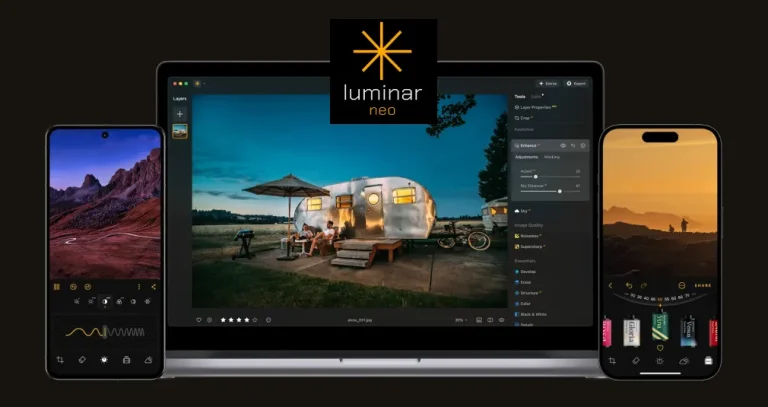
Luminar Neo is an AI-powered photo editing software designed to help you transform your images, no matter your genre or style. With a wide range of tools that can deliver professional-looking portraits, elevate landscape shots, or allow you to get creative with colour grading, there is something here for everyone.
Alternatives
Use cases
Features