
Top film camera apps: get true vintage presets, rich colors, and analog textures.
Users note that over the past decade, there has been a shift toward mobile retro photography. This has led to a distinction between the instant, predictable result and the meaningful experience of shooting with limitations and the anticipation of “development”.
The authentic imperfections of film help circumvent the artificial, plastic-looking quality of modern smartphone algorithms. Every small community will have its own favorite app to make photos look like film and its hidden gems.
Don’t feel like reading the whole breakdown? We’ve pulled together a quick summary below.
Key Takeaways
- Automation vs. Control. For a quick shot, photographers recommend point-and-shoot simulators like Dazz Cam or Mood Camera. When a predictable artistic result is needed, it is more efficient to shoot in RAW format using a standard camera and adjust colors independently.
- Technical Aspects of Film Replication. Standard filters often ruin highlights and obscure shadow details. High-quality simulation relies on the mathematical recoding of shades (LUTs) or precise replication of the chemical properties of specific emulsions.
- Hardware and Platform Impact. Building quality retro camera simulations requires deep integration with smartphone hardware. Due to optimization complexities, many experimental products appear on iOS, though major editors adapt their processing algorithms to graphics chips from different brands.
- Flexibility of Manual Settings. Independent control over shutter speed and ISO helps bypass aggressive in-camera noise reduction.
- Practical Steps for Better Results. An atmospheric retro frame depends on working with light and composition. Photographers suggest shooting in overcast weather or during sunset, slightly lowering the exposure manually before capturing.
Top Features to Look for in Film Camera Apps
Typically, when it comes to film photography apps, people recommend either “point-and-shoot” simulators (such as Dazz Cam or Mood Camera), where the app handles everything automatically while you shoot, or apps for deliberate editing, where Luminar Mobile (LUT) is the clear leader.
- Working with cinematic LUTs and color profiles. Basic film-style apps simply overlay a color filter, which often distorts details in the shadows or “blows out” the highlights. LUTs (Look-Up Tables) mathematically recode every shade.
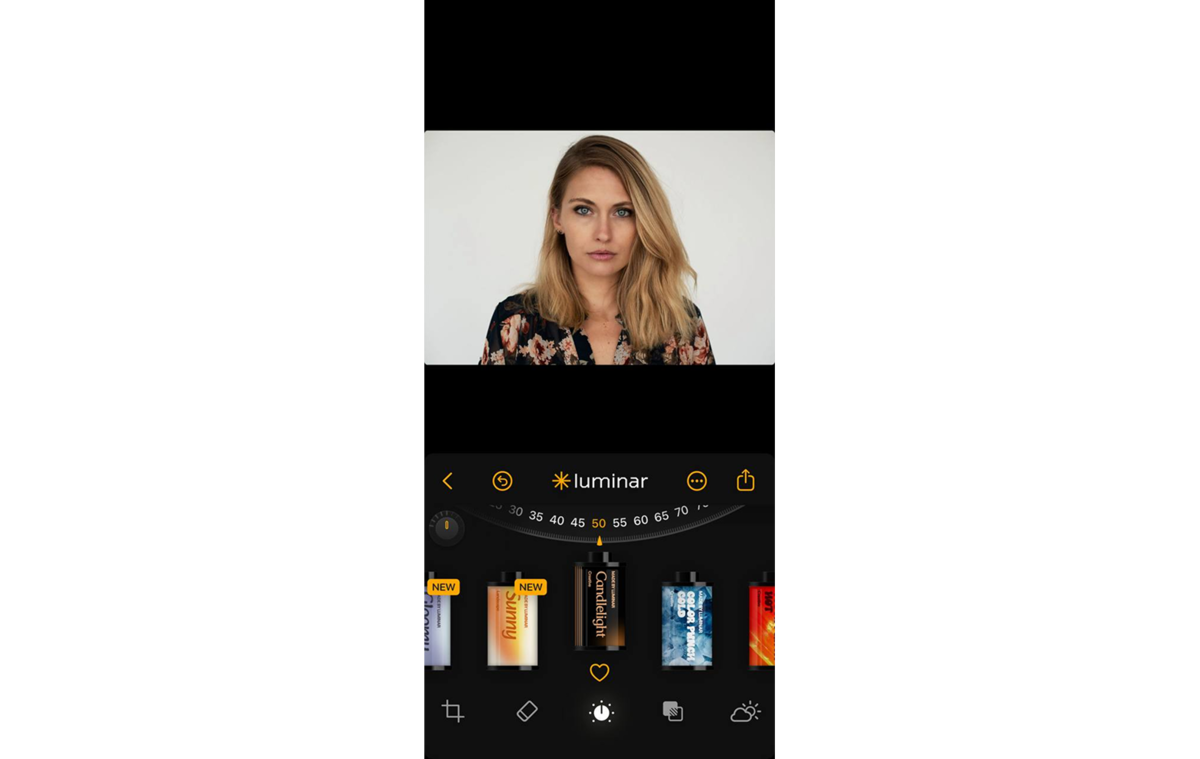
- Intelligent control of grain and texture. The app should have a separate slider to adjust the size and coarseness of the grain so that it blends naturally into the photo’s image.
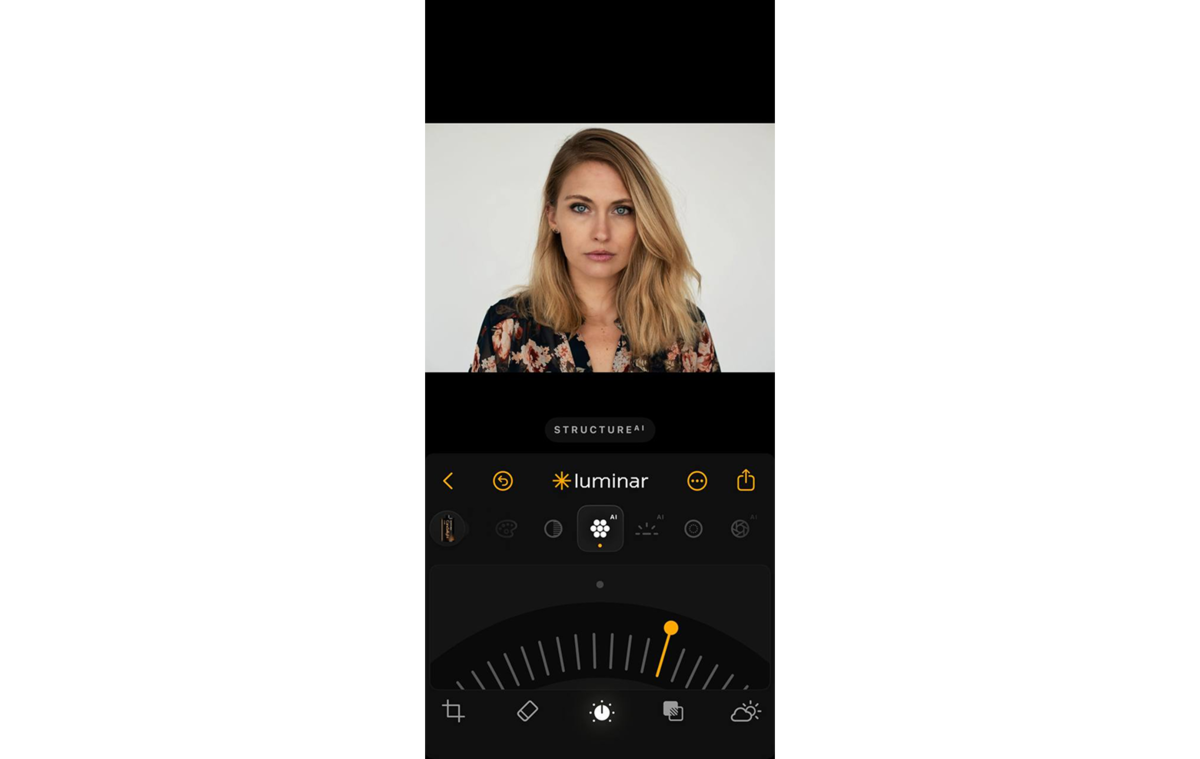
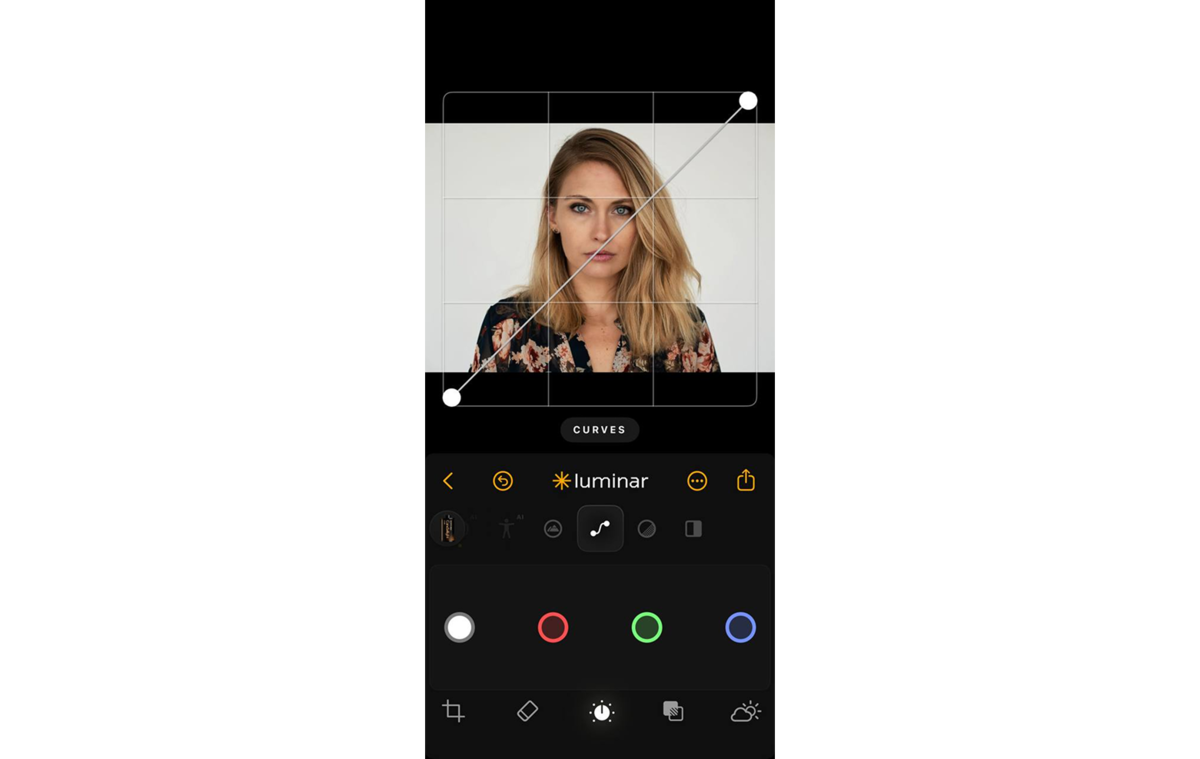
- Preserving dynamic range (curves + highlights/shadows). Luminar Mobile provides access to Curves and the Develop tool. You can manually raise the “black point” or tone down the harsh digital light produced by modern smartphones.
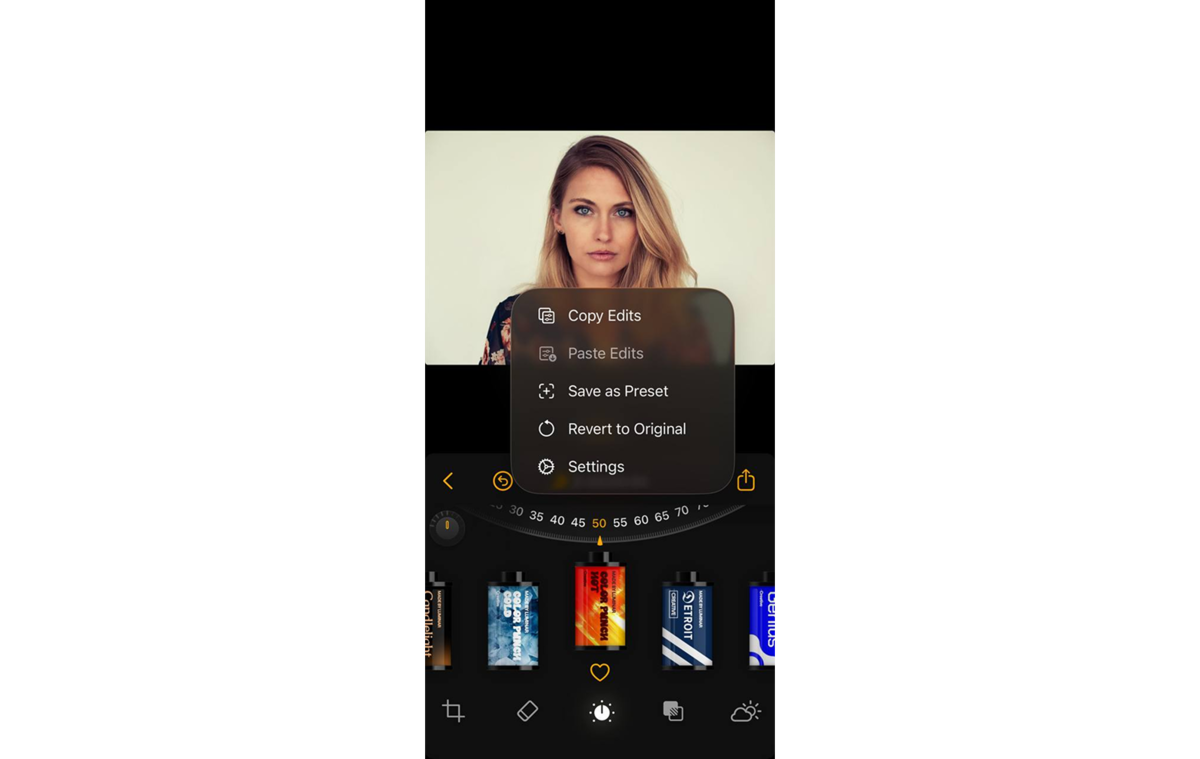
- Batch editing and saving custom styles. The ability to copy settings from one photo and apply them to an entire series with a single click.


In case you want to create a unique, playful look, check out Dazz Cam or Mood Camera. However, if you’re after an artistic film filter app, shoot in RAW with a standard camera and fine-tune the color, grain, and matte finish.
Comparing Popular Film Camera Apps
In the market for mobile film apps, developers are competing to recreate unique physical processes—from the chemical color distortion of specific emulsions to the optical imperfections of vintage lenses.
| App | Core focus | Target audience | Platforms | Pricing model |
| Dazz Cam | Mimicking iconic retro cameras and lenses | Bold visual effects and experimentation | iOS | Free/One-time purchase |
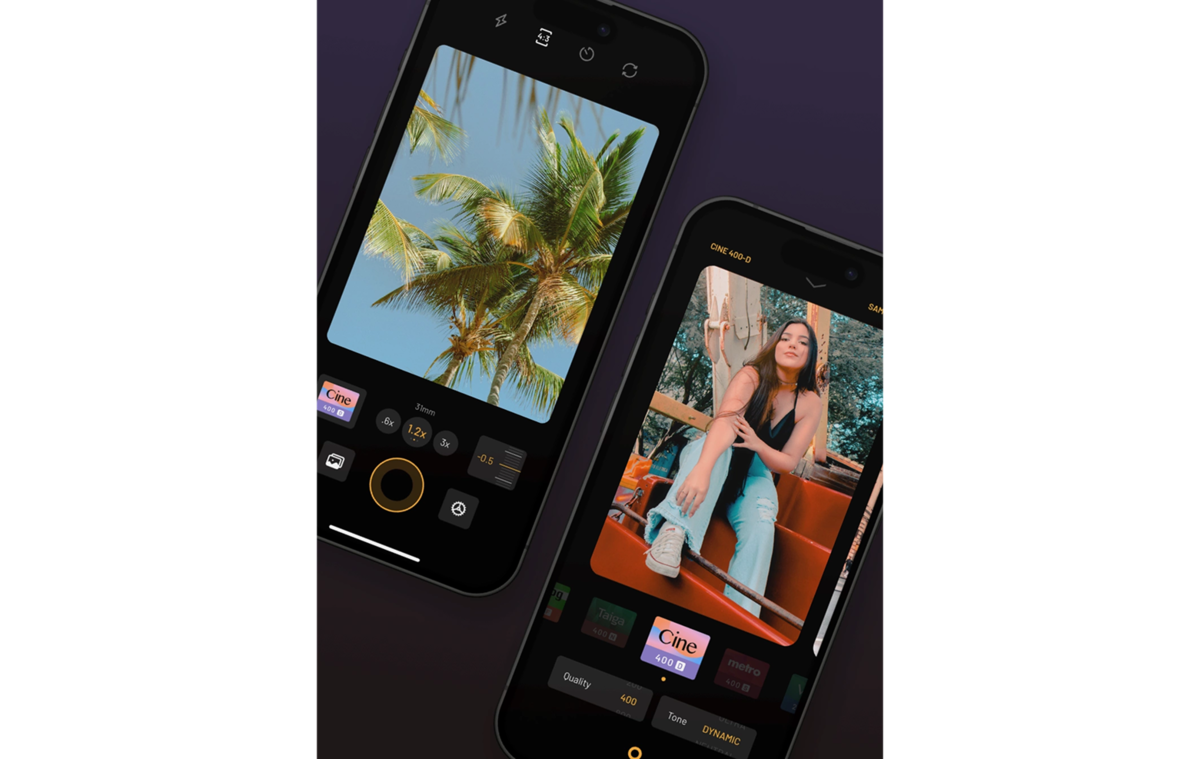
| Mood Camera | Cinematic atmosphere, color, and lighting | Subtle, premium, and realistic film colors | iOS | Trial/Subscription or Lifetime |
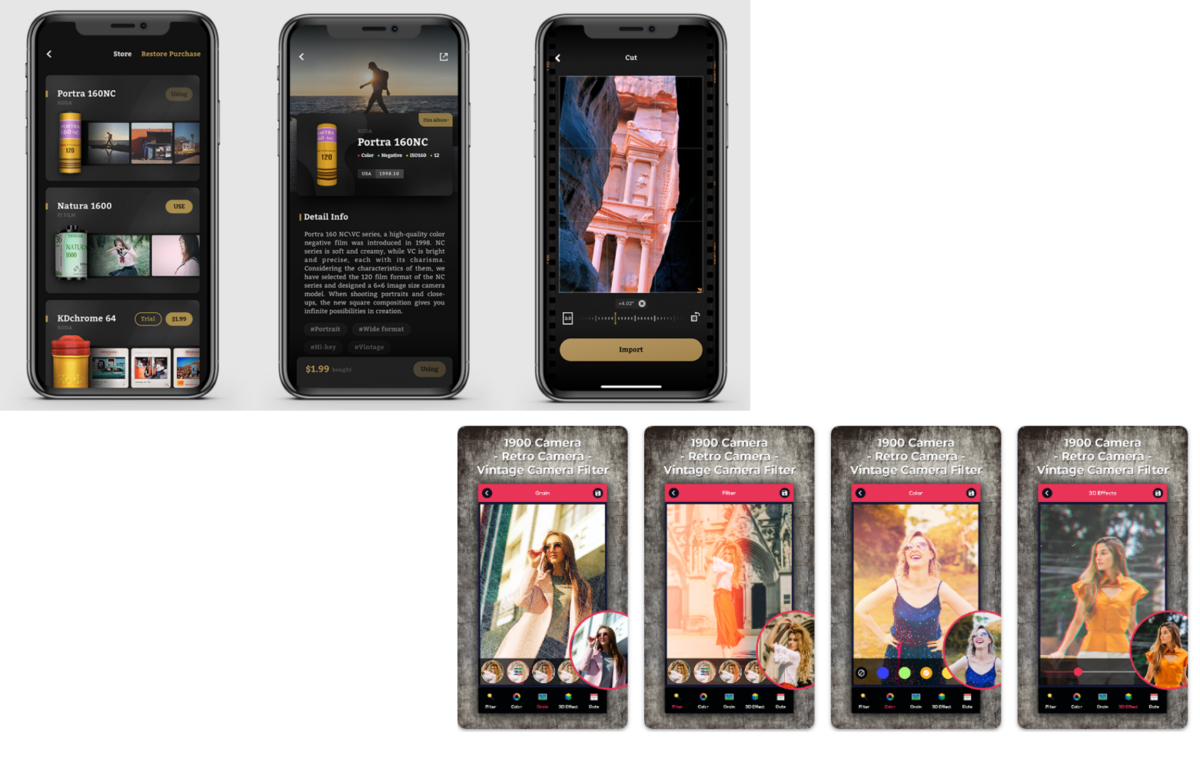
| FIMO | Replicating specific film stocks | The difference between Portra 400 and Fujifilm Superia | iOS/Android | Free + paid “film rolls” |
| OldRoll/ProCCD | Emulating the experience of cheap point-and-shoots and early digicams | 90s and Y2K aesthetics with authentic timestamps | iOS/Android | Free/Subscription |
| Lapse/Huji Cam | Disposable camera concept | For parties, candid moments, and bringing back the element of surprise | iOS/Android | Free |
Your choice of a film-style filter app depends on your creative goals and the style you’re chasing. Some people are looking for maximum flexibility and visual effects to create content for social media, while others prefer the authentic color reproduction of legendary brands like Kodak or Fujifilm.
User Interface and Ease of Use
Amid millions of life hacks for using film-style apps, it’s hard to find anything decent. So the question of combining the ergonomics of a modern smartphone with those of an analog camera remains a dilemma for now.
- FIMO, OldRoll—creates a tactile vibe, but severely compromises ergonomics;
- Mood Camera—analyzes lighting in real time and automatically adjusts the image’s look;
- Dazz Cam, Liit—quick access to the system gallery for importing photos.
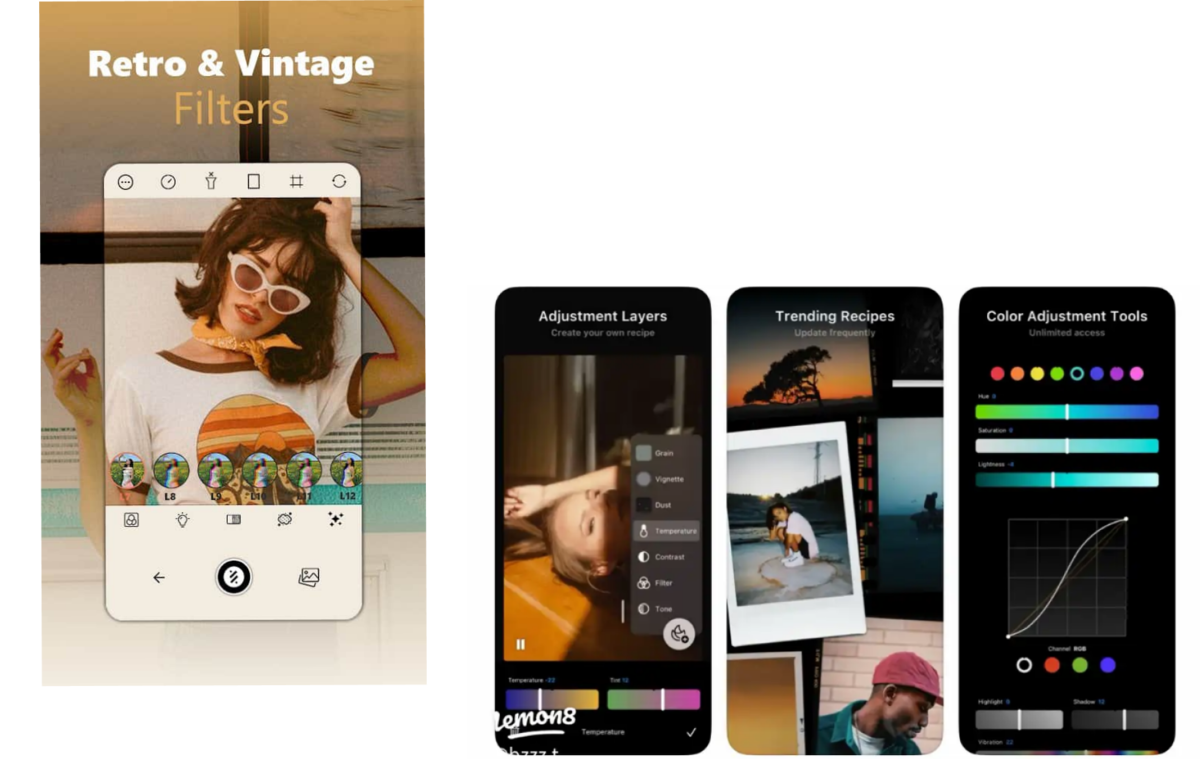


Today’s users are becoming more demanding when it comes to speed. Even apps with “slow development” (like Lapse) optimize their interfaces so that the actual moment of capture happens quickly and seamlessly, shifting all the “analog hassle” to the background processing stage.
Image Quality and Filters

Most standard retro filters “burn out” the highlights and fill the shadows with noise in an attempt to create a vintage effect. On top of that, the aggressive noise reduction algorithms in modern iOS flatten the texture, making photos look too artificial. That’s why you’ll have to experiment quite a bit with different technical approaches, especially for the best film camera app for iPhone.
Point-and-shoot
Dazz Cam and Huji Cam intentionally degrade image quality and add chromatic aberrations (colored fringes along the edges of objects), lens flare, and random light leaks. Moreover, the overall sharpness of the photo decreases, creating that imperfect vibe of photos from the late ’90s.
Profiles of specific emulsions
FIMO and the latest trends on the market aim to precisely replicate the chemistry of real film rolls (such as Kodak Portra 400 or Fujifilm Superia). Image quality remains high, and grain is applied judiciously, adapting to the dark and light areas of the frame.
Hybrid AI Approach
Some of these apps work directly with your phone’s RAW files, bringing out maximum detail from deep shadows and bright skies. Also, before applying retro effects, smart sliders automatically balance exposure and light so that the filter applies evenly and doesn’t turn faces into dark blobs. Luminar Mobile films use professional color look-up tables (Cinematic LUTs), categorized by artistic styles, such as portrait toning (for soft skin), cross-processing (high-contrast street photography), or deep cinematic toning.
Elevate Your Photography with Our Advanced Software
Manual Controls and Customization
Sometimes, manual settings are the only way to bypass a smartphone’s aggressive in-camera processing. The ability to manually control shutter speed and ISO helps capture motion blur or creates natural digital noise in low light, which then blends much better with the added film grain. Advanced apps can fine-tune the character of the grain by adjusting both the size and roughness of individual “silver grains.”
Instead of fixed presets, which often distort skin tones or wash out clouds, the editing tools let you manually separate light and dark areas. Users can independently raise the black point to achieve those signature matte, slightly smoky shadows or add a barely noticeable greenish or blue tint to deep shadows using the cross-processing technique.
Compatibility with Different Devices

The retro camera market is heavily skewed toward the Apple ecosystem. The latest hits and experimental tools are most often created exclusively for the iPhone. The developers of many popular apps openly state that they focus solely on iOS due to the complexity of optimizing for thousands of different Android models.
Android users have had to settle for either simpler cross-platform camera emulators or search for less-optimized clones that could cause the processor to overheat badly. However, the situation is now evening out, and major apps have learned to adapt their processing algorithms to graphics chips from different brands.
Pricing and Subscription Options

The first approach, a classic one for the mobile market, is the in-app purchase model, which is used by apps like FIMO. The app itself is free and comes with a basic set of presets, although you have to pay separately for each new “roll of film” or virtual camera. This is convenient for those who know exactly what color they need and don’t want to overpay for unnecessary features.
In contrast, developers offer a choice between a recurring subscription and a lifetime purchase. The subscription model lets you test the app’s full functionality for a month or a year for a small fee. For example, on the Luminar Mobile link, users are typically offered both affordable annual plans and the option of a one-time purchase for lifetime access.
Professional Editing. Now in Your Pocket.
Download Luminar on your Mobile Device
Tips for Getting the Best Results with Film Camera Apps

Your photos should look like works of analog art, and simply downloading the best film filter app isn’t good enough. The film aesthetic is built on an appreciation of light, composition, and the deliberate use of imperfections.
- Avoid harsh midday sunlight, which creates stark digital contrasts. The best shots for film filters are taken at sunset or sunrise, on cloudy days, or when shooting indoors with soft light coming through a window.
- Before pressing the shutter button, tap the screen and slide the brightness slider (the sun icon) down slightly.
- When combined with the right retro filter, a “face-on” flash creates an authentic effect reminiscent of iconic point-and-shoot cameras like the Olympus Stylus or disposable cardboard cameras.
- For delicate female portraits, set the film to a minimal, barely noticeable fine grain.
Keep in mind that even the most expensive filter won’t save a boring shot. So it’s time to take the bull by the horns and properly combine lighting, composition, and subtle stylization to transform a mobile photo into an atmospheric story with its own character and visual depth.


