JPEG suits compact photo files; PNG preserves transparency and crisp graphics. Compare compression, quality, and file size to choose the right format for sharing, editing, or printing.
JPEG usually suits photographs when you need a compact file. PNG suits transparent images and graphics where preserving crisp pixel detail matters. I’ll explain the differences and help you choose an export for the task.
Neither format automatically has higher resolution. The useful choice depends on the source image, pixel dimensions, compression settings, transparency, and the application receiving the file.
Don’t feel like reading the whole breakdown? We’ve pulled together a quick summary below.
Key Takeaways
- Choose JPEG for compact photo delivery. Its lossy compression can produce a small file with good visual quality.
- Choose PNG for transparency and crisp raster graphics. Its compression preserves the encoded pixel data.
- Opening a JPEG does not degrade it. Repeated lossy re-encoding can introduce additional damage.
- Converting JPEG to PNG cannot restore discarded detail. It can preserve the decoded image from that point onward.
- Follow the destination’s requirements. Web delivery, editable masters, and printing need different decisions.
PNG vs JPEG at a Glance
| Feature | JPEG / JPG | PNG |
| Full name | Joint Photographic Experts Group | Portable Network Graphics |
| Typical compression | Lossy | Lossless |
| Transparency | No alpha transparency | Supports transparency |
| Common use | Photographs and compact delivery copies | Screenshots, raster graphics, and transparent cutouts |
| File size | Often smaller for detailed photographs | Can be compact for simple graphics, large for photographs |
| Repeated encoding | Can add compression artifacts | Compression itself does not discard pixels |
| Color modes | Common RGB, grayscale, and CMYK workflows | RGB, grayscale, and indexed color; no native CMYK |
| Typical editing role | Delivery copy or available source | Flattened graphic or lossless pixel copy |
| Printing | Often accepted by photo labs | May be accepted, but is not a universal print requirement |
The comparison refers to ordinary JPEG files used for everyday photographs. Other members of the JPEG standards family have different capabilities.
Your AI-Powered Photo Editor for MacOS and Windows
What Is JPEG?
JPEG is named after the Joint Photographic Experts Group. In everyday use, it refers to the familiar compressed image format found in camera photographs, website images, and shared pictures.
JPG and JPEG normally mean the same format. The shorter extension became common on systems that restricted filenames to three-character extensions.
JFIF and Exif describe common ways of packaging JPEG image data and metadata. They are not merely alternative spellings with a different number of letters.
JPEG’s Main Strength: Efficient Photo Compression
 Photographs contain subtle color transitions, texture, and detail. JPEG can represent them in much less space than an uncompressed pixel image.
I would choose JPEG for a finished photograph when the recipient needs broad compatibility and manageable file size. A carefully exported image can look very good at its intended viewing size.
The trade-off is that compression discards information. “High quality” does not mean “lossless.”
| Pros | Cons |
| Often compact for photographic content. | Lossy compression can introduce visible artifacts. |
| Widely supported by cameras, applications, and websites. | Cannot retain an alpha channel for transparency. |
| Adjustable quality helps balance appearance and size. | Repeated re-encoding can add damage. |
| Supports common photographic metadata. | Sharp text and colored edges may reveal compression problems. |
What Is PNG?
PNG stands for Portable Network Graphics. It is a raster format that supports lossless compression and transparency.
Lossless compression means the encoded pixel information can be recovered exactly when decoded. It does not mean every operation in an editing or export workflow is lossless: resizing, reducing a palette, or changing bit depth can still alter the image.
I would choose PNG for a screenshot containing small text or a cutout that needs to sit over different backgrounds.
| Pros | Cons |
| Preserves encoded pixels through compression. | Detailed photographs can produce large files. |
| Supports transparent and partially transparent pixels. | Does not natively store CMYK image data. |
| Works well for text, diagrams, and flat-color raster graphics. | Does not normally preserve an editor’s layers and masks. |
| Widely supported for web and everyday graphics. | Upload platforms may resize or convert it. |
Animated PNG, or APNG, also exists. It is inaccurate to describe the wider PNG format as incapable of animation, although an ordinary exported PNG is generally a still image.
PNG vs JPEG Quality: What Compression Actually Changes

How JPEG Compression Works
Common JPEG compression uses a discrete cosine transform to represent image blocks, then quantizes those values. That quantization discards information. Color subsampling may also reduce the amount of recorded color detail.
At stronger compression, you may notice block patterns, ringing near edges, or blurred fine detail. Text and high-contrast graphics can make these problems especially obvious.
There is no guaranteed 10:1 compression ratio. Content, dimensions, encoder, and settings all influence the result. A 10 MB source does not necessarily become a 1 MB JPEG.
How PNG Compression Works
PNG uses filtering and DEFLATE compression, not LZW. It reduces file size without discarding the pixel data being encoded.
Simple graphics with repeated colors can compress efficiently. A detailed photograph with grain and complex texture may not.
I would compare actual exports rather than assume every PNG is larger than every JPEG. The image matters as much as the extension.
Does PNG Always Look Better?
A PNG exported from a clean source preserves its pixels without JPEG compression artifacts. But two files can look indistinguishable at normal viewing size if the JPEG uses suitable settings.
Conversely, a low-resolution PNG can look worse than a larger, well-exported JPEG. Lossless encoding does not compensate for insufficient detail.
Opening, viewing, copying, or downloading a JPEG does not itself reduce image quality. Decoding and saving it again through a lossy encoder can. Some operations can be performed without re-encoding, but I would not assume every editor does this.
Does PNG Have Higher Resolution Than JPEG?

No. Both can store images with the same width and height in pixels.
A 3,000 × 2,000-pixel JPEG and a 3,000 × 2,000-pixel PNG have the same pixel dimensions. They may differ in compression, transparency, bit depth, and pixel values, but the extension does not give one extra resolution.
Similarly, file size in megabytes is not a direct measure of photographic detail.
For an 8 × 10-inch print, a file with 2,400 × 3,000 pixels provides 300 pixels per inch at that size. Whether that is appropriate depends on the printer, viewing distance, and source quality.
I recommend checking pixel dimensions before changing formats.
Elevate Your Photography with Our Advanced Software
Transparency: When PNG Is the Better Choice
PNG supports fully transparent and partially transparent pixels. That makes it useful for soft-edged cutouts, raster logos, and overlays.
JPEG cannot retain that alpha transparency. Exporting transparent content as JPEG requires an opaque background; its color depends on the application and export settings, rather than always becoming white.
If you need a transparent image background, remove or hide the background first, then export to a format that supports transparency. Choosing PNG does not automatically erase an existing background.
PNG is one option, not the only option. SVG can suit vector logos, while WebP and AVIF also support transparency where the destination accepts them.
I would test a transparent image over both light and dark backgrounds. This can reveal pale or dark fringes that were hard to see in the editor.
RGB, CMYK, and Printing

RGB and CMYK are color models; they do not determine whether an image is “high quality.”
Ordinary JPEG workflows can support RGB, grayscale, and CMYK. PNG does not natively support CMYK image data. JPEG’s CMYK support is not made inherently poor by compression, although application compatibility can vary.
Many photo labs request RGB JPEG files because their workflow performs the output conversion. Commercial print production may require a specific CMYK profile and a TIFF or PDF workflow instead.
I would follow the printer’s instructions before converting anything. An unnecessary conversion can create problems rather than solve them.
A screen also cannot guarantee an exact match to paper. Profiles, ink, paper, display calibration, and viewing light affect the result. Soft proofing can help evaluate an intended output, but the receiving workflow still matters.
Which Format Should You Choose?
For Website Photographs
JPEG is a useful broadly compatible option for photographs. Where your publishing system supports them, compare WebP or AVIF for more efficient delivery.
Resize to the required display dimensions and review the compressed result. A correctly sized image often saves more than choosing a different extension without resizing.
This guide explains how to reduce an image’s file size.
I would avoid claiming that PNG automatically harms SEO. What matters is the delivered weight, dimensions, loading behavior, and overall page experience.
For Screenshots, Text, and Diagrams
PNG often preserves small text and hard edges better than heavily compressed JPEG.
Use the original screenshot dimensions where practical. Enlarging it afterward will not recreate detail that was never captured.
For graphics with scalable shapes or text, a vector format may be more appropriate than either raster option.
For Editing and Post-Processing
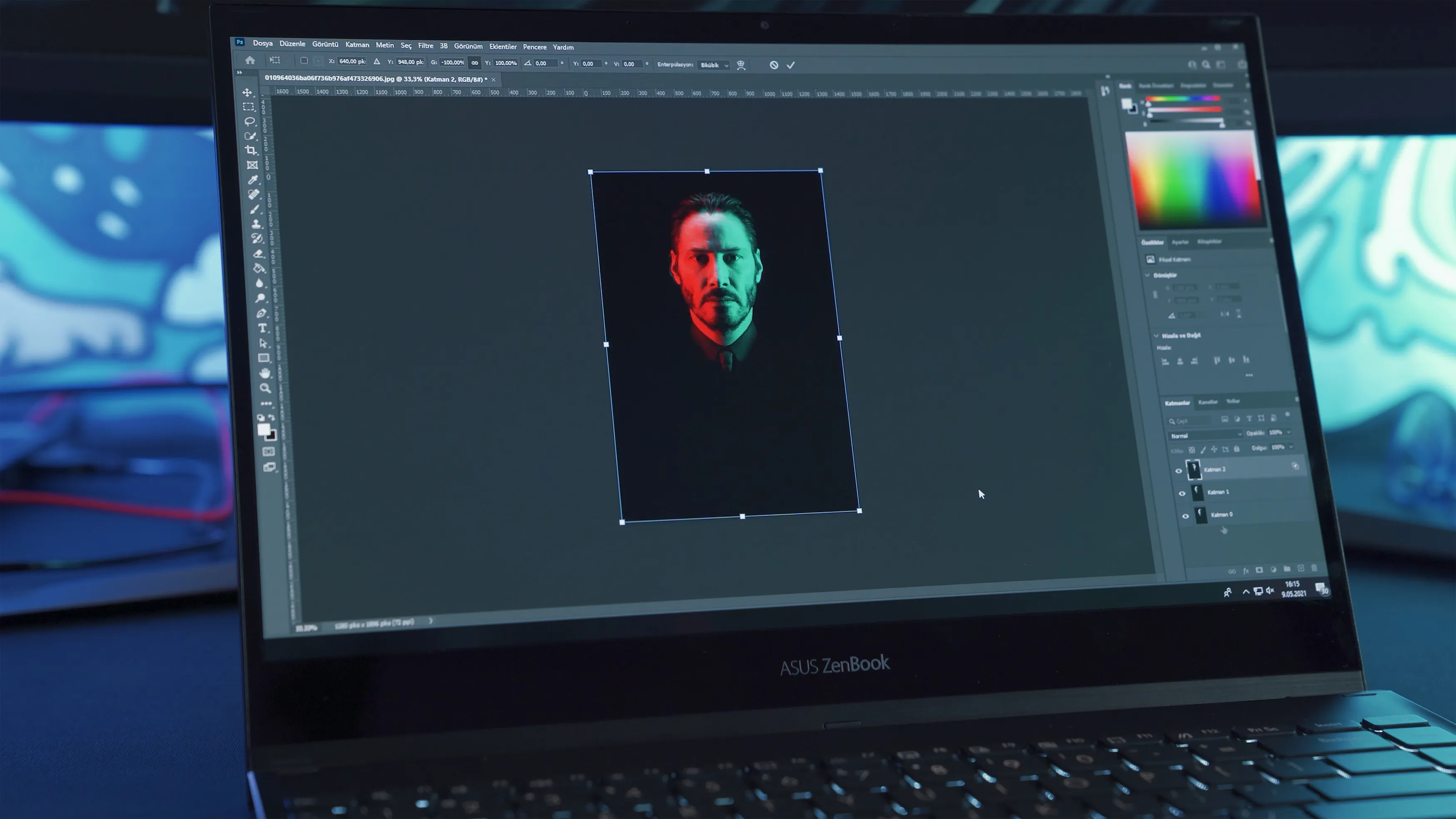
Keep camera RAW files when available and preserve the editor’s working project or catalog information. Use a suitable layered format if the work depends on layers and masks.
A lossless or uncompressed TIFF can be useful for exchanging a rendered image between applications. Check its bit depth and compression: TIFF is flexible and can also contain lossy JPEG compression.
PNG can preserve a flattened image, but it is not a substitute for every editable master.
For Printing
A high-quality JPEG can produce an excellent print when its dimensions and color setup meet the lab’s requirements.
Use TIFF, PDF, or another requested format when the production workflow calls for it. PNG is not intrinsically unsuitable for printing, but its transparency and RGB orientation may be irrelevant to that job.
For Storage and Archiving

JPEG delivery copies can save substantial space. Preserve your originals too: if your camera’s original is JPEG, keeping it unchanged is still valuable.
For edited masters, retain the relevant project data and an appropriate rendered copy if needed. Backups and usable metadata matter alongside format choice.
| Task | Practical starting choice |
| Share a finished photograph | JPEG |
| Preserve transparency in a raster image | PNG |
| Save a screenshot with fine text | PNG |
| Deliver a photograph to a lab | The lab’s requested format, often JPEG |
| Continue a layered edit | The editor’s project or supported layered format |
| Exchange a high-bit-depth rendered image | A suitable TIFF workflow |
| Preserve the capture | The unchanged original file |
| Optimize a website image | Compare supported formats at the intended dimensions |
Can You Convert JPEG to PNG Without Losing Quality?
Converting a JPEG’s decoded pixels to PNG can preserve those pixels without adding JPEG compression. It cannot recover information discarded by the earlier JPEG encoding.
Converting PNG to JPEG introduces lossy encoding and removes transparency unless you supply an opaque background. The amount of visible change depends on the image and settings.
Renaming an extension does not convert the file. Use an actual export or conversion operation.
For smaller delivery copies, learn how to compress pictures and inspect the result before replacing a usable original.
Exclusive Tools of Endless Possibilities in One Editor
Exporting JPEG and PNG in Luminar
Luminar combines photo adjustments with export controls for format, dimensions, color space, and relevant quality settings. I would use it to create delivery copies after finishing the photograph.
Its photo color editor can help prepare the image’s appearance, but the export format serves a separate purpose. A color adjustment changes the picture; compression changes how that result is encoded.
| Pros | Cons |
| Supports JPEG, PNG, and TIFF exports. | JPEG exports remain lossy. |
| Lets you control export dimensions and color space. | PNG cannot restore detail missing from the source. |
| Keeps editing adjustments separate from the original within its catalog workflow. | Original files and catalog data still need backups. |
| Combines editing and delivery in one application. | Paid software; it is not a substitute for specialist print preparation. |
A Simple Export Workflow
- Finish the edit and keep the source.
- Open Export and choose New Export.
- Select JPEG for compact photo delivery or PNG for a suitable lossless or transparent copy.
- Set the required pixel dimensions.
- Choose the color space for the destination; sRGB is a practical default for ordinary web delivery.
- For JPEG, set quality and inspect the exported result.
- Check transparency, dimensions, and file size before sharing.

Panel details can vary by version. Do not confuse an exported file with the editable catalog record.
For a capture-to-export workflow, a compatible RAW photo editor lets you retain the source while creating different delivery versions.
Choose Around the Job
My default is JPEG for finished photographs that need a manageable file and PNG for transparency or crisp raster graphics. I would keep an editable master separately and follow explicit printing or publishing requirements.
Compare exports at the size people will actually see. The best choice preserves what the image needs while fitting its destination.
FAQ
PNG avoids lossy compression of the pixels it encodes. A suitable JPEG can still look excellent, and the source resolution and export settings matter more than the extension alone.
They normally refer to the same everyday image format. The main difference is the filename extension.
No. Additional loss can occur when an application re-encodes it using lossy compression, not merely when you open it.
Ordinary JPEG does not support alpha transparency. Use PNG or another supported transparent format.
Follow the printer’s requirements. Many labs accept high-quality RGB JPEGs; other workflows request TIFF, PDF, or a particular color profile.