There are more apps like PhotoRoom than most people realize, and some of them are genuinely better depending on what you actually need.
If you have ever needed to remove a background from a product photo or clean up an image for social media, you have probably come across PhotoRoom. It is a popular mobile and web app that uses AI to cut out backgrounds, apply clean backdrops, and make quick edits without needing a desktop design suite. But PhotoRoom is not the only option out there, and depending on your workflow, budget, or device, another tool might actually serve you better.
This article walks through the strongest PhotoRoom alternative app available right now, what makes each one worth considering, and how to figure out which one fits your specific needs.
Professional Editing. Now in Your Pocket.
Download Luminar on your Mobile Device
Key Takeaways
- Luminar Neo offers the most comprehensive AI-powered photo editing suite, making it ideal for photographers who need more than just background removal.
- Remove.bg and Canva are the fastest free options for simple background removal tasks with no learning curve required.
- Adobe Express and Pixa are better suited for e-commerce sellers who need batch processing and branded template workflows.
- Several strong alternatives to PhotoRoom app are fully browser-based, meaning no downloads or subscriptions are required for basic use.
- The best app is just whichever one fits how you already work, whether that means quick mobile edits or something with more horsepower on a desktop.
Why Consider Alternatives to PhotoRoom

PhotoRoom has earned its reputation, and for good reason. But it is not without its frustrations. The free plan limits you to 250 exports per month, all stamped with a watermark, and free plan images cannot be used for commercial purposes, which is a dealbreaker for anyone actually trying to run a business. The Pro plan currently runs around $4.99 per month.
The app is also built on a mobile-first approach, which works well enough if that is where your workflow lives. But if you prefer editing on a desktop or need more precise control, it can start to feel limiting. Then there is the data question. People who handle proprietary product images often wonder: Is PhotoRoom safe to use for business? The short answer is: it is generally secure, but there is a default worth knowing about.
By default, PhotoRoom uses the images you upload to help improve its AI, though you can opt out at any time by disabling the “Improve the model for everyone” setting in your account. Images processed through the PhotoRoom API are neither stored nor used for training purposes. For most casual users, that is fine, but businesses uploading sensitive or proprietary product photography should turn that setting off before they start.
Top Apps Similar to PhotoRoom for Photo Editing
The market for AI-assisted photo editing has grown considerably over the past few years, and several tools now compete directly with PhotoRoom across different use cases. Below are the best options worth trying, starting with one of the most powerful.
Luminar Neo
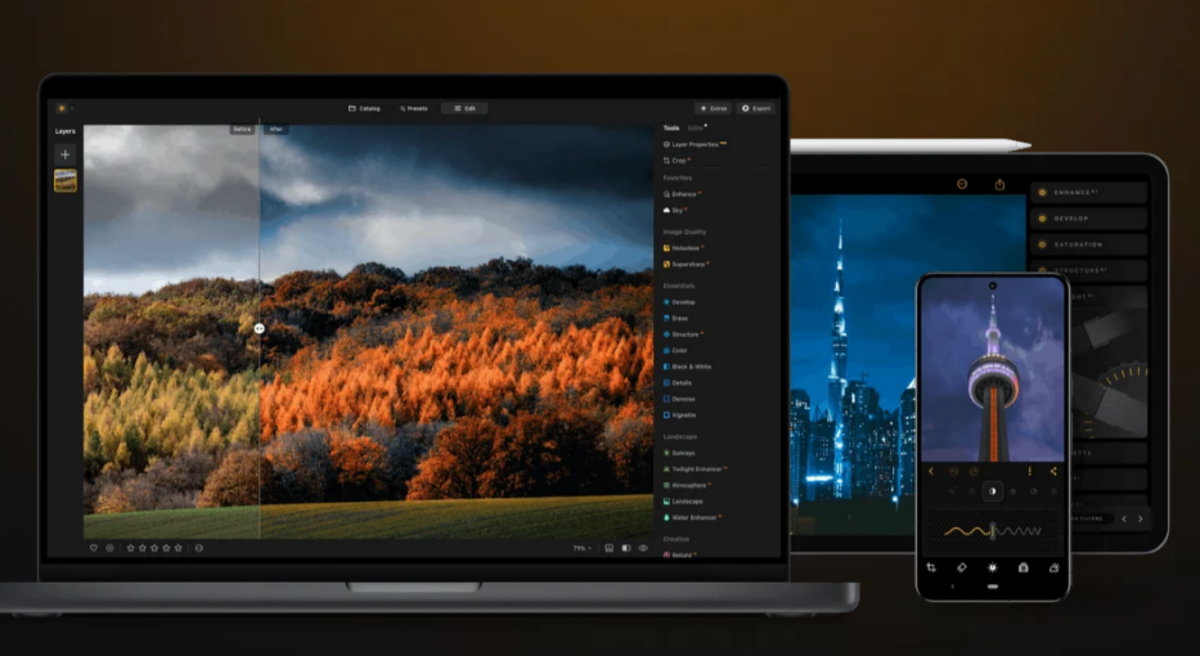
Luminar Neo is the only option on this list that goes beyond background editing into full photo work. Sky replacement, portrait retouching, noise reduction, object removal, and three generative tools: GenErase fills out removed objects naturally, GenSwap replaces elements with AI-generated alternatives, and GenExpand stretches the frame when a shot is too tight. A Fall 2025 update also added a Restoration tool for damaged photos and an AI Assistant that reads your image and suggests edits on the spot. Everything is non-destructive, so your original file is never at risk.
It runs on Mac and Windows, iOS, Android, and Chrome OS, works standalone or as a plugin for Lightroom and Photoshop, and handles RAW files without complaint. Pricing is a one-time purchase: $79 for a desktop license or $109 for a cross-device license, with discounts popping up regularly. For photographers who need real editing power, nothing else here comes close.
Elevate Your Photography with Our Advanced Software
Remove.bg
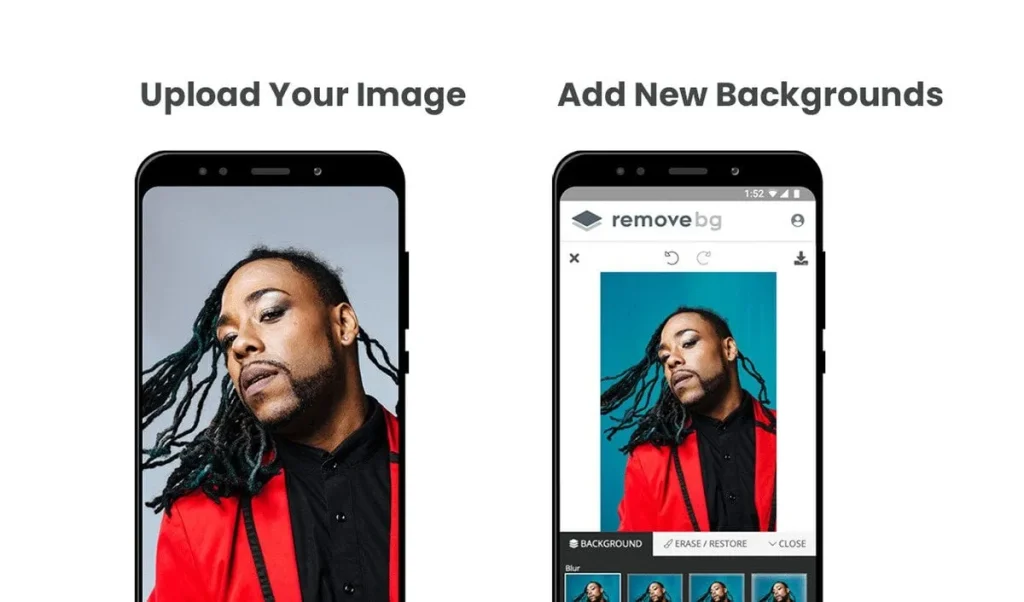
Remove.bg is not trying to be everything. It removes backgrounds, and it does it well. You drag in a photo, and within seconds, your subject is cut out cleanly, even around tricky edges like hair or fur where a lot of tools start to struggle.
No account needed to try it. The free version spits out a lower-resolution file, which is fine for testing. If you need the full-resolution version, credits start at around $9 for 40 images. There is also an API if you want to build it into your own workflow or automate it across a large batch of files. For anyone selling products online who just needs clean images without sitting in an editor for an hour, it is genuinely one of the easier calls to make.
Canva

Canva is not really a photo editor, and it does not pretend to be. But its Background Remover, which comes with Canva Pro, is accurate enough for most use cases, and the real advantage is what you can do right after. Once the background is gone, you are already inside a full design tool. Swap in a new backdrop, add text, resize for Instagram or a product listing, and export, without ever opening another app.
Canva Pro costs $14.99 per month but covers a large number of users who are already using it for social media graphics, presentations, and marketing materials. For content creators and small business owners, it is one of the most practical alternatives to PhotoRoom, as it handles both editing and design workflows in one place.
Adobe Express

If you are already in the Adobe ecosystem, Express feels like a natural extension of what you are already using. It started as Adobe Spark and has since grown into a proper design tool with background removal, stock photos, branded templates, and straightforward asset sharing across Photoshop and Lightroom.
The free plan covers the basics. Premium is not included with Creative Cloud and starts from $9.99 a month on its own. Honestly, for someone who just needs to edit a photo here and there, that is overkill. But if you are on a team and everyone needs to work from the same brand assets and templates, it earns its price pretty quickly. It is not the fastest tool on this list, but speed is not really what it is designed for.
Pixa
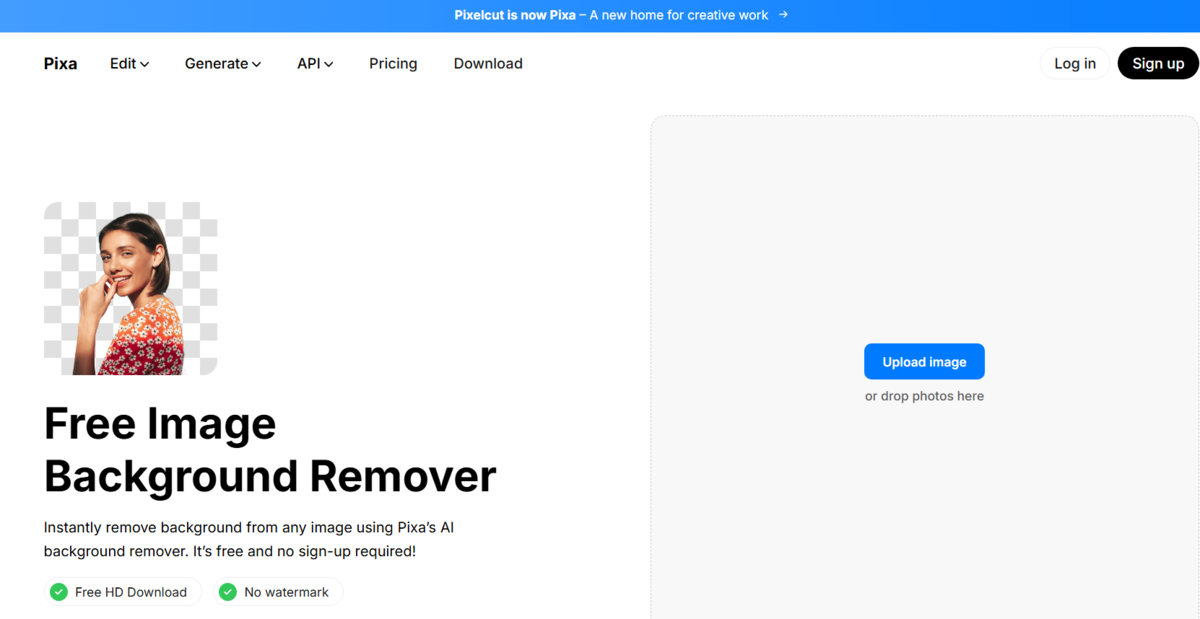
Pixa is one of the closest direct alternatives to PhotoRoom in terms of use case. It is a mobile-first app built specifically for product photography, offering AI background removal, batch editing, built-in studio backgrounds, and an AI photo enhancer. It is especially popular among Etsy sellers, Amazon merchants, and Shopify store owners who photograph products on their phones.
Its free plan allows basic exports, while its Pro plan is priced at around $10 per month. One feature that stands out is the Magic Eraser tool, which lets users manually clean up areas the AI misses, giving more editing precision than PhotoRoom typically allows.
Fotor

Fotor is a web and mobile-based editor with a background remover, AI portrait tools, collage maker, and a solid set of basic retouching features. It sits in the middle ground between simple tools like Remove.bg and more complex platforms like Luminar Neo. Fotor’s AI background remover is available for free with limited exports, and the premium plan starts at around $8.99 per month.
If you are not looking to spend an afternoon learning a new tool, Fotor gets the job done without much friction, especially for social media posts and straightforward product shots.
How to Choose the Right App for Your Needs

Picking the right tool is less about features and more about how you actually work day to day.
Phone or desktop? If you shoot and edit on your phone, Pixa or Canva will feel natural. If you sit at a desk and shoot RAW, Luminar Neo is the one to go with.
How often do you do this? For the occasional product shot, Remove.bg’s free tier is plenty. For dozens of images a week, batch processing in Pixa Pro or Adobe Express starts to pay for itself quickly.
One more thing worth thinking about: what happens to the photo after you edit it? If it goes straight to Etsy or Instagram, almost any tool on this list works fine. If it feeds into a bigger design project or goes to print, Luminar Neo and Adobe Express both plug into Photoshop, which saves a lot of back-and-forth.
Wrapping Up
PhotoRoom is a capable tool, but it is not the right fit for everyone. Whether you need something free and instant like Remove.bg, a full creative suite like Luminar Neo, or a mobile workflow built for product photography like Pixa, there is a strong option available for every type of user. The apps covered here have all been refined significantly over the past few years, and several now match or exceed what PhotoRoom offers in their respective niches. Trying one or two of them based on the guidance above is the fastest way to find out which fits your workflow best.