Explore 25 Halloween photoshoot ideas for portraits, couples, friends, families, children, and pets. Get practical tips on costumes, lighting, camera settings, safety, and editing.
Halloween is an invitation to experiment with costumes, shadows, color, movement, and visual storytelling. You can create an atmospheric shoot with an elaborate set, but a window, flashlight, bedsheet, pumpkin, or carefully chosen location can be just as effective.
This guide includes Halloween photoshoot ideas for individual portraits, couples, friends, families, children, and pets. It also explains how to light dark scenes, choose camera settings, work safely with practical effects, and finish the photographs in Luminar.
Don’t feel like reading the whole breakdown? We’ve pulled together a quick summary below.
Key Takeaways
- Choose one clear mood—playful, gothic, cinematic, eerie, or cozy—before selecting costumes and props.
- Create atmosphere with controlled light and composition instead of simply making every image dark.
- Use fast shutter speeds for action and longer exposures only when blur is an intentional creative effect.
- Add a small light to the face when candles, pumpkins, or string lights are not bright enough.
- Give couples, friends, and families actions to perform so the photographs feel connected rather than stiff.
- Keep children, pets, costumes, candles, fog, and outdoor locations safe throughout the session.
- Edit color and atmosphere consistently while preserving believable skin tones and natural texture.
How to Plan a Halloween Photoshoot
Start with a short concept statement. “A mysterious figure in a foggy forest” gives you clearer direction than “something scary.” It suggests the location, light, color palette, clothing, posing, and editing style.
Create a simple plan covering:
- Subject and story
- Location and access permission
- Costume, makeup, and props
- Main light source and backup light
- Essential portraits and experimental frames
- Weather plan for outdoor shoots
- Safety limits for children, pets, candles, smoke, masks, and restricted movement
Build the set before applying detailed makeup when possible. Photograph a quick lighting test, check that the face remains visible, and make sure the costume can be worn and moved in safely.
25 Creative Halloween Photoshoot Ideas
1. Classic Witch Portrait

Use a dark dress, hat, old book, dried herbs, glass bottles, or a broom to build the scene. Side light creates shape in the face and costume, while warm practical lights can suggest candles or a fireplace.
Avoid placing every prop in the frame. Choose two or three details and leave enough negative space for a mysterious composition.
Exclusive Tools of Endless Possibilities in One Editor
2. Ghost with a Bedsheet

A white sheet creates an inexpensive concept that can feel funny, nostalgic, or unsettling. Photograph the ghost in an ordinary location—a kitchen, field, bus stop, or empty corridor—to create contrast between the costume and environment.
Use soft daylight for a clean editorial look or underexpose slightly for a moodier result. Make sure the subject can see and walk safely through the eye openings.
3. Long-Exposure Ghost

Place the camera on a tripod and ask the subject to move slowly through part of the exposure. Begin around one second, review the result, and lengthen or shorten the shutter speed depending on how much transparency and motion you want.
Keep part of the scene still so the viewer has a sharp visual reference. Rear-curtain flash can freeze the subject at the end of the movement while retaining a trail.
4. Silhouette Behind a Curtain

Place a subject behind a thin curtain, shower screen, frosted glass, or sheet and light them from behind. Hands, profiles, and recognizable props create a stronger shape than a straight standing pose.
Expose for the bright surface so the subject becomes a dark outline. Keep hot lights away from fabric and use cool-running LED lights whenever possible.
5. Flashlight Horror Scene

Use a flashlight as the apparent light source while a softer hidden light provides enough illumination for the face. Light from below creates an intentionally unnatural look; light from the side feels more cinematic.
Do not aim a powerful flashlight directly into someone’s eyes. Ask the model to look slightly past the beam.
6. Pumpkin Portrait

Photograph the subject holding a carved pumpkin, sitting among pumpkins, or looking toward a glowing jack-o’-lantern. Battery-powered LED candles are safer and often brighter than real flames.
If the pumpkin is much brighter than the face, hide a small warm LED nearby to balance the exposure. Capture one frame for the glow and another for the subject if the dynamic range remains too wide.
7. Candlelight Gothic Portrait

Candles create attractive warm highlights but usually do not provide enough light for a clean portrait on their own. Use several candles at different distances and add a soft warm LED outside the frame to illuminate the eyes and skin.
Keep real flames stable, supervised, and away from hair, fabric, paper, children, and pets. LED candles are the better choice for close portraits.
8. Vampire at the Window

Use a window, doorway, or mirror to frame a vampire-inspired portrait. Backlight can outline the face and costume, while a small side light reveals selected details.
Try a calm expression instead of an exaggerated snarl. Restraint often makes the image feel more cinematic.
9. Haunted Mirror

Photograph the subject and reflection from slightly different angles, or place handprints, writing, condensation, or a second figure in the reflected space. Check the mirror carefully for the photographer, light stand, and unrelated room details.
A shallow depth of field can shift attention between the real subject and reflection.
10. Shadow-Puppet Monsters

Create oversized shadows with hands, paper cutouts, branches, or shaped props placed close to a small hard light. Include the subject in the frame so the shadow appears to follow, surround, or transform them.
This idea works indoors and requires almost no costume budget.
11. Foggy Forest Figure

Place a simple dark figure against mist, backlight, or natural fog. Strong silhouettes, visible paths, and layers of trees create depth without a complicated set.
Use fog machines only where they are permitted and ventilate indoor spaces. Never use smoke effects near roads, alarms, animals, or people with respiratory sensitivities.
12. Horror-Movie Poster
Compose a vertical portrait with deliberate negative space for a title. Use one strong gesture, directional light, and a limited palette. Photograph extra background around the subject so you can refine the poster crop later.
Do not add text over important facial details. Create a clear hierarchy between the face, title area, and supporting props.
13. Floating Object Illusion

Photograph lightweight props suspended with thread, or capture several versions of the scene and combine them during editing. Books, leaves, cards, candles, and small costume objects work well.
Secure every object and keep hard or sharp items away from faces. A locked tripod position makes compositing much easier.
14. Double-Exposure Portrait

Blend a portrait with bare branches, smoke, architecture, or another texture to create a dreamlike Halloween image. Choose source photographs with clear silhouettes and complementary light directions.
Keep recognizable features visible so the effect supports the portrait rather than obscuring it.
15. Colored-Gel Lighting

Place one colored light on the subject and another on the background or opposite side of the face. Red and blue feel cinematic; green and purple create a more playful Halloween palette.
Control spill with distance, flags, or a grid. Set a manual white balance so colors remain consistent across the series.
Elevate Your Photography with Our Advanced Software
16. Retro Monster Movie
Use hard light, dramatic shadows, theatrical expressions, and a simple painted or paper background. A black-and-white edit, visible grain, and a slightly imperfect frame can evoke classic horror cinema.
Capture a clean version before adding heavy effects so you have more options during editing.
17. Spooky Flat Lay

Arrange small objects—mini pumpkins, autumn leaves, candy, cards, keys, jewelry, books, or makeup—on a simple surface. Side light reveals texture better than flat frontal light.
Choose one hero object and organize the remaining elements around it. Keep the frame edges clean and vary object size to prevent the composition from feeling repetitive.
18. Halloween Food and Drink Shoot

Photograph decorated cookies, dark drinks, caramel apples, or a themed table. Backlight glassware and steam; use side light for food texture. Capture both a complete table and close-up details.
Keep non-food props, dry ice, paint, and decorative chemicals separate from anything people will consume.
19. Couple in a Shared Story

Give the couple complementary roles and a simple action: searching with flashlights, reading a spell book, dancing in costume, hiding from an unseen figure, or preparing a haunted dinner.
Photograph wide scenes, individual portraits, close details, and reactions between them. A shared activity produces more natural connection than two people standing side by side.
20. Matching Ghost Couple

Two simple ghost costumes can be photographed walking through a field, sitting at a table, or sharing an ordinary date. The visual joke works best when the setting and body language remain recognizable.
Check that both people can see and move safely, especially near roads, stairs, water, or uneven ground.
21. Friends as a Horror Cast

Assign each person a distinct silhouette, color, or prop while keeping one visual element consistent across the group. Arrange people at different heights and depths instead of forming one flat row.
Capture the formal group photograph first, then add movement and character interactions.
22. Cozy Family Halloween

Not every Halloween photo needs to be frightening. Photograph pumpkin carving, decorating cookies, choosing costumes, reading a seasonal story, or walking through autumn leaves.
Use window light or a bounced flash indoors and give each family member a small task. Documentary moments can be more memorable than a perfectly arranged group pose.
23. Child-Friendly Costume Portrait

Let the child choose a character they enjoy and keep the session short. Photograph them walking, turning, showing a prop, or acting out a simple scene instead of demanding a fixed smile.
Avoid masks that restrict breathing or vision, long costumes that create a trip hazard, frightening surprises, open flames, and unsecured sets. A parent or guardian should remain present.
24. Pet Halloween Portrait

Use a lightweight accessory only if the animal is comfortable wearing it. A themed collar, bandana, blanket, or background is often better than a full costume.
Never force a pose. Avoid candles, candy, chocolate, small decorations, artificial fog, loud sounds, and anything the pet may chew or swallow. Photograph at the animal’s eye level and reward calm behavior.
25. Before-and-After Transformation

Create one clean portrait before the costume and one after the full makeup transformation. Keep the camera position, focal length, lighting, and pose consistent so the contrast reads immediately.
You can display the results side by side or blend them into one split portrait during editing.
Halloween Photography Settings
Settings depend on the available light and whether movement should be sharp or blurred. Use this table as a starting point rather than a fixed formula.
| Scene | Aperture | Shutter speed | ISO | Notes |
| Window-light portrait | f/1.8–f/4 | 1/125 sec or faster | 200–1600 | Focus on the nearest eye |
| Candle or pumpkin portrait | f/1.4–f/2.8 | 1/80–1/200 sec | 800–6400 | Add a subtle LED when practical light is insufficient |
| Moving subject | f/2–f/4 | 1/250–1/1000 sec | Auto ISO or raised ISO | Choose the shutter speed according to movement |
| Intentional ghost blur | f/4–f/11 | 0.5–5 sec | 100–800 | Use a tripod and keep part of the scene still |
| Group portrait | f/4–f/8 | 1/125 sec or faster | 400–3200 | Place faces at similar distances from the camera |
| Colored-gel portrait | f/2–f/5.6 | 1/125–1/250 sec | 200–1600 | Use manual exposure and white balance for consistency |
Shoot in RAW when possible because mixed lighting can make white balance and skin tones difficult to correct from a JPEG. Check the histogram and bright practical lights so candles, bulbs, and illuminated pumpkins do not become large featureless areas.
Your AI-Powered Photo Editor for MacOS and Windows
Lighting Tips for Dark Halloween Photos
Dark and underexposed are not the same thing. A dark photograph still needs controlled highlights, visible facial features, and enough separation between the subject and background.
Try these lighting approaches:
- Side light: reveals makeup, texture, and facial shape.
- Backlight: creates a silhouette or rim around hair and costume.
- Light from below: produces an intentionally unnatural horror look.
- Practical plus hidden light: keeps candles or pumpkins visible while a subtle LED illuminates the face.
- Colored background light: separates a dark costume from a dark set.
Take a test image without the subject and inspect the set for cables, reflective objects, unsafe shadows, and background distractions.
How to Edit Halloween Photos in Luminar
Begin with exposure, white balance, crop, and lens corrections. Decide which light source should appear neutral and allow the other colors to shift naturally. Trying to neutralize every candle, LED, and ambient light at once can remove the intended mood.
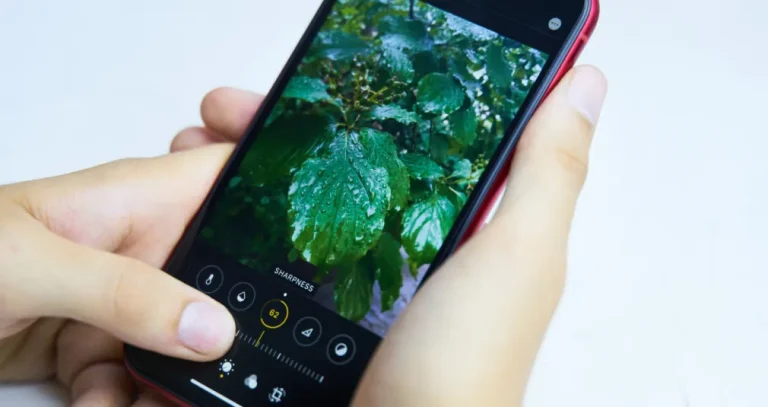
Use Luminar to adjust contrast and color, guide attention with masks, and refine faces while maintaining real skin texture. When a face is too dark, brighten it locally instead of lifting the entire frame and revealing noise in the background.
Atmosphere AI can add fog or haze when it supports the scene. Check how the effect interacts with the subject, foreground, and light so it does not look like a flat overlay. Use Film Grain as a deliberate stylistic finish—not as a replacement for correct exposure or a way to hide severe technical noise.

Remove small distractions with GenErase, or use generative tools to support a clearly creative concept. Review hands, faces, text, shadows, reflections, and repeating patterns carefully, since generated details may look convincing at first glance but fail under closer inspection.

For a final social post, pair the image with one of these Halloween Instagram captions and crop separate versions for portrait, square, and horizontal formats rather than forcing one composition into every platform.
Common Halloween Photoshoot Mistakes
| Mistake | Why it causes problems | Better approach |
| Making the whole frame extremely dark | The subject, makeup, and costume disappear | Preserve selected highlights and add controlled face or rim light |
| Using a slow shutter unintentionally | Faces and hands become blurry | Raise ISO or add light; use long exposure only as a planned effect |
| Depending on candles alone | Candlelight is often too dim and contrasty | Add a hidden warm LED or capture separate exposures |
| Adding too many props | The photograph loses a clear subject | Choose a few objects that support one story |
| Copying sacred or living cultural traditions as costumes | The result may be inaccurate or disrespectful | Research the tradition and distinguish cultural documentation from Halloween styling |
| Using unsafe practical effects | Flames, smoke, masks, and powders can harm people, pets, or property | Use LED candles, ventilation, safe materials, and supervised sets |
| Overediting faces and atmosphere | Skin becomes artificial and fog or glow looks pasted on | Apply local effects subtly and review the image at 100% |
Final Thoughts
The best Halloween photoshoot ideas combine a recognizable subject with one strong visual choice: unusual light, deliberate movement, an expressive costume, or a small story. Start with a simple concept, test the lighting, and capture the essential portrait before experimenting.
You do not need expensive equipment or an elaborate location. Thoughtful shadows, safe practical effects, and a consistent edit can turn familiar objects into a convincing Halloween scene.
Frequently Asked Questions
Try a bedsheet ghost, candlelit portrait with LED candles, shadow-puppet scene, haunted mirror, spooky flat lay, pumpkin portrait, or window silhouette. Each can be created with a simple background and one controlled light source.
Start around f/1.8–f/4, 1/125 second or faster, and raise ISO as needed. For active children, pets, or moving costumes, use approximately 1/250 second or faster. A deliberate ghost effect may require 0.5–5 seconds and a tripod.
Expose for the face or main costume detail, then use side light, backlight, or a small hidden LED to separate the subject from the background. Darken unimportant areas locally during editing instead of underexposing the entire photograph.
Use comfortable costumes with clear vision and unrestricted breathing, avoid open flames and frightening surprises, secure the set, and keep a parent or guardian present. Let the child move and end the session when they become tired or uncomfortable.
Correct exposure and white balance first, then add color, fog, glow, grain, or generative elements gradually. Keep light direction consistent, preserve skin texture, and inspect edges, reflections, shadows, and repeated details at full size.