Discover the new features offered by Topaz Labs and other professional photo editing tools you can use.
Topaz Labs develops plugins and standalone software for professional photo editing. Its first products were plugins for Adobe Photoshop and Lightroom, but now Topaz has its own standalone editor that works as a host for its plugins. Independence from Adobe products means a lower price, an easier learning curve, and a more straightforward workflow.
Each Topaz Labs plugin is designed and optimized for a specific purpose. All provide advanced functionalities and deliver natural-looking results. Topaz Labs plugins are built for professional photographers, and high-quality images are their priority.
The newest versions of Topaz Labs plugins integrate artificial intelligence technologies and provide content-aware functionalities. They offer smart and automatic adjustments but allow users to fine-tune each parameter to create a unique artistic vision.
Before deciding to use Topaz Labs products or look for Topaz alternatives, find out what this company has to offer and if their products suit your requirements and workflow
Best Topaz Labs alternatives
Each of the Topaz Labs products is designed for a specific purpose and offers advanced features in its niche. Many photographers look for smart and easy-to-use plugins that efficiently solve a single problem. Also, many photographers prefer to use a single application for editing their images. While you can use Topaz Studio and install additional plugins, there are many Topaz alternatives to consider, including a comparison between Luminar vs Topaz.
The market for photo editors is growing. Modern editors incorporate new technologies, becoming smarter, faster, and more efficient, and expanding from a reduced set of functionalities to complete software solutions for organizing and editing images. As a result, you have powerful Topaz alternatives to choose from.
1. Luminar
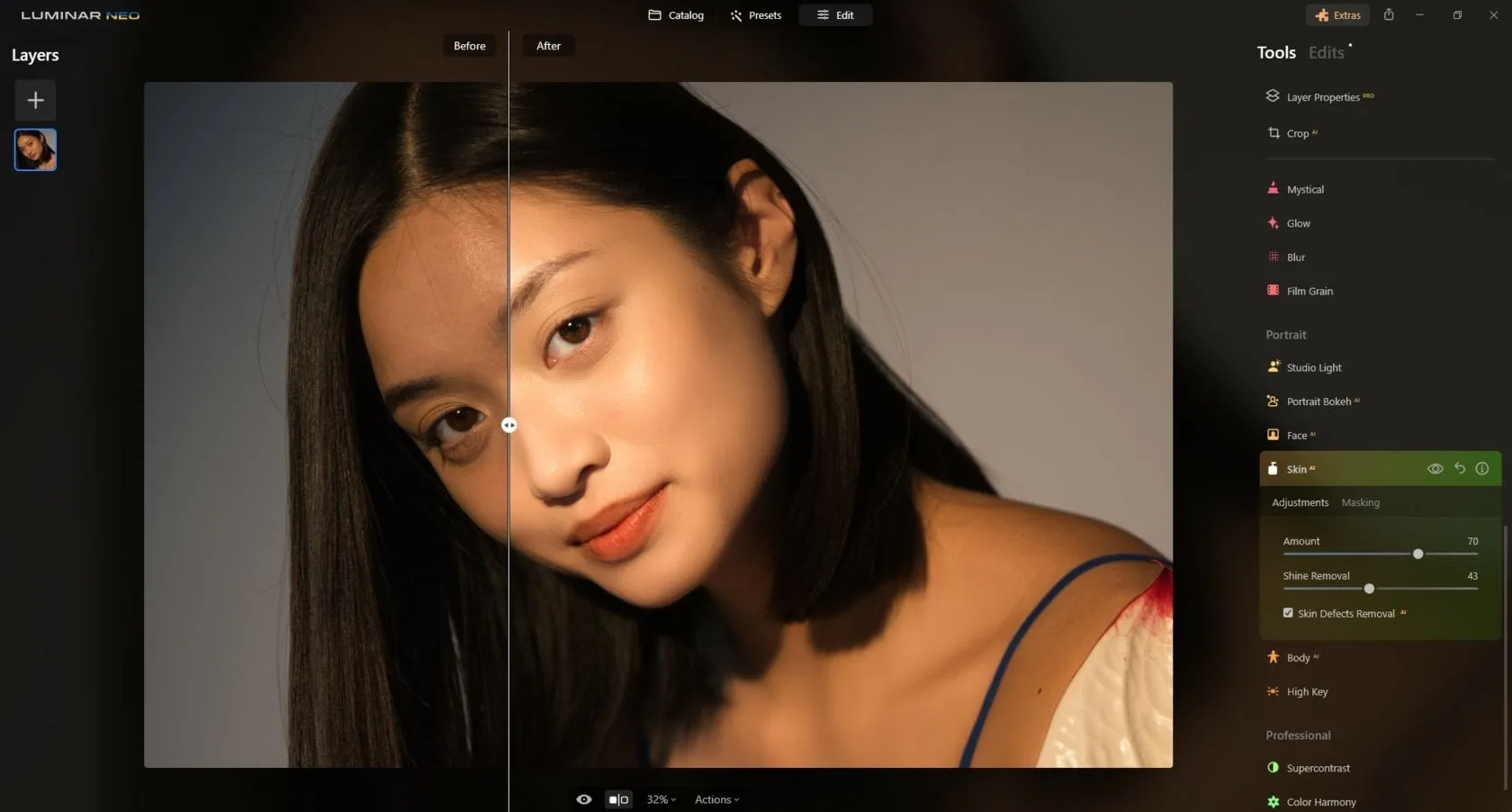
Luminar is an AI-powered photo editor available as a standalone application for Windows and macOS, as well as a plugin for Adobe Photoshop and Lightroom. It combines professional editing tools with AI features designed to simplify complex workflows.
The software supports RAW editing, layers, masking, digital asset management, mass edit photos, and creative Presets. AI-powered tools such as GenErase, GenSwap, GenExpand, and Sky AI help users remove objects, replace elements, expand images, and enhance photos in just a few clicks.
Luminar also includes portrait retouching, photo restoration, and image upscaling tools. For photographers looking for a Topaz Gigapixel AI alternative, Luminar offers AI-powered image enhancement, resolution upscaling, and photo restoration features within a complete photo editing workflow.
Unlike the Topaz plugins, which have to be installed separately, Luminar offers all the features you need with a single installation. It has a user-friendly interface suitable for both professional and amateur photographers, with a customizable workspace and large preview panels.
Luminar comes with a perpetual license and offers a free trial to help you make the best decision. It’s available for Windows and Mac.
| Pros | Cons |
|---|---|
| Powerful AI tools for editing and image enhancement | Requires launching the full application even when using a single feature |
| Beginner-friendly interface | Some Preset collections and Marketplace assets require additional purchases |
| Available as a standalone editor and plugin | Multiple license options may be confusing for new users |
| Supports RAW editing, layers, masking, and batch processing | |
| Cross-device workflow with Luminar Mobile and Luminar Space | |
| Perpetual license available without a mandatory subscription |
2. CorelDRAW Graphics Suite
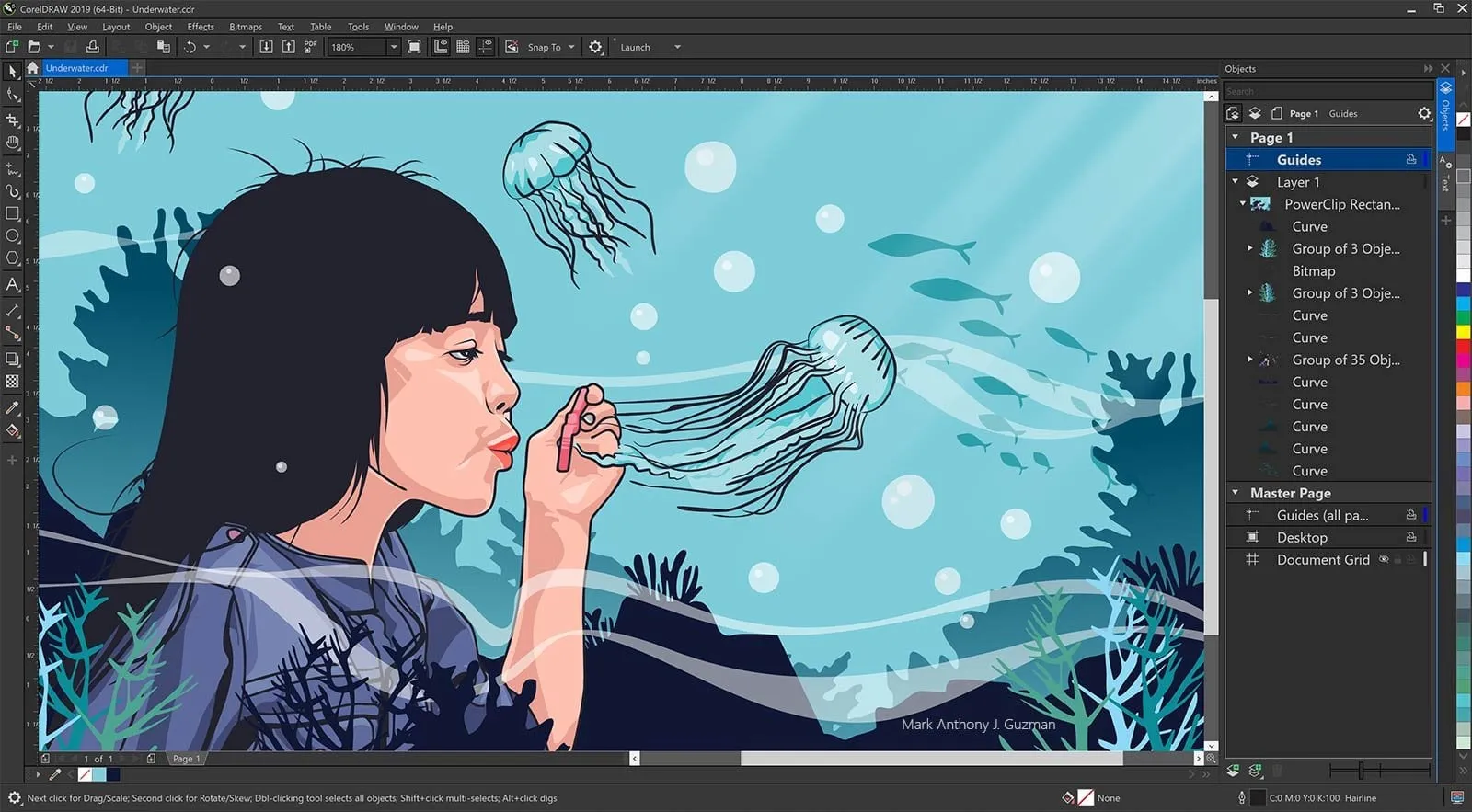
CorelDRAW Graphics Suite is a comprehensive creative software package that combines graphic design, illustration, page layout, and photo editing tools. While it isn’t a free Topaz alternative, it offers a broader set of creative tools for users who need both photo editing and graphic design capabilities in a single application.
For photographers, Corel PHOTO-PAINT offers RAW and PSD support, non-destructive layer editing, retouching and restoration tools, special effects, and advanced drawing and text capabilities. It also includes digital asset management features and flexible export options.
Available for Windows and macOS, CorelDRAW Graphics Suite is best suited for users who need both professional photo editing and graphic design tools in a single workflow.
| Pros | Cons |
|---|---|
| Comprehensive suite for photo editing, illustration, and graphic design | Expensive compared to many competitors |
| Strong vector and raster editing capabilities | Many features may be unnecessary for photographers |
| Supports RAW files, layers, and advanced retouching tools | |
| Includes multiple creative applications in one package |
3. Adobe Lightroom
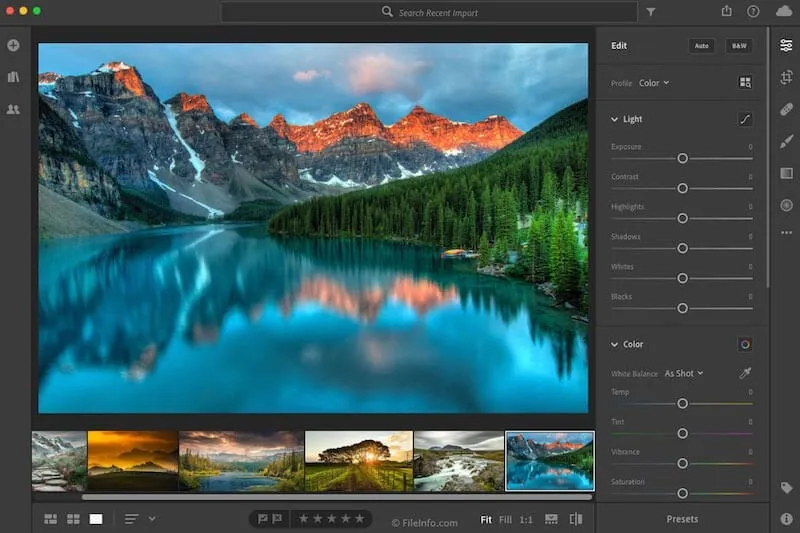
Adobe Lightroom is a cloud-based photo editing and management platform designed specifically for photographers. Often recommended among the best alternatives to Topaz Photo AI, it allows users to edit images across desktop, mobile, and web devices while automatically syncing files through Adobe Creative Cloud.
Lightroom offers a complete photography workflow, including RAW processing, color grading, masking tools, noise reduction, lens corrections, AI-powered editing tools, and photo organization features. Unlike many standalone editors, Lightroom combines image editing, asset management, cloud storage, and sharing tools in a single ecosystem.
Available for Windows and macOS, Lightroom is offered through an Adobe subscription plan.
| Pros | Cons |
|---|---|
| Cloud-based workflow accessible across multiple devices | Subscription only |
| Excellent digital asset management and photo organization | Less suited for advanced layer-based compositing |
| Powerful RAW editing and color correction tools | |
| AI-powered masking, denoise, and object removal tools | |
| Seamless integration with the Adobe ecosystem |
Your AI-Powered Photo Editor for MacOS and Windows
4. YouCam AI Photo Enhancer
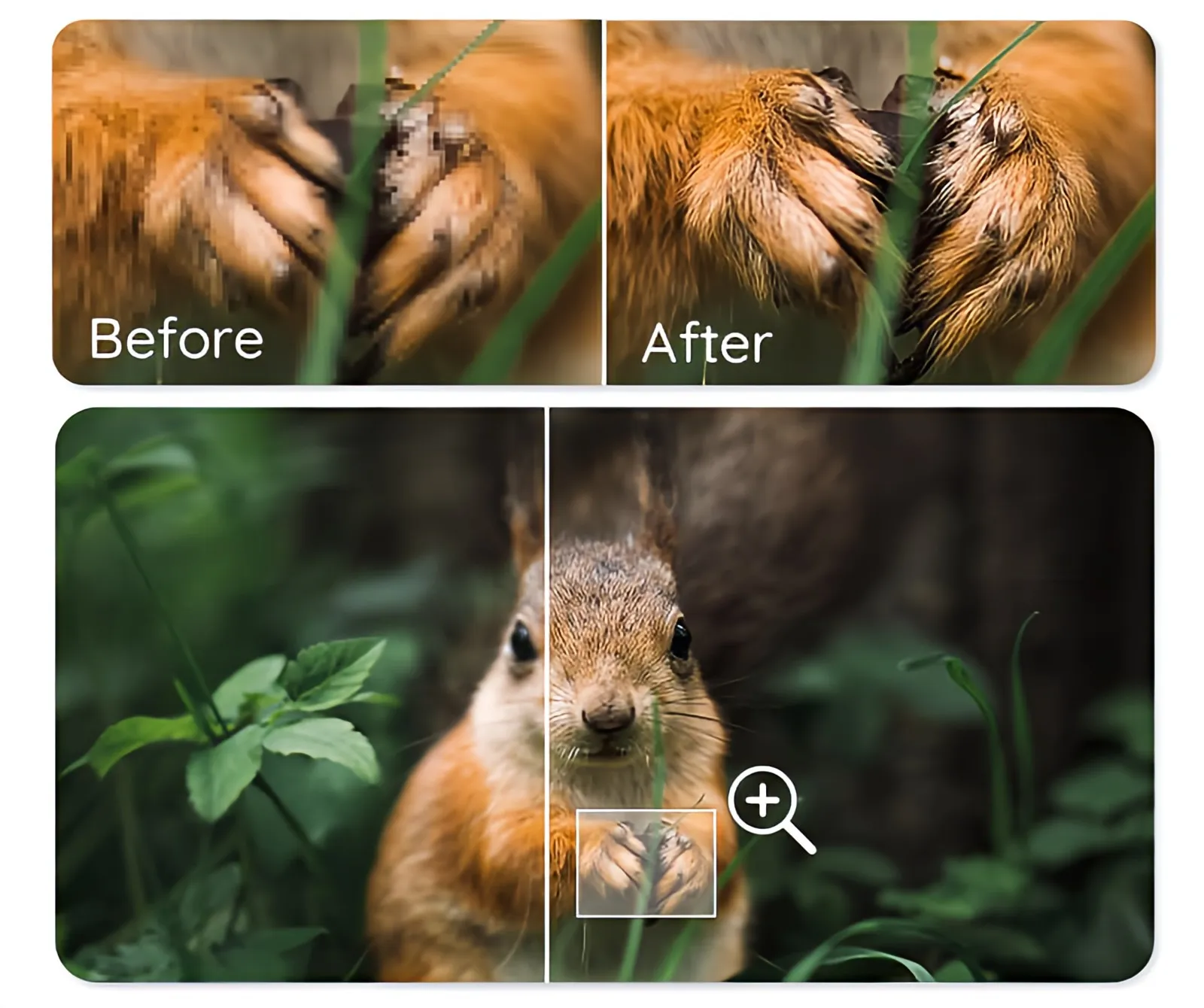
YouCam AI Photo Enhancer is an AI-powered image enhancement tool designed to improve photo quality with minimal effort. Available as both an online tool and mobile application, it uses artificial intelligence to sharpen blurry images, reduce noise, enhance details, and increase image resolution in just a few clicks.
In addition to general photo enhancement, the software can improve text readability in images, making it useful for restoring screenshots, scanned documents, and low-quality photos. Its simple interface makes it accessible even for users with no editing experience.
| Pros | Cons |
|---|---|
| Powerful AI-powered photo enhancement tools | Credit-based pricing model |
| Easy one-click workflow | Limited manual editing controls |
| Available as both an online tool and mobile app | |
| Improves image sharpness, clarity, and resolution |
5. Pixelmator Pro
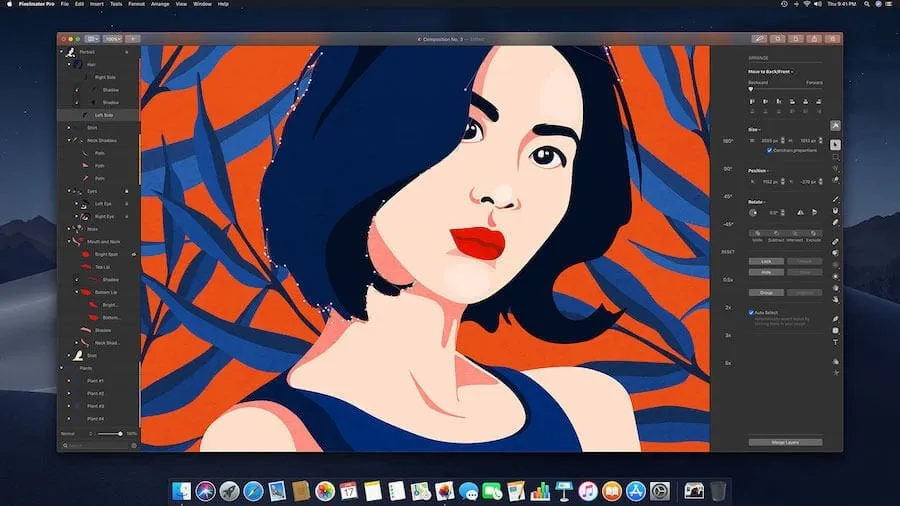
Pixelmator Pro is a Mac-exclusive photo editor that combines photo editing, graphic design, digital painting, and illustration tools in a single application. It offers RAW editing, layer-based workflows, masking tools, color adjustments, AI-powered features, and support for vector graphics.
The software is known for its clean interface and intuitive workflow, making it suitable for both beginners and creative professionals. In addition to photo editing, Pixelmator Pro includes tools for graphic design, typography, drawing, and image compositing.
| Pros | Cons |
|---|---|
| Easy-to-use interface | No digital asset management |
| Affordable one-time purchase | Available only for macOS |
| Strong photo editing and graphic design capabilities | |
| RAW editing, layers, and AI-powered tools | |
| Excellent integration with the Apple ecosystem |
6. Nik Collection by DxO
Nik Collection by DxO is a suite of creative plugins for Adobe Photoshop, Lightroom, and DxO PhotoLab. Designed for photographers, it provides specialized tools for black-and-white conversion, color grading, HDR processing, analog film effects, sharpening, and noise reduction. For users looking for a Topaz Photo alternative, Nik Collection offers a broader range of creative effects and workflow-focused editing tools.
The collection includes Color Efex, Silver Efex, Analog Efex, HDR Efex, Viveza, Dfine, and Sharpener Pro. Recent versions have introduced AI-powered masking tools, depth masking, new creative filters, and improved workflow options, making complex local adjustments faster and more precise.
All plugins support RAW workflows and selective editing, while maintaining a non-destructive approach to image enhancement. Nik Collection is available for Windows and macOS and is offered through a perpetual license.
| Pros | Cons |
|---|---|
| AI-powered masking and selective editing tools | No digital asset management features |
| Extensive collection of creative effects and film emulations | Plugins are typically sold as a complete suite |
| Advanced tools for HDR, sharpening, noise reduction, and color grading | |
| Perpetual license with no subscription required | |
| Compatible with Photoshop, Lightroom, and DxO PhotoLab |
In conclusion
Topaz Labs plugins deliver high-quality results and offer amazing effects. They link old-school photography with new digital effects, provide customized camera and lens profiles, and offer many creative effects and presets. In the area of photo editing, Topaz Labs products are powerful competitors.
Still, Topaz Labs products don’t offer a complete solution. You need a host, a separate image organizing application, and a photo editor for the basic functionalities that Topaz products don’t provide. So you shouldn’t disregard Topaz alternatives that may be more suitable for you.