Learn how to photograph butterflies using backlight, selective focus, and creative compositions, with starting settings for resting and moving subjects.
Photographing butterflies takes more than getting close enough to fill the frame. Light can reveal translucent wing patterns, a different camera angle can simplify a busy background, and carefully placed foreground blur can give a small subject a sense of depth.
The challenge is making those choices while the butterfly moves, changes its wing position, or disappears behind a flower. A useful approach is to secure a sharp photograph first, then experiment with framing, light, and focus while the opportunity lasts.
This guide explains how to photograph butterflies with both technical control and creative intent, from choosing a shutter speed to refining a backlit image.
Don’t feel like reading the whole breakdown? We’ve pulled together a quick summary below.
Key Takeaways
- Focus on the nearest visible eye and check whether the important wing details fall within the depth of field.
- Start around 1/500 second for an active perched butterfly and 1/2000 second for flight, then adjust to the actual movement and light.
- A wide aperture softens the background but can leave much of the butterfly out of focus at close distances.
- Backlighting can reveal translucent areas of the wings; soft frontal or side light can make surface patterns easier to see.
- Change your camera position to improve the background before relying on a smaller aperture or editing.
- Photograph butterflies where they naturally settle. Avoid handling them or changing their surroundings to force a composition.
- Use editing to refine recorded detail and light, without expecting it to repair missed focus or severe motion blur.
Choose Equipment That Gives You Working Space

A macro lens is useful for close views of eyes, antennae, and wing scales, but it is not essential for every butterfly photograph.
A telephoto or close-focusing zoom can capture a butterfly from farther away. That extra working distance may make it easier to photograph a wary subject without interrupting its behavior.
The best choice depends on the picture:
| Equipment | Useful for | Main consideration |
| Macro lens | Small subjects and fine detail | Depth of field becomes very shallow at close range |
| Close-focusing telephoto or zoom | Larger butterflies and more working distance | Check the lens’s minimum focusing distance and magnification |
| Standard lens | Butterflies shown within their habitat | The subject may occupy a small part of the frame |
| Smartphone | Accessible close-ups and environmental pictures | Avoid moving closer than the camera can focus |
For a butterfly perched on a flower, maximum magnification is not always the goal. Including the plant and some surrounding space can produce a more informative composition.
A tripod helps with a stationary subject, particularly in low light. For butterflies moving between flowers, handheld shooting or a monopod may be more practical. Stabilization can reduce camera shake, but it cannot stop a butterfly or a swaying stem.
Exclusive Tools of Endless Possibilities in One Editor
Find Butterflies and Approach Slowly

Look for places where butterflies are already feeding, resting, or moving between plants. A productive patch of flowers often provides more opportunities than following one insect continuously.
Early morning can offer gentler light and resting subjects, although activity depends on species, weather, and local conditions. Later in the day, feeding butterflies may be easier to find but harder to keep in one position.
Before approaching, observe the subject:
- Does it return to the same flower?
- Does it pause with its wings open or closed?
- Is the perch moving in the wind?
- Is there an accessible angle with a cleaner background?
Move slowly and pause between steps. Avoid suddenly casting your shadow over the butterfly. If it repeatedly moves away, give it space and wait for another opportunity.
Keep plants intact and leave resting butterflies where they are. Do not chill, restrain, spray, or reposition them for a photograph. Patience and observation provide better opportunities to record natural behavior.
Camera Settings for Butterfly Photography

There is no single setting that keeps every butterfly sharp. The required shutter speed changes with movement, while aperture depends on distance, magnification, and how much of the subject needs to be in focus.
Use these as starting points:
| Situation | Shutter speed to try | Aperture to try | Focus approach |
| Resting butterfly on a still perch | 1/250–1/500 second | f/5.6–f/8 | Small focus point on the eye |
| Feeding butterfly with slight movement | 1/500–1/1000 second | f/5.6–f/8 | Continuous autofocus |
| Butterfly in flight | 1/2000–1/4000 second | f/5.6–f/8 if light permits | Continuous autofocus and a suitable tracking area |
| Environmental portrait | 1/250–1/1000 second, depending on movement | f/5.6–f/11 | Focus on the butterfly; check habitat detail |
| Deliberately shallow-focus close-up | Fast enough for subject and camera movement | f/2.8–f/4 | Precise focus on the chosen detail |
These ranges are not guarantees. Wind, wing movement, sensor resolution, lens choice, and subject size in the frame all affect the result. Flight may require a faster shutter, and even a sharp body can be accompanied by blurred wings.
Choose a Mode That Matches the Subject
Aperture Priority is convenient for a resting butterfly when depth of field is the main concern. Watch the shutter speed as the light changes.
Manual mode with Auto ISO can be useful for active subjects. Choose the shutter speed needed for movement and an aperture that provides sufficient depth of field, then allow the camera to adjust ISO.
Set an Auto ISO ceiling appropriate for the camera and intended output. If that limit prevents adequate exposure, reconsider the settings rather than assuming the camera can compensate indefinitely.
The exposure triangle explains the trade-offs between aperture, shutter speed, and ISO.
Do Not Sacrifice Sharpness Just to Keep ISO Low
A low ISO is helpful when there is enough light, but it should not force an unsuitable shutter speed.
A slightly noisy image with a sharp eye and recognizable wing detail can be more useful than a cleaner image blurred by movement. Check the actual photograph rather than choosing settings solely to keep ISO at its minimum.
Focus on the Eye and the Plane of the Wings

At close distances, a small shift in camera position can move the eye out of focus. The same problem occurs when a butterfly rocks on a flower or a stem sways toward the camera.
For a recognizable portrait, place focus on the nearest visible eye. Then decide how much wing detail matters to the composition.
Align the Camera With the Important Details
When a butterfly rests with its wings closed, a side-on camera position can place more of the visible wing surface near the same focus plane.
When its wings are open, a view closer to parallel with the wing surfaces may help retain more pattern detail. The body, antennae, and curved wings still occupy different distances, so perfect sharpness across the entire insect is not automatic.
A better camera angle can sometimes improve usable detail more than stopping down several additional stops.
Use Autofocus or Manual Focus According to Movement
Continuous autofocus is useful when the subject changes distance. A small focus area helps prevent the camera from selecting a nearby petal instead of the butterfly.
Animal-detection modes vary in their ability to recognize insects. Check whether the camera is actually tracking the eye or body rather than trusting the detection box alone.
Manual focus can work well for a resting butterfly and a stable camera position. At high magnification, make small adjustments and take a few frames as the subject settles.
Short bursts can provide different wing positions or moments of stillness. Review the results so that a misplaced focus point does not ruin an entire sequence.
Work With the Direction of Light
Light determines whether the photograph emphasizes wing color, surface texture, translucence, or silhouette. Instead of treating one direction as universally best, choose it according to the detail you want to show.
Use Backlighting to Reveal Translucent Wings
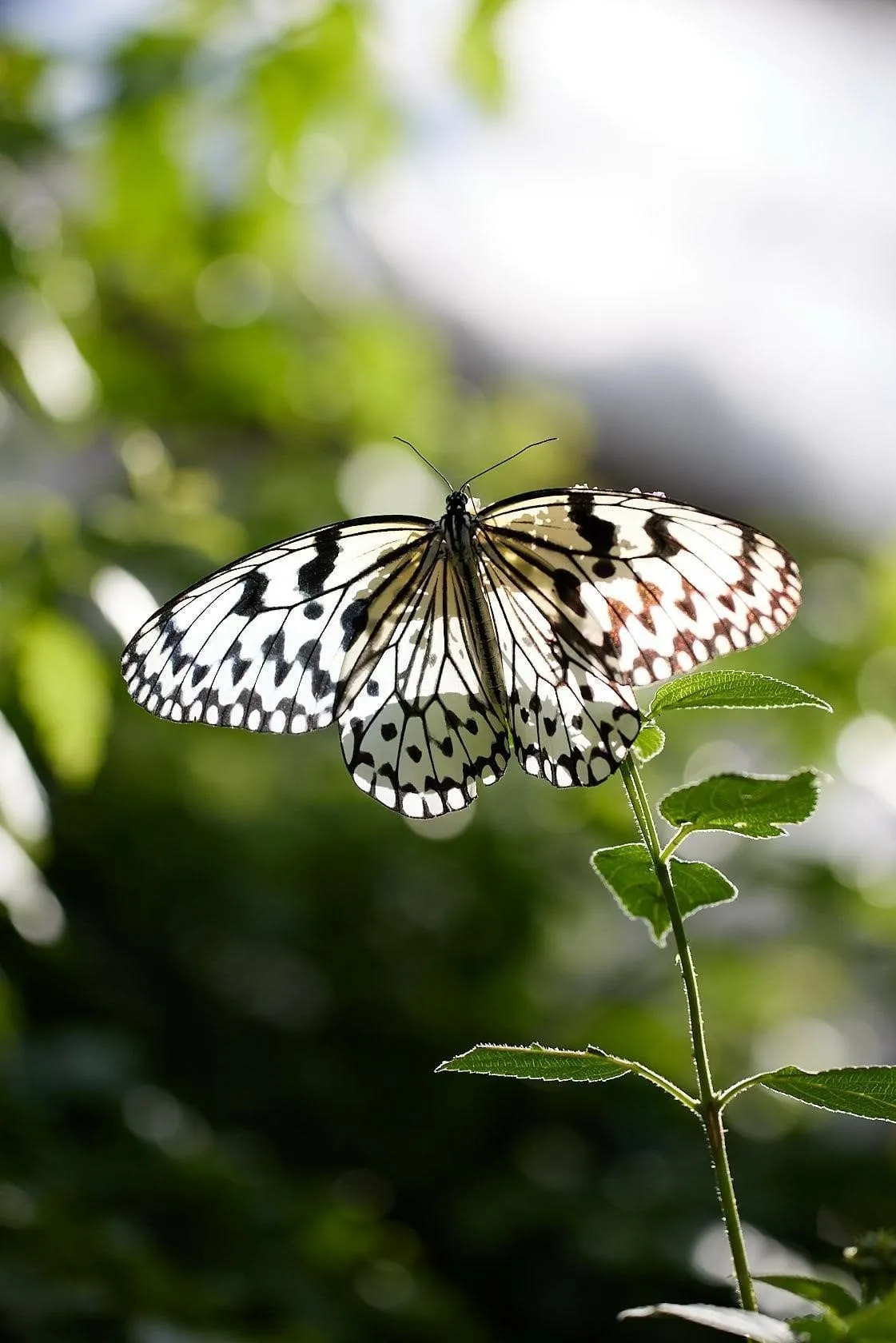
With the sun behind the butterfly, light can pass through translucent parts of the wings and emphasize their patterns.
Find a position where the wings receive light while the background remains relatively simple. A slightly lower angle may help, but avoid damaging plants to reach it.
Not every species or wing position produces the same effect. Dark, opaque areas may remain dark, and folded wings can overlap in ways that reduce translucence.
Protect important bright wing details when setting exposure. If the body becomes too dark, a small change in angle may improve the balance before any editing is needed.
Use Soft Light for Color and Fine Detail
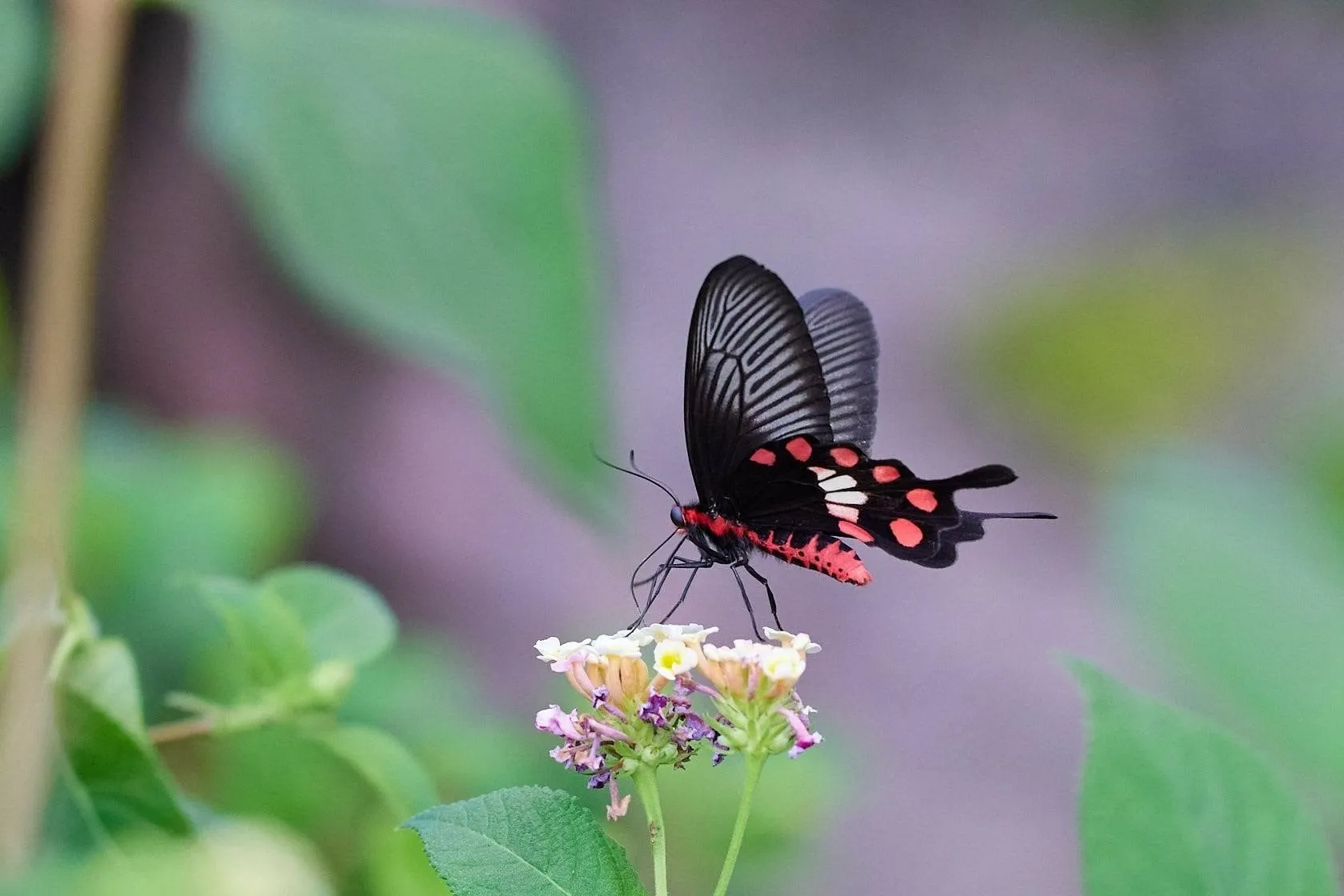
Thin cloud or open shade can make it easier to record wing patterns without strong glare or deep shadows.
Direct sunlight can also work, especially at a lower angle, but it does not automatically make colors more saturated. Reflections and bright patches may obscure detail.
For iridescent wings, the apparent color can change as the viewing and lighting angles change. Move carefully and compare the result rather than assuming a saturation adjustment will reproduce the effect.
The softer light associated with golden hour photography can be useful, although butterfly activity and location should guide the timing of the shoot.
Use Side Light to Show Texture
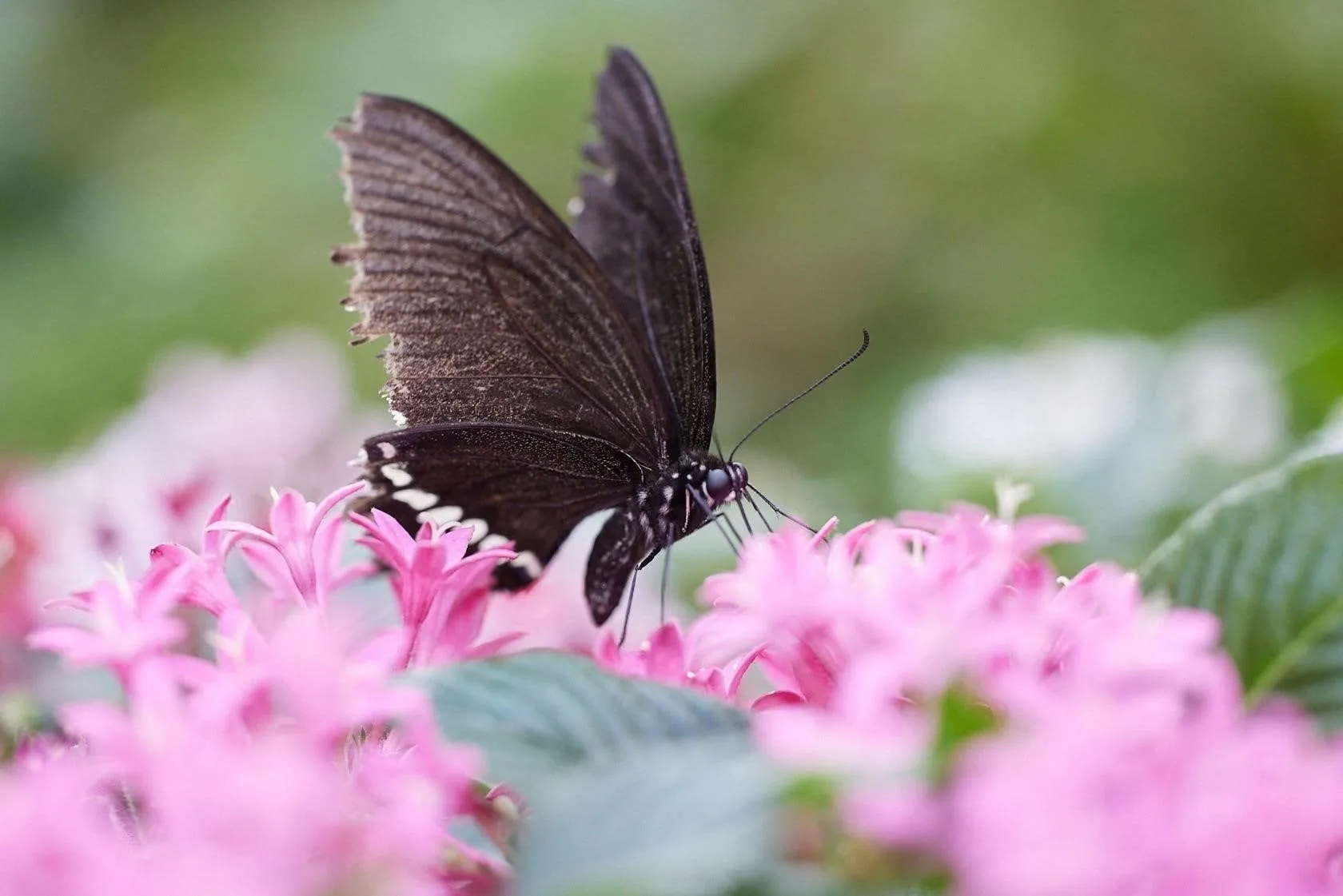
Side lighting can reveal small variations across the wings and body by creating gentle highlights and shadows.
Watch for shadows that obscure the eye or divide an important wing pattern. A slight shift toward a more frontal angle may retain texture while making the subject easier to read.
The aim is not to eliminate every shadow. Shadows help describe shape when they support the composition.
Include a Sunstar Carefully
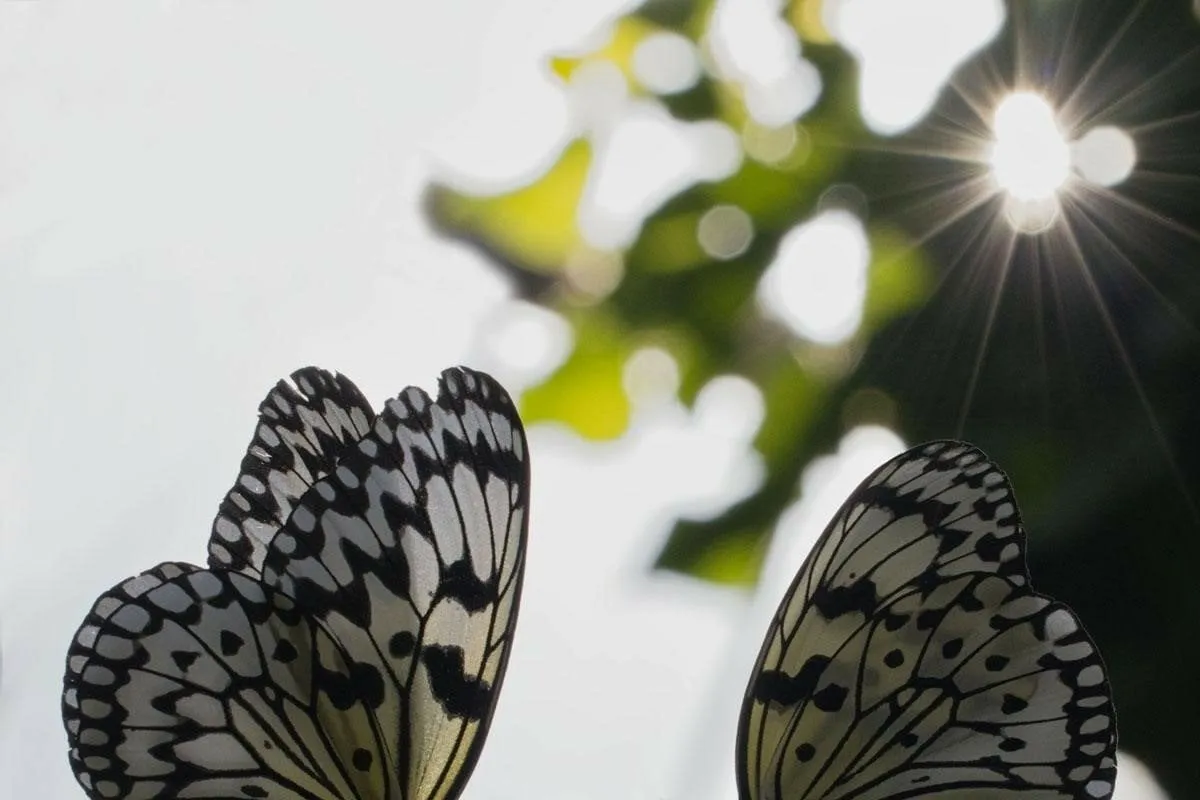
A sunstar is the diffraction pattern around a bright point of light. It is different from visible shafts of sunlight passing through mist or dust.
To experiment with a sunstar:
- Start with a resting butterfly.
- Position the sun partly behind foliage or another natural edge.
- Try a smaller aperture, such as f/11 or f/16.
- Check shutter speed, flare, and highlight detail.
- Compare the result with a wider-aperture version.
The appearance depends on the lens and its aperture blades. Stopping down can also introduce diffraction softness and require a slower shutter speed or higher ISO.
Do not look directly at the sun through an optical viewfinder, particularly with a long lens. Avoid keeping a camera aimed at intense sunlight for extended periods.
Your AI-Powered Photo Editor for MacOS and Windows
Use Blur Without Losing the Subject
A blurred background can separate a butterfly from surrounding plants. Foreground blur can add a softer layer between the viewer and the subject.
However, f/2.8 does not guarantee a sharp butterfly. At close range, depth of field may cover only a small portion of the eye, body, or wing.
Nikon’s macro guidance emphasizes the shallow depth of field involved in close-up photography and the importance of choosing aperture deliberately.
Separate the Butterfly From the Background
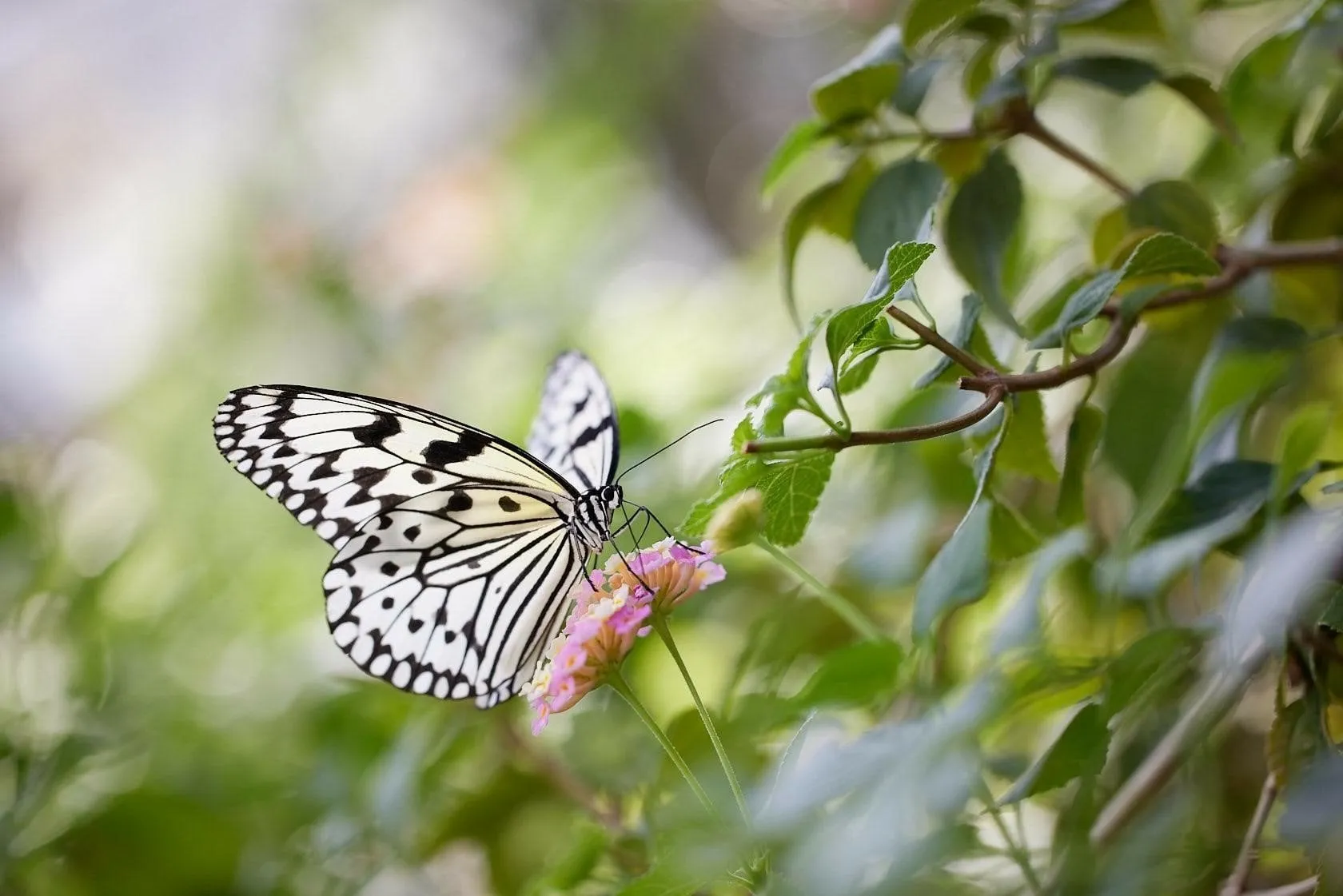
Background blur depends on several factors, including aperture, focal length, focus distance, and the distance between the subject and the background.
A butterfly on an isolated flower with distant foliage behind it can stand out even at f/8. The same butterfly against nearby leaves may remain visually crowded at a wider aperture.
Before opening the lens further, look for an angle that places the background farther away.
Introduce Foreground Blur With Existing Plants
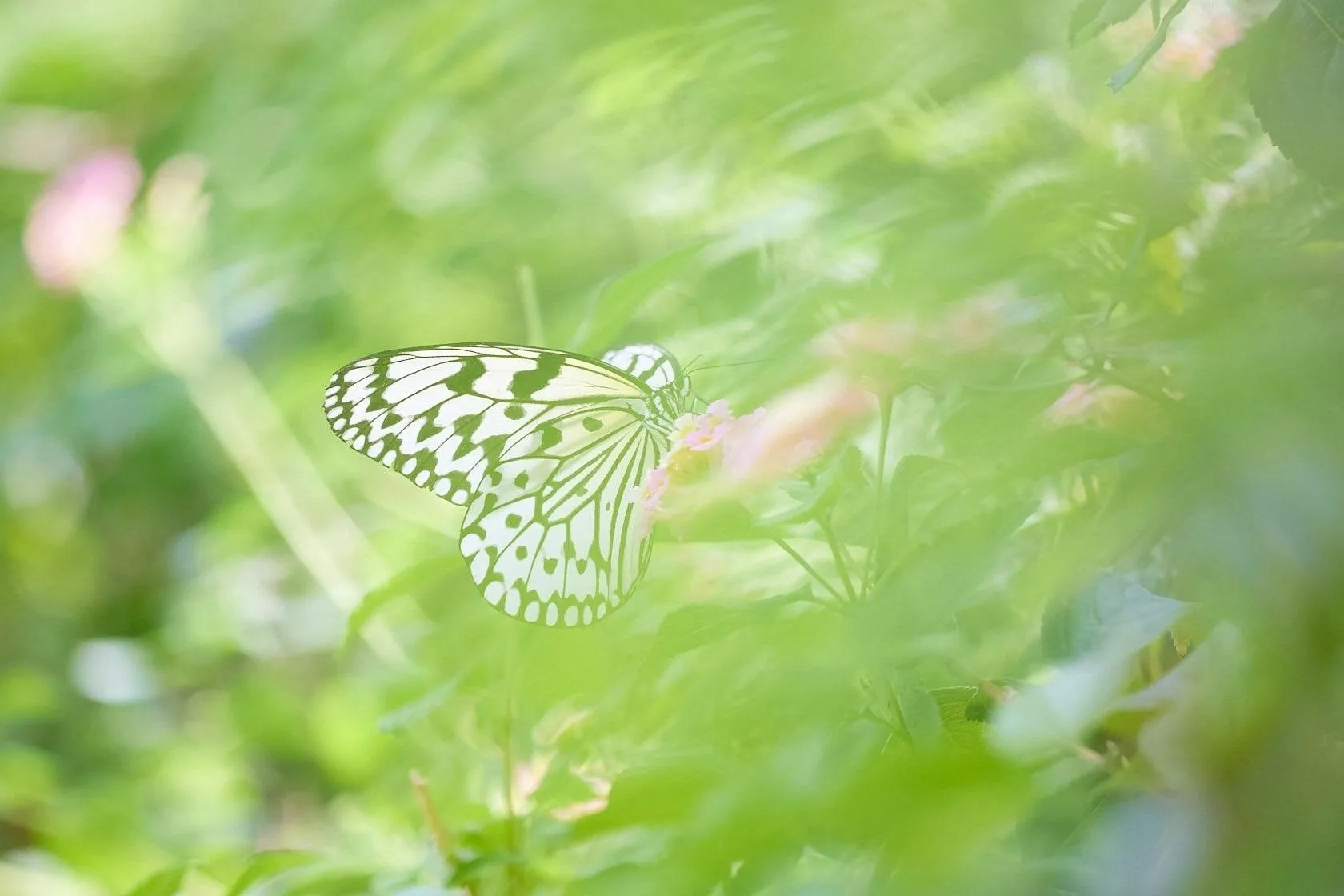
Photographing through nearby leaves or flowers can create a soft wash of color.
Move the camera so that an out-of-focus element enters an edge or corner of the frame. Keep the eye and important wing details visible unless a partially obscured subject is a deliberate creative choice.
Avoid adding blur simply because it is available. A large pale patch can become more distracting than the original background.
Use plants already in place rather than moving foliage or the butterfly to create the effect.
Choose Between Detail and Selective Focus
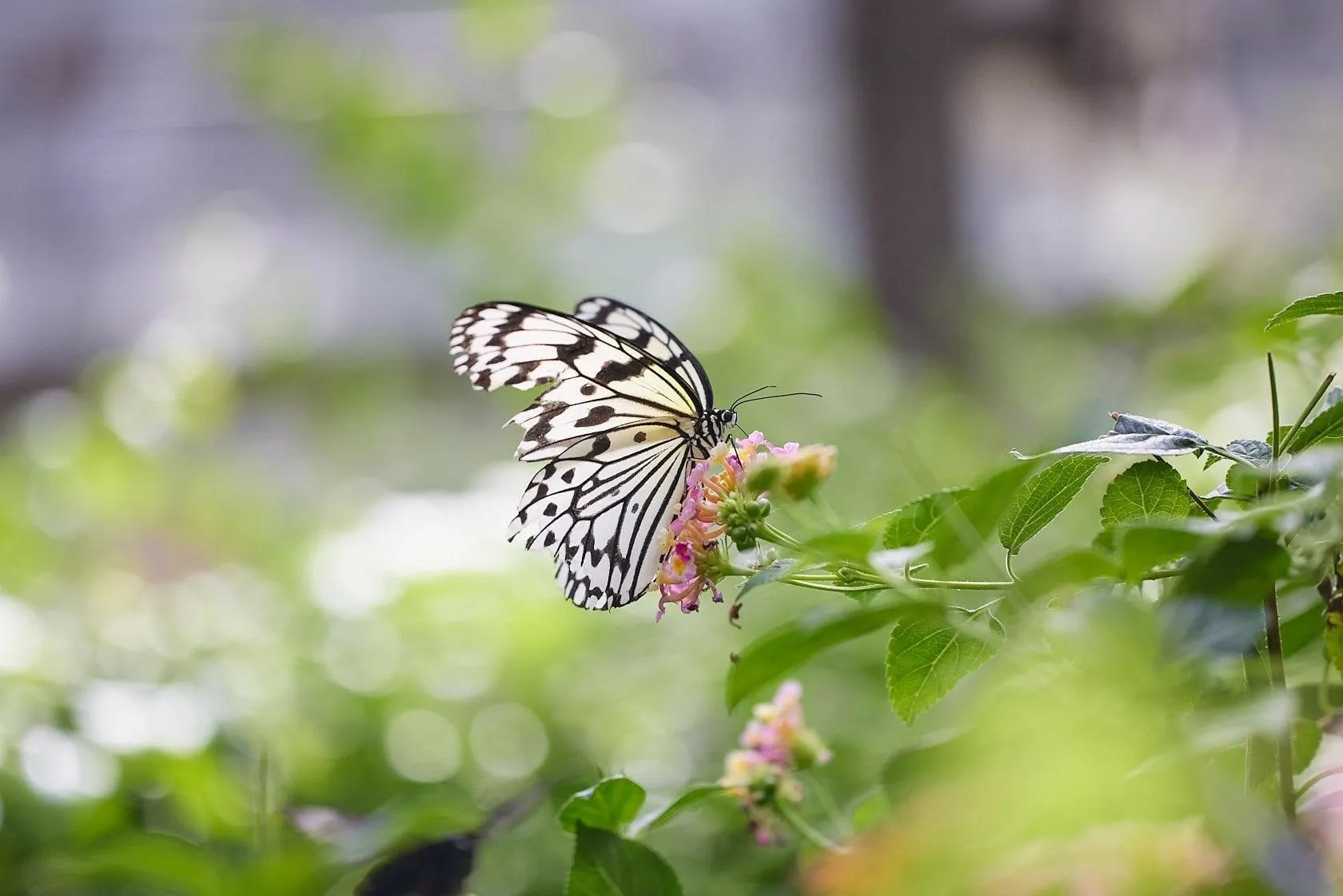
Two different photographs can work equally well:
- A descriptive portrait with the eye, body, and most of the visible wing pattern in focus.
- A selective-focus image that emphasizes the eye or a small section of wing detail.
The distinction is intention. If a shallow-focus result is the goal, place focus precisely and ensure the sharp area is meaningful.
Butterfly wings are covered in scales, not feathers. Excessive sharpening can make those fine textures look brittle or unnatural.
Make the Background Part of the Composition
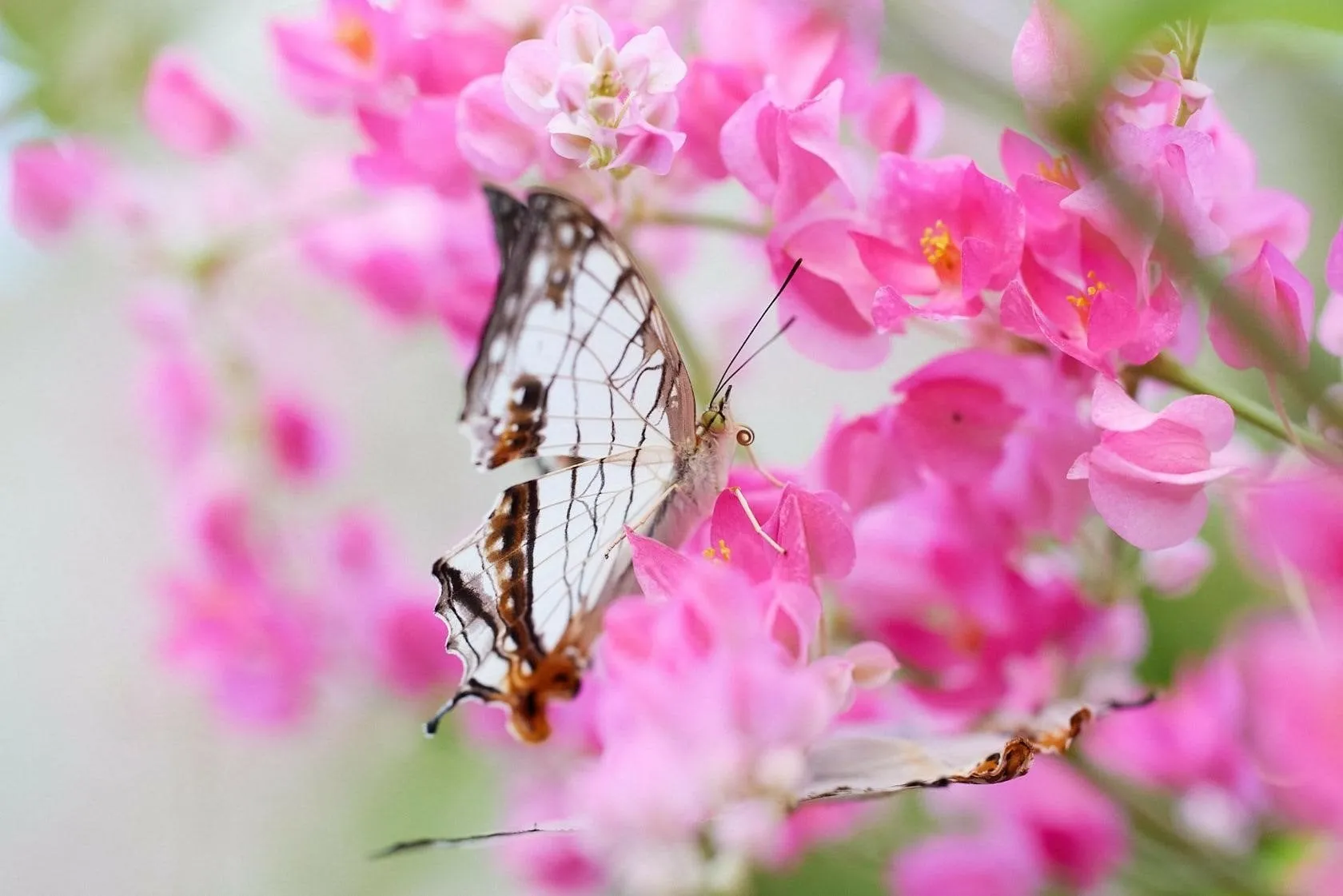
A clean background is useful, but it is not the only successful option. Habitat can explain where the butterfly lives, feeds, or rests.
The choice should support the photograph’s purpose.
Change Your Angle Before Changing Everything Else
A small sideways movement can replace a bright wall with darker foliage. Lowering the camera may place the butterfly against distant trees instead of a busy patch of ground.
Check the entire frame for:
- Bright spots near the butterfly’s head.
- Stems that appear to pass through the body.
- Background lines that compete with the antennae.
- Strong colors that pull attention away from the subject.
- Awkwardly cropped flowers or wing tips.
These are practical applications of photography composition: deciding which elements belong together and how they guide attention.
Include Habitat Deliberately
For an environmental portrait, step back or use a shorter focal length. Let the flower, grasses, or surrounding plants occupy a meaningful part of the frame.
A smaller aperture can increase depth of field, but f/16 does not make everything sharp. Focus distance, focal length, magnification, and the separation between foreground and background still matter.
At close range, a distant background may remain blurred even at a small aperture. If recognizable habitat is important, increasing the shooting distance can be more effective than stopping down alone.
Use Negative Space
A butterfly does not need to fill the frame.
Leave space in the direction it faces, above a curved flower stem, or around an interesting wing shape. A small subject against a restrained background can communicate delicacy and scale.
Check that the empty area contributes something. Negative space works best when its brightness, color, and shape feel connected to the subject.
Try Three Different Photographs of the Same Butterfly

When a subject remains settled, build variety through camera choices rather than changing its position.
1. The Detailed Portrait
Focus on the eye and choose an aperture that retains the wing details you want. Keep the background simple and inspect sharpness before continuing.
2. The Atmospheric View
Move slightly lower or farther to one side. Use distant foliage or existing foreground plants to introduce soft color and depth.
Check that the atmosphere does not overwhelm the butterfly.
3. The Environmental Frame
Step back and include the perch, surrounding flowers, or habitat. Look for a relationship between the butterfly and the shapes around it.
These three approaches produce a more varied collection than repeatedly taking the same tight crop.
Editing Butterfly Photos in Luminar
Editing can improve tonal balance, emphasize existing color, and reduce distractions. It works best when the eye is in focus and the original file contains usable highlight and shadow detail.
A RAW editing workflow provides flexibility for adjusting white balance and tones, subject to camera-file support and the information captured.
Powerful and Feature-Rich RAW Converter
Start With Exposure and White Balance
Set overall brightness around the butterfly and its surroundings. Preserve the distinction between a luminous wing and a completely white patch with no texture.
For backlit photographs, avoid lifting every shadow equally. A darker background may be part of what makes the wings appear bright.
Adjust white balance before increasing saturation. A strong color cast can affect the butterfly, flowers, and foliage differently.

Refine Backlighting With Light Depth
In current Luminar for Desktop, Light Depth replaces Relight AI. It uses depth-based controls to adjust lighting across the scene.
For a dark butterfly against a brighter background, Light Depth can help refine the balance between nearer and farther areas.
Apply a restrained adjustment and inspect the result around antennae, wing edges, and gaps between the insect and its perch. A depth-based tool may not separate every delicate structure perfectly.
The goal is to make recorded detail easier to see while preserving a believable direction of light.

Keep Texture and Color Natural
Apply sharpening and detail adjustments carefully. Inspect the eye and wing scales at 100% magnification, then return to the full image to judge whether the treatment looks convincing.
Noise reduction can help with higher-ISO files, but excessive smoothing can erase fine texture. Strong saturation may also remove subtle differences between neighboring colors.
A subtle result usually preserves more of the butterfly’s character than applying every available enhancement.

Build the Photograph Around the Butterfly
Start with a sharp eye, suitable shutter speed, and enough depth of field for the details that matter. Then look beyond the subject: consider the direction of light, the distance to the background, and the effect of a lower or wider viewpoint.
A successful butterfly photograph can be a detailed portrait, a soft study of color, or a view of the insect within its habitat. The strongest choice is the one that makes purposeful use of the subject and conditions already in front of the camera.
FAQ
For an active perched butterfly, start around 1/500–1/1000 second and f/5.6–f/8, adjusting ISO as needed. For flight, try 1/2000 second or faster. Review sharpness and change the settings according to movement, distance, and available light.
No. A macro lens is useful for small subjects and fine detail, but a close-focusing telephoto or zoom can provide more working distance. A standard lens can work well when the photograph includes the butterfly’s habitat.
The wings may fall outside the depth of field, particularly at close range and wide apertures. Try aligning the camera more closely with the wing surface or using a smaller aperture. Wing movement may also require a faster shutter speed.
Early morning can provide softer light and resting subjects, while warmer periods may offer more feeding and flight activity. Species, season, and local weather matter, so observe when butterflies are active in the location you plan to photograph.
Look for a butterfly with plenty of distance between it and the background. Use a suitable aperture and camera position, then focus precisely. A wider aperture increases blur but can also leave important parts of the butterfly out of focus.