Lightroom is the first name that comes to mind when you think about photo editing. But spend some time exploring other editors, and you’ll find that some are better at certain things.
Lightroom is probably already familiar to you if you’ve been editing photos for a while. But have you ever wondered whether you’re missing out on something better? Maybe another editor handles RAW files the way you prefer, has tools Lightroom doesn’t, or simply costs less over time. We took a look at 10 Adobe Lightroom alternatives that are worth considering in 2027.
Key Takeaways
- Luminar is a superb fit for portraits, landscapes, and creative edits.
- Capture One Pro is awesome for studio photography and tethered shoots.
- DxO PhotoLab 10 stands out when working with noisy RAW files or correcting lens imperfections.
- ON1 Photo RAW 2027 is a good option for editing, layers, and photo organization in one app.
- ACDSee Ultimate 2027 is a solid choice for managing and editing photos on Windows.
- Zoner Studio is handy for batch editing and keeping photos organized.
- Exposure X7 is great for film looks and vintage effects.
- PhotoDirector 365 is useful for portrait retouching and creative edits.
- darktable is great for free RAW editing with built-in photo management.
- RawTherapee is an ideal option for detailed RAW adjustments and color control.
Why Look for a Lightroom Alternative?

Some editors are made for managing entire photo libraries, while others focus on RAW development or creative effects. The best alternative to Lightroom is the one that fits the way you prefer to edit and organize your photos.
Subscription Cost
Lightroom’s monthly payments can get expensive over time. If you mostly edit photos on your computer, paying for cloud features you rarely use may not make much sense. DxO PhotoLab and ON1 Photo RAW offer one-time purchase options, while darktable and RawTherapee are free.
Performance and Compatibility Concerns
RAW editing can be demanding, particularly on an older computer. Add AI noise reduction to the mix, and things can get even slower. Before buying anything, check whether the editor supports your camera and runs properly on your system. If possible, try it with a few of your own photos. You’ll quickly see whether the speed and image results work for you.
Different Editing Workflows or Features
A lot depends on the kind of photography you do. If you shoot weddings or products, being able to view photos on a computer as you take them can be a big help. Landscape photographers, on the other hand, may care more about noise reduction and masking. Even photo organization works differently from one editor to another.
Best Alternatives to Lightroom
These apps, like Lightroom, range from full workflow replacements to specialist editors.
1. Luminar

Best for: AI-assisted portraits, landscapes, and creative finishing.
One thing Luminar does well is save time on edits that would otherwise take a while. A sky that doesn’t look quite right, an object you’d rather not have in the frame, or uneven lighting can all be fixed without much fuss. For anything more complicated, you can work with layers and masks and adjust the parts of the photo that need attention.
Luminar works on Mac and Windows, both as a standalone editor and a plugin. Its RAW photo editing tools cover the usual exposure, color, and detail adjustments, too. One thing to keep in mind: its Library is convenient for everyday photo collections, but photographers with huge archives may prefer Lightroom’s more advanced catalog features.
Is Luminar better than Lightroom?
Pros:
- Approachable controls
- Useful AI editing
- Standalone and plugin workflows
Cons:
- Less extensive catalog management
- Some AI services depend on license terms
Exclusive Tools of Endless Possibilities in One Editor
2. Capture One Pro
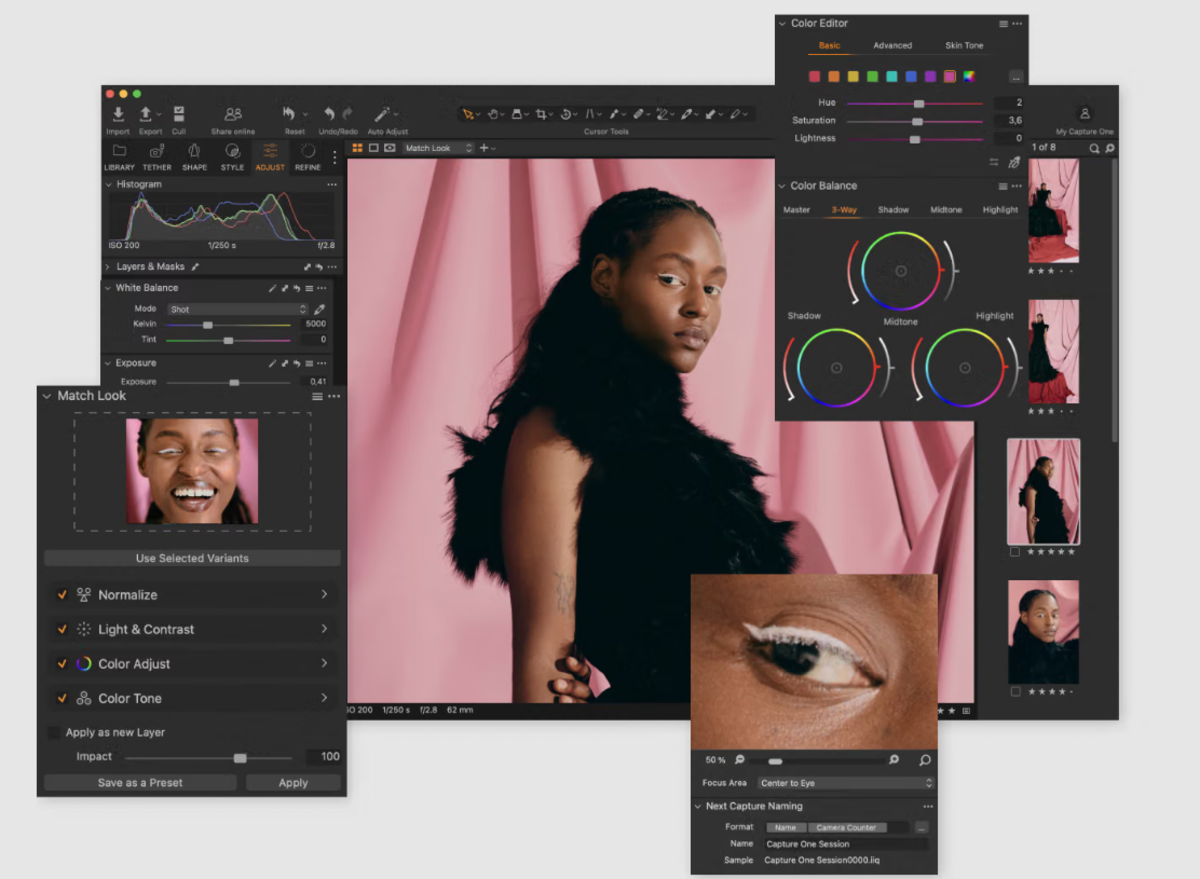
Best for: Studio, fashion, portrait, and product photography.
Studio photographers often turn to Capture One for tethered shooting. Instead of checking every shot on the camera’s small screen, you can see images appear on your computer as you take them. It’s much easier to spot missed focus or discuss changes with a client that way. Capture One also offers two ways to organize photos: Sessions for separate projects and Catalogs for larger collections.
The latest 16.9 update also brings new portrait retouching tools, more precise color adjustments, and faster noise reduction. If color accuracy and control over every detail matter to you, Capture One is well worth considering. If you prefer starting with an existing look rather than adjusting every color yourself, our collection of Lightroom presets offers plenty of styles to experiment with.
Is Capture One better than Lightroom?
Pros:
- Precise color tools
- Strong tethering
- Advanced portrait retouching
Cons:
- Steep learning curve
- Higher cost than simpler editors
- Sessions and Catalogs require planning
3. DxO PhotoLab 10
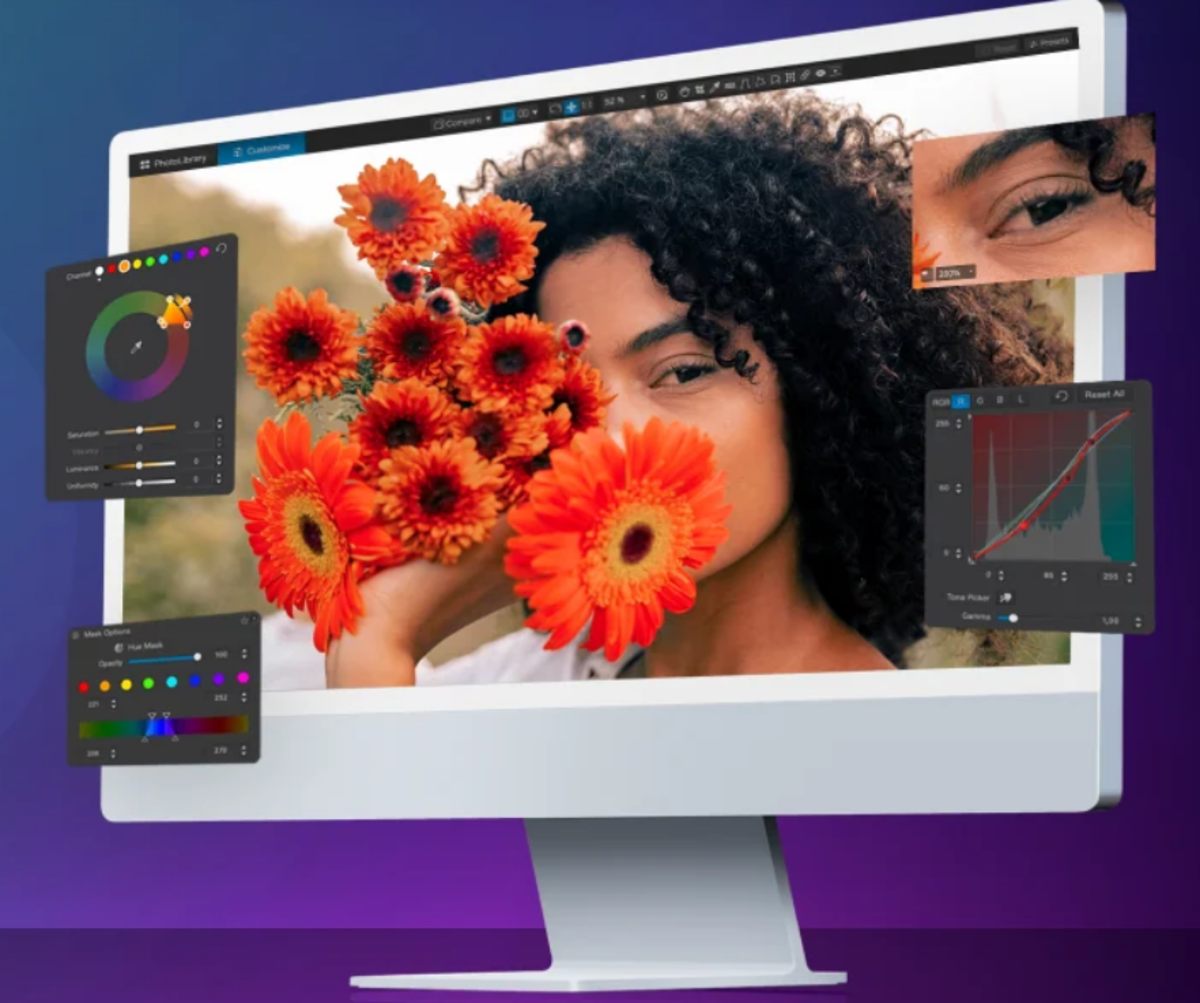
Best for: High-ISO images, optical corrections, and detailed RAW processing.
One thing DxO PhotoLab does really well is clean up difficult RAW files. DeepPRIME XD3 helps with noisy shots, while automatic lens corrections take care of distortion, vignetting, and other optical issues. PhotoLab 10 also adds useful editing tools, including depth masks, improved people selections, and greater control over color.
Its folder browser and PhotoLibrary are useful, though organization is less comprehensive than Lightroom’s. It is particularly appealing to photographers who would rather improve RAW image quality than spend time managing a large catalog.
Is DxO PhotoLab better than Lightroom?
Pros:
- Excellent RAW denoising
- Precise optical corrections
- Detailed local adjustments
Cons:
- Limited library management
- Demanding processing
- Cloud sync is not a focus
4. ON1 Photo RAW 2027

Best for: Editing, layers, and organization in one application.
ON1 Photo RAW 2027 has had a few useful updates. RAW files get a new processing engine, noise reduction has been improved, and masking is easier to work with. There’s also a tool for sharpening slightly blurry photos. The MAX edition goes a step further: it can sort similar shots and flag photos with closed eyes or missed focus, which is handy when going through a large shoot.
You can buy the standard version outright, without committing to a subscription. MAX is also available as a one-time purchase, while the subscription plans add cloud sync and ongoing upgrades. The interface takes a little getting used to, especially with so many tools in one place, but having everything together can be convenient.
Is ON1 Photo RAW better than Lightroom?
Pros:
- All-in-one workflow
- Layers and masks
- One-time purchase option
Cons:
- Busy interface
- Some AI tools are MAX-only
- Performance depends on hardware
5. ACDSee Photo Studio Ultimate 2027

Best for: Windows users managing large local photo libraries.
ACDSee is among apps like Lightroom for photographers with large photo collections. It offers keyword and metadata management, facial recognition, batch tools, and photo stacking. You can develop RAW files in one workspace and switch to Edit for layer-based adjustments. The 2027 version also enables finding visually similar images using AI Image Similarity.
Ultimate 2027 is Windows-only; ACDSee sells a separate Mac application with a different feature set. Its combination of digital asset management and layered editing makes it a serious option for photographers who organize thousands of locally stored images.
Is ACDSee better than Lightroom?
Pros:
- Strong digital asset management
- RAW and layered editing
- AI similarity search
Cons:
- Ultimate is Windows-only
- Dense interface
- Generative tools may have extra limits or costs
6. Zoner Studio
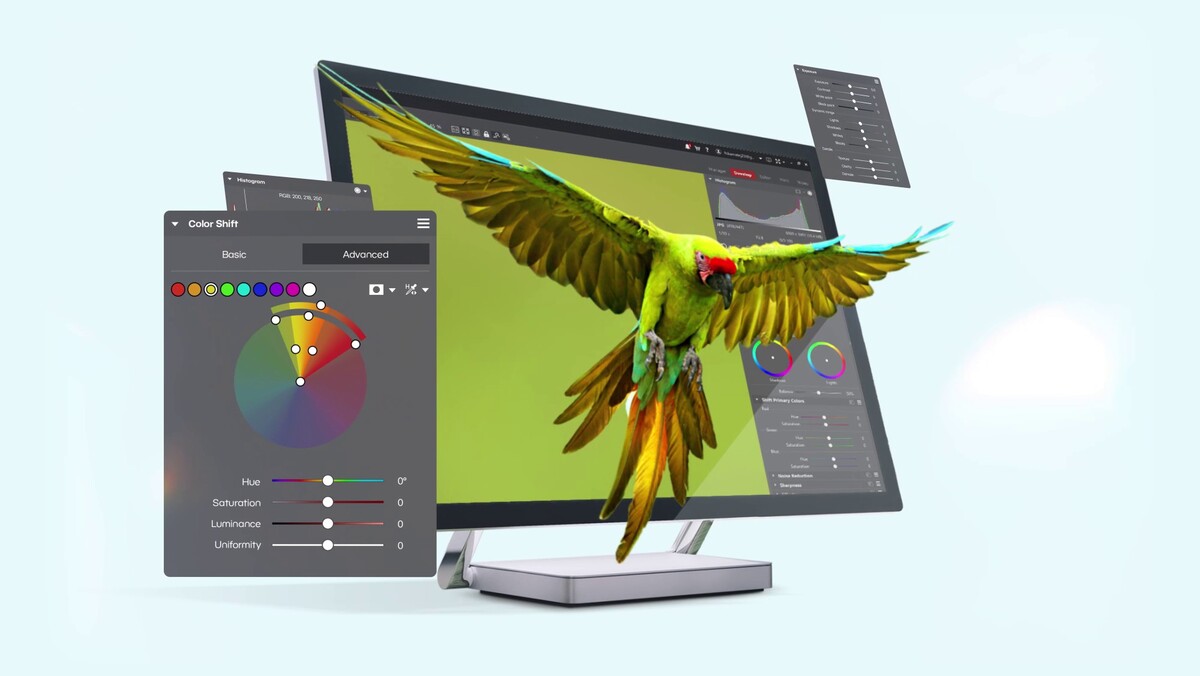
Best for: Windows photographers who want an organized, all-in-one workflow.
Zoner Studio also takes care of what comes after a shoot. You can organize your images, edit several at once, save your favorite adjustments as presets, and share photos online. It keeps the original RAW files intact while you work. The individual plan costs $59 per year and includes 20GB of cloud storage.
Zoner supports more than 500 camera types, but is Windows-only. Its Manager and Develop workflow makes it particularly useful for photographers who regularly process batches and want their editing and organization tools in one desktop application.
Is Zoner Studio better than Lightroom?
Pros:
- Clear Manager and Develop workflow
- Batch tools and presets
- Cloud storage included
Cons:
- Windows only
- Annual subscription
- Lacks advanced tethered shooting tools
Elevate Your Photography with Our Advanced Software
7. Exposure X7
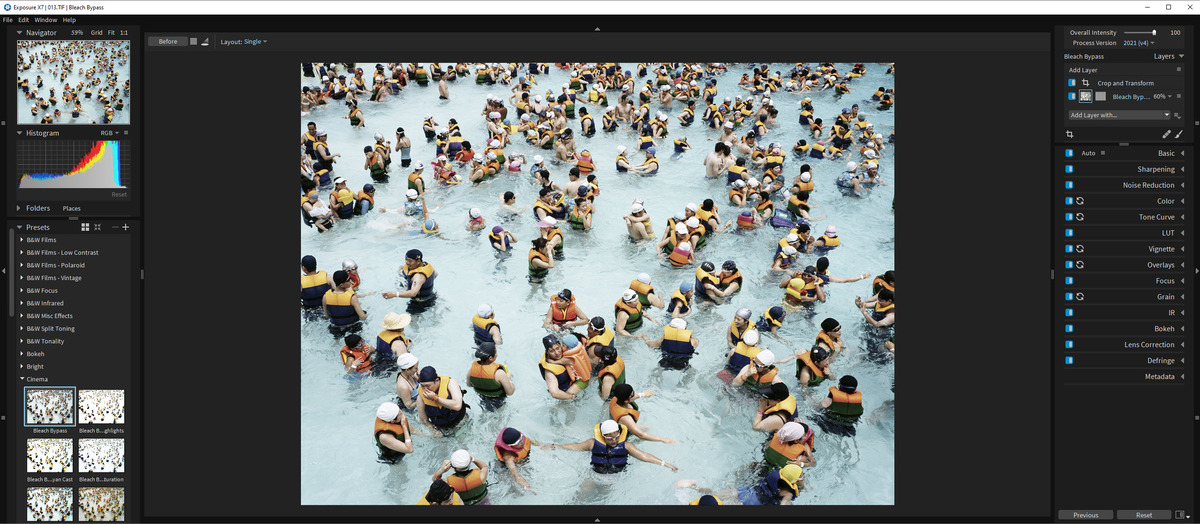
Best for: Film looks, creative color, and folder-based editing.
Exposure X7 is worth considering among programs like Lightroom, especially if you prefer film-inspired editing. It comes with hundreds of presets, plus grain, light leaks, and other effects that you can adjust to your liking. You can also use layers, brushes, and masks to apply changes only where they’re needed.
Is Exposure X7 better than Lightroom?
Pros:
- Film simulations
- Non-destructive layers and masks
- Folder-based workflow
Cons:
- Limited library tools
- Fewer AI features
- Less suited to high-volume studios
8. CyberLink PhotoDirector 365
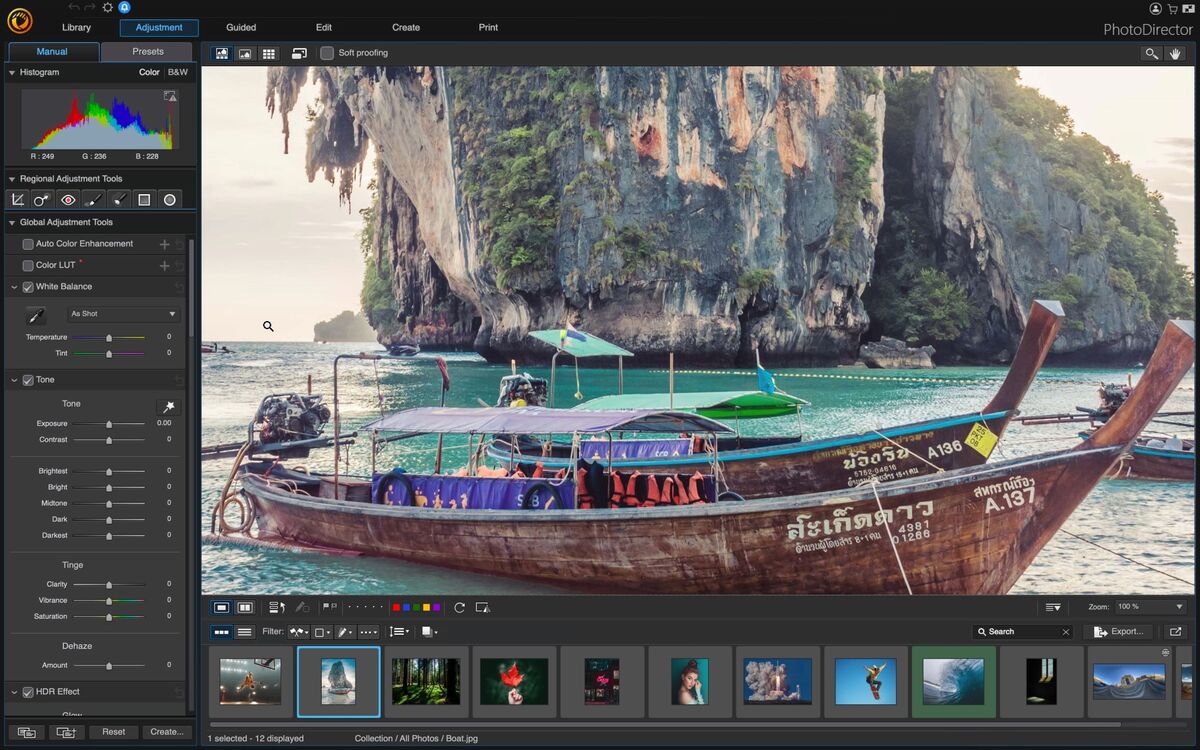
Best for: Portrait editing, creative projects, and AI-assisted retouching.
PhotoDirector goes beyond basic RAW editing. Alongside photo organization, it has layers, masks, portrait retouching, and batch editing. Face-based collections make it easier to find particular people in your library, while the AI Photo Agent lets you request edits in plain language.
Available for Windows and macOS, PhotoDirector is worth considering as a Mac Lightroom alternative, particularly if you edit portraits or create images for social media and other content projects.
Is PhotoDirector better than Lightroom?
Pros:
- Broad creative toolkit
- Face-based organization
- RAW, layers, and AI together
Cons:
- Subscription-oriented
- Less focus on specialist RAW workflows
- Some AI tools rely on cloud credits or supported hardware
9. darktable

Best for: Open-source RAW editing with library management.
darktable offers quite a lot for a free photo editor. You can organize images in Lighttable, work on RAW files in Darkroom, adjust colors and exposure, and even shoot tethered. Version 5.6.2 was released in October 2026. It can serve as a Lightroom equivalent for some editing tasks, but don’t expect the same experience.
The interface takes some getting used to, particularly if you’re coming from Adobe’s software. Want to try a few other free editors? We’ve also put together a separate guide to the best free Lightroom alternatives, including options for different editing needs.
Is darktable better than Lightroom?
Pros:
- Free and open-source
- Database catalog
- Tethered shooting
Cons:
- Steep learning curve
- Interface needs customization
- Camera support varies
10. RawTherapee

Best for: Detailed control over RAW development.
RawTherapee is a nice Lightroom replacement that takes a more hands-on approach to RAW editing. There are plenty of controls for adjusting exposure, colors, highlights, shadows, and fine details, along with tools for sharpening and noise reduction. You can browse photos in your existing folders, edit them, and queue several files for processing when you’re ready to export.
Version 5.13 improves color management, denoising, sharpening, and support for newer cameras. It is especially interesting for photographers who enjoy adjusting RAW files with technical precision. However, you will need another app for extensive keyword management, collections, and archive organization.
Is RawTherapee better than Lightroom?
Pros:
- Free and open-source
- Detailed RAW controls
- Windows, macOS, and Linux support
Cons:
- No full catalog
- Technical interface
- Few integrated AI or library tools
Your AI-Powered Photo Editor for MacOS and Windows
Why Luminar Is the Best Lightroom Alternative?
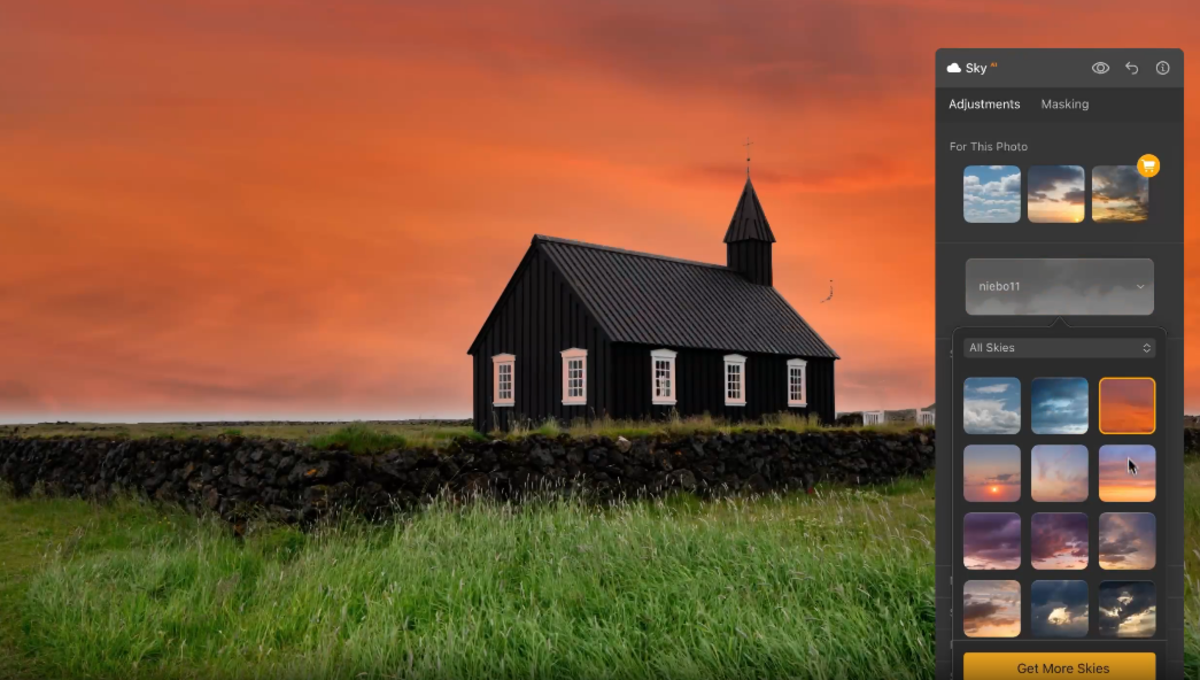
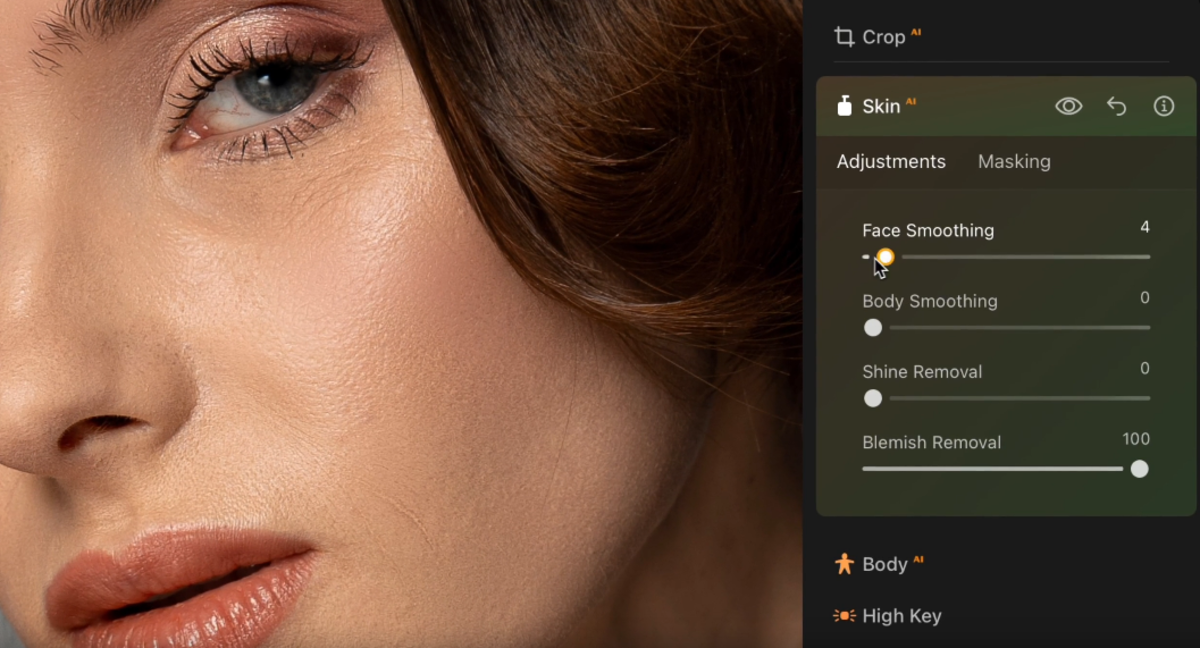
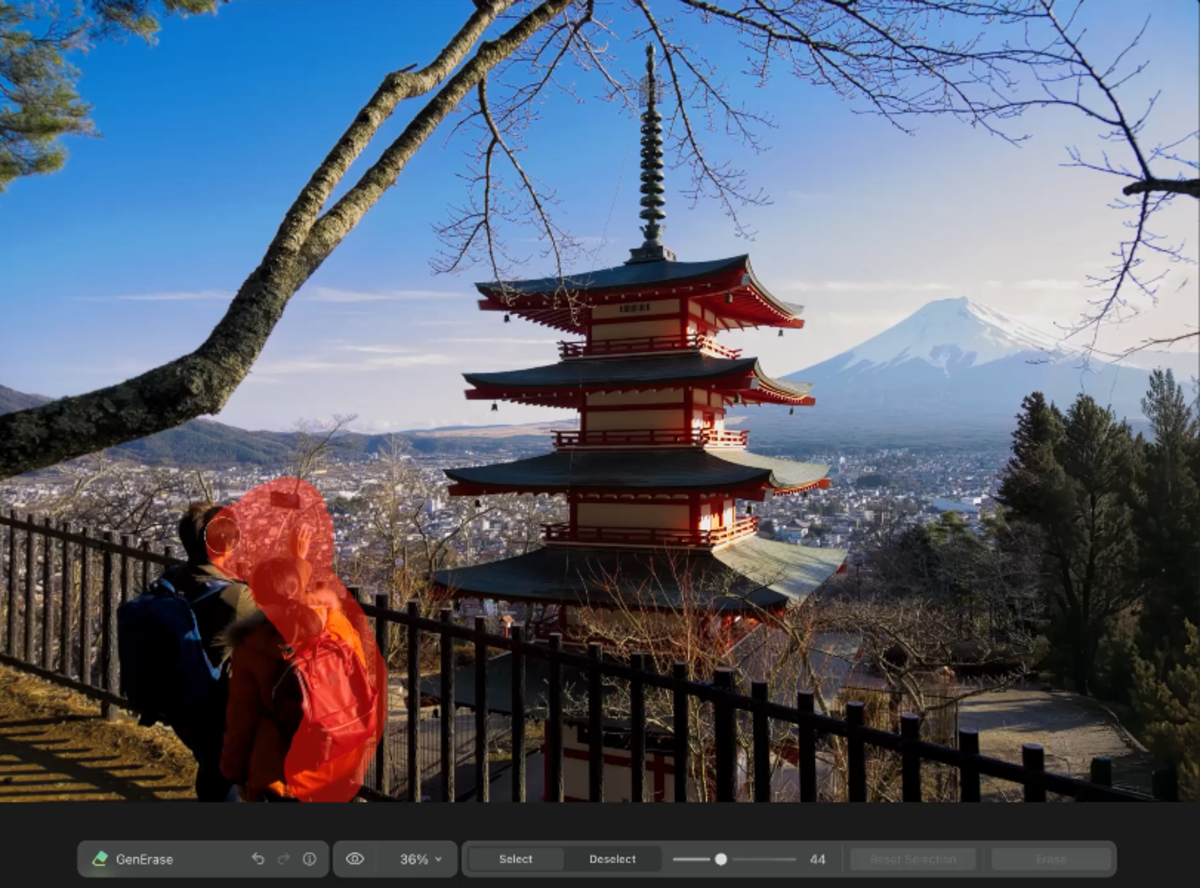
Luminar is particularly useful when you want to improve a photo without spending too much time on individual adjustments. Some of its strongest features include:
- Sky AI: Replace dull skies in landscape photos.
- Portrait tools: Retouch skin and improve facial details.
- Object removal: Get rid of unwanted elements in the frame.
- Layers and masking: Make changes to specific areas without affecting the whole image.
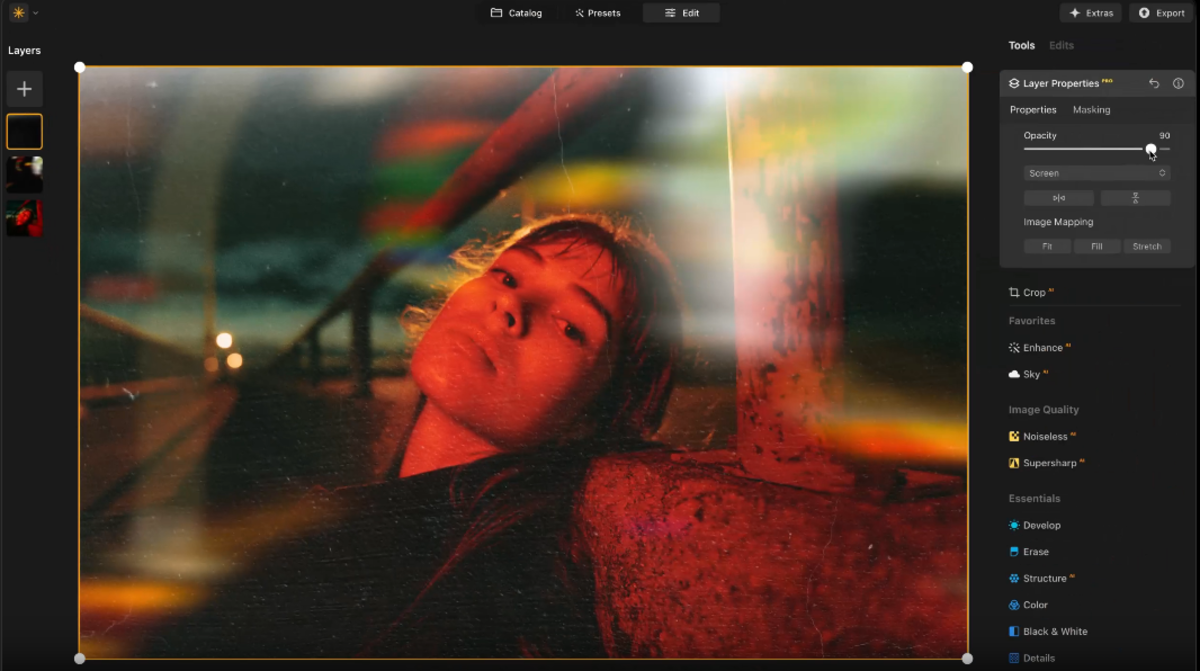


It also offers a perpetual desktop license, although selected generative AI tools require renewal after one year. See Luminar vs Lightroom for a closer comparison.
Lightroom vs. Best Alternatives: Comparison Table
| Software | Best for | Pricing model | Platforms |
| Luminar | AI editing, portraits, and landscapes | One-time desktop license | Mac, Windows |
| Capture One Pro | Professional color grading and studio tethering | Subscription or one-time purchase | Mac, Windows |
| DxO PhotoLab 10 | RAW quality, noise reduction, and lens corrections | One-time purchase | Mac, Windows |
| ON1 Photo RAW 2027 | All-in-one RAW editing, layers, and organization | One-time purchase or subscription | Mac, Windows |
| ACDSee Ultimate 2027 | Photo library management and layered editing | One-time purchase or subscription | Windows |
| Zoner Studio | Photo organization and batch editing | Annual subscription | Windows |
| Exposure X7 | Film effects and creative color grading | One-time purchase | Mac, Windows |
| PhotoDirector 365 | AI editing and portrait retouching | Subscription | Mac, Windows |
| darktable | Advanced RAW editing and photo management | Free, open-source | Mac, Windows, Linux |
| RawTherapee | Detailed RAW adjustments and color control | Free, open-source | Mac, Windows, Linux |
FAQ
Yes. Luminar, Capture One, DxO, ON1, ACDSee, and Exposure offer one-time purchase options. darktable and RawTherapee are free and open-source.
Luminar is easy to pick up, even if you’ve never edited RAW photos before. PhotoDirector is another beginner-friendly option.
Absolutely. All ten programs can process RAW photos, so you don’t need Lightroom. Just check that your particular camera model is supported before switching.
ON1 Photo RAW offers plenty of editing tools with a one-time purchase option. DxO is a good choice for RAW quality, while darktable and RawTherapee won’t cost you anything.
Luminar offers sky replacement and cleanup; ON1 excels at denoising and culling; PhotoDirector adds generative and portrait tools.